
Kasus pembaruan merek lama
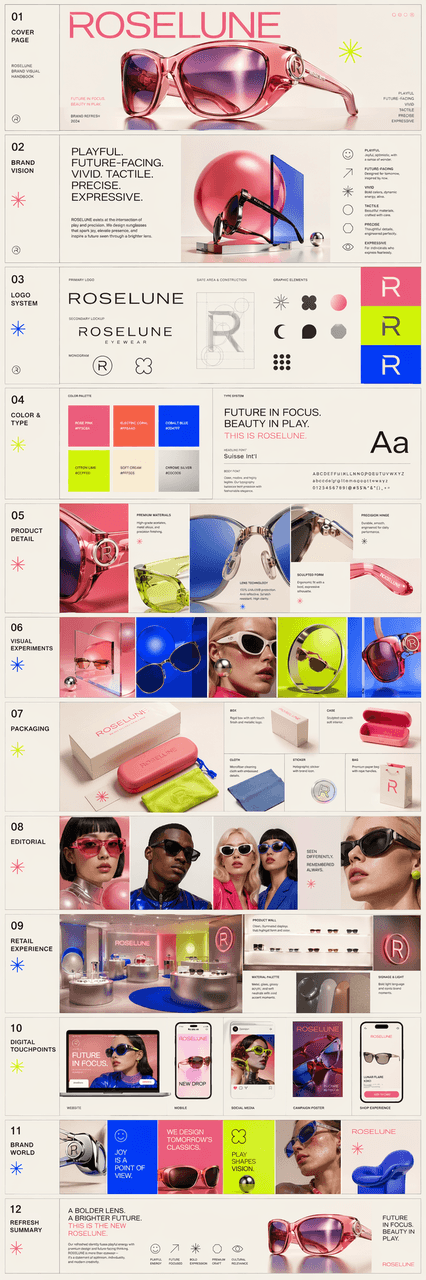
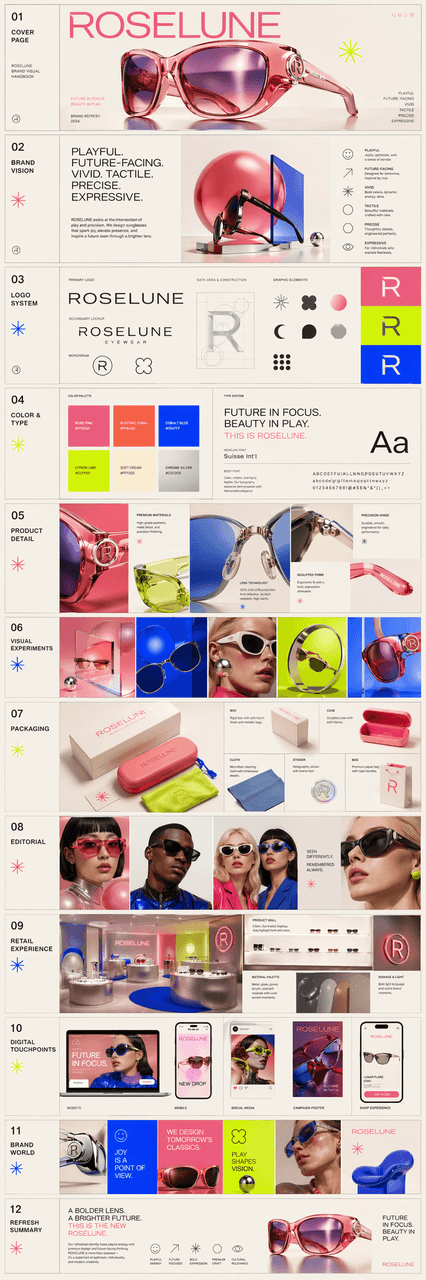
Buat manual visual merek multi-halaman yang indah untuk perusahaan kacamata hitam bernama ROSELUNE, yang disajikan dalam bentuk banyak gambar. Temperamen merek harus menyenangkan, futuristik, berwarna cerah, dan memilik…
Cepat
Buat manual visual merek multi-halaman yang indah untuk perusahaan kacamata hitam bernama ROSELUNE, yang disajikan dalam bentuk banyak gambar. Temperamen merek harus menyenangkan, futuristik, berwarna cerah, dan memiliki selera desain yang kuat, memberikan keseimbangan antara "vitalitas seperti mainan" dan "kecanggihan merek teknologi kreatif kelas atas". Bahasa visual mencakup warna-warna cerah yang sangat jenuh, bentuk geometris, font modern, ritme dinamis, dan ekspresi gambar yang sedikit nyata. Kebutuhan keseluruhan mencerminkan: perhatian terhadap detail produk, eksperimen visual, eksplorasi desain kemasan, fotografi gaya editorial, pengalaman ritel yang mendalam, dan penerapan merek lintas platform. Terakhir, diintegrasikan ke dalam gambaran panjang gambaran lengkap, seperti proposal pembaruan merek lama yang dibuat oleh studio kreatif kelas atas.
Cara menggunakan perintah ini
Baca perintah Kasus pembaruan merek lama secara lengkap dan identifikasi persyaratan subjek, gaya, kamera, pencahayaan, dan komposisi sebelum membuatnya.
Ganti placeholder dalam tanda kurung atau gaya argumen dengan persyaratan produk, karakter, merek, adegan, palet warna, atau rasio aspek Anda.
Buka https://www.gptimagehub.com/id/generate?promptId=cmogxn88m00nnxt5gxb8ryr8s, buat gambarnya, lalu sempurnakan perintah dengan subjek, teks, tata letak, atau batasan negatif yang lebih spesifik jika diperlukan.
Pertanyaan Umum yang cepat
Untuk apa perintah Kasus pembaruan merek lama paling baik digunakan?
Perintah ini paling baik digunakan untuk gambar logo dan branding yang menginginkan struktur yang dapat digunakan kembali, arah visual yang mendetail, dan kualitas keluaran yang konsisten.
Bisakah saya mengedit prompt sebelum membuat?
Ya. Teks perintah lengkap terlihat di halaman ini sehingga Anda dapat mengubah subjek, nama produk, warna, komposisi, istilah kamera, rasio aspek, dan catatan gaya sebelum pembuatan.
Model mana yang harus saya gunakan dengan perintah ini?
Gunakan model yang ditampilkan dalam metadata perintah sebagai titik awal default. Jika model gambar lain mendukung rasio aspek dan gaya instruksi yang sama, Anda dapat menyesuaikan perintah dan membandingkan hasilnya.