
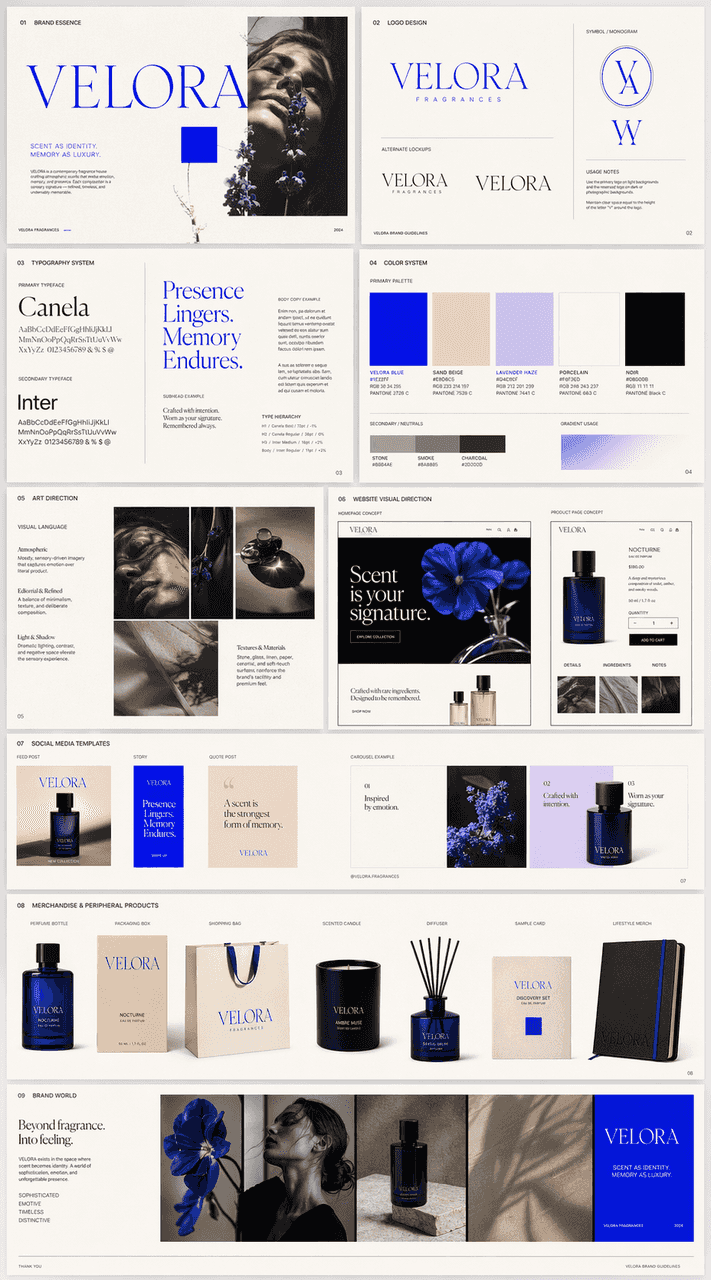
Hasilkan rencana merek lengkap berdasarkan papan suasana hati
Berdasarkan mood board yang diunggah, kami membuat manual visual merek multi-halaman yang indah untuk perusahaan wewangian bernama VELORA, dan akhirnya mengintegrasikannya ke dalam gambaran umum yang lengkap. Konten har…
Cepat
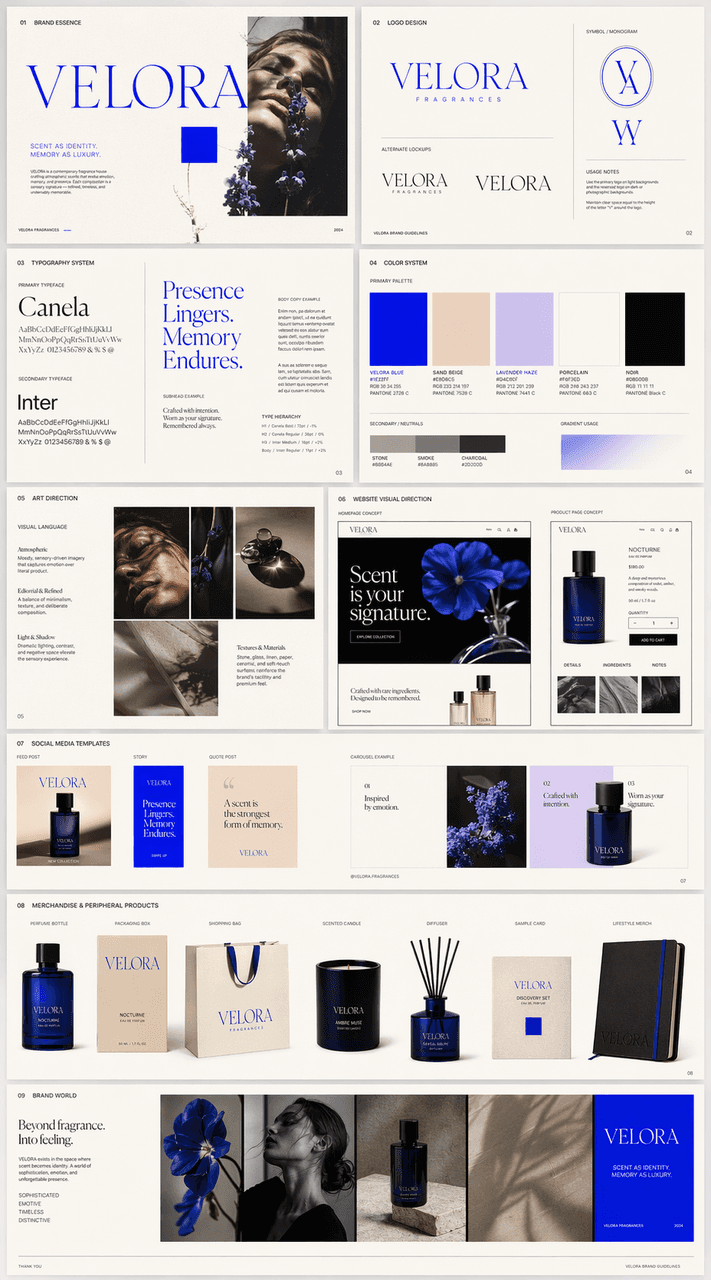
Berdasarkan mood board yang diunggah, kami membuat manual visual merek multi-halaman yang indah untuk perusahaan wewangian bernama VELORA, dan akhirnya mengintegrasikannya ke dalam gambaran umum yang lengkap. Konten harus mencakup: desain logo, sistem font, sistem warna, arahan seni, arahan visual situs web, templat media sosial, dan konsep produk periferal. Visi keseluruhan harus benar-benar mengacu pada temperamen papan suasana hati dan tetap bersatu, lengkap, dan matang, seperti halaman penyerahan kasus lengkap merek nyata.
Cara menggunakan perintah ini
Baca perintah Hasilkan rencana merek lengkap berdasarkan papan suasana hati secara lengkap dan identifikasi persyaratan subjek, gaya, kamera, pencahayaan, dan komposisi sebelum membuatnya.
Ganti placeholder dalam tanda kurung atau gaya argumen dengan persyaratan produk, karakter, merek, adegan, palet warna, atau rasio aspek Anda.
Buka https://www.gptimagehub.com/id/generate?promptId=cmogxn6b400nlxt5ghkb952kr, buat gambarnya, lalu sempurnakan perintah dengan subjek, teks, tata letak, atau batasan negatif yang lebih spesifik jika diperlukan.
Pertanyaan Umum yang cepat
Untuk apa perintah Hasilkan rencana merek lengkap berdasarkan papan suasana hati paling baik digunakan?
Perintah ini paling baik digunakan untuk gambar logo dan branding yang menginginkan struktur yang dapat digunakan kembali, arah visual yang mendetail, dan kualitas keluaran yang konsisten.
Bisakah saya mengedit prompt sebelum membuat?
Ya. Teks perintah lengkap terlihat di halaman ini sehingga Anda dapat mengubah subjek, nama produk, warna, komposisi, istilah kamera, rasio aspek, dan catatan gaya sebelum pembuatan.
Model mana yang harus saya gunakan dengan perintah ini?
Gunakan model yang ditampilkan dalam metadata perintah sebagai titik awal default. Jika model gambar lain mendukung rasio aspek dan gaya instruksi yang sama, Anda dapat menyesuaikan perintah dan membandingkan hasilnya.