
Peta e-commerce multi-negara
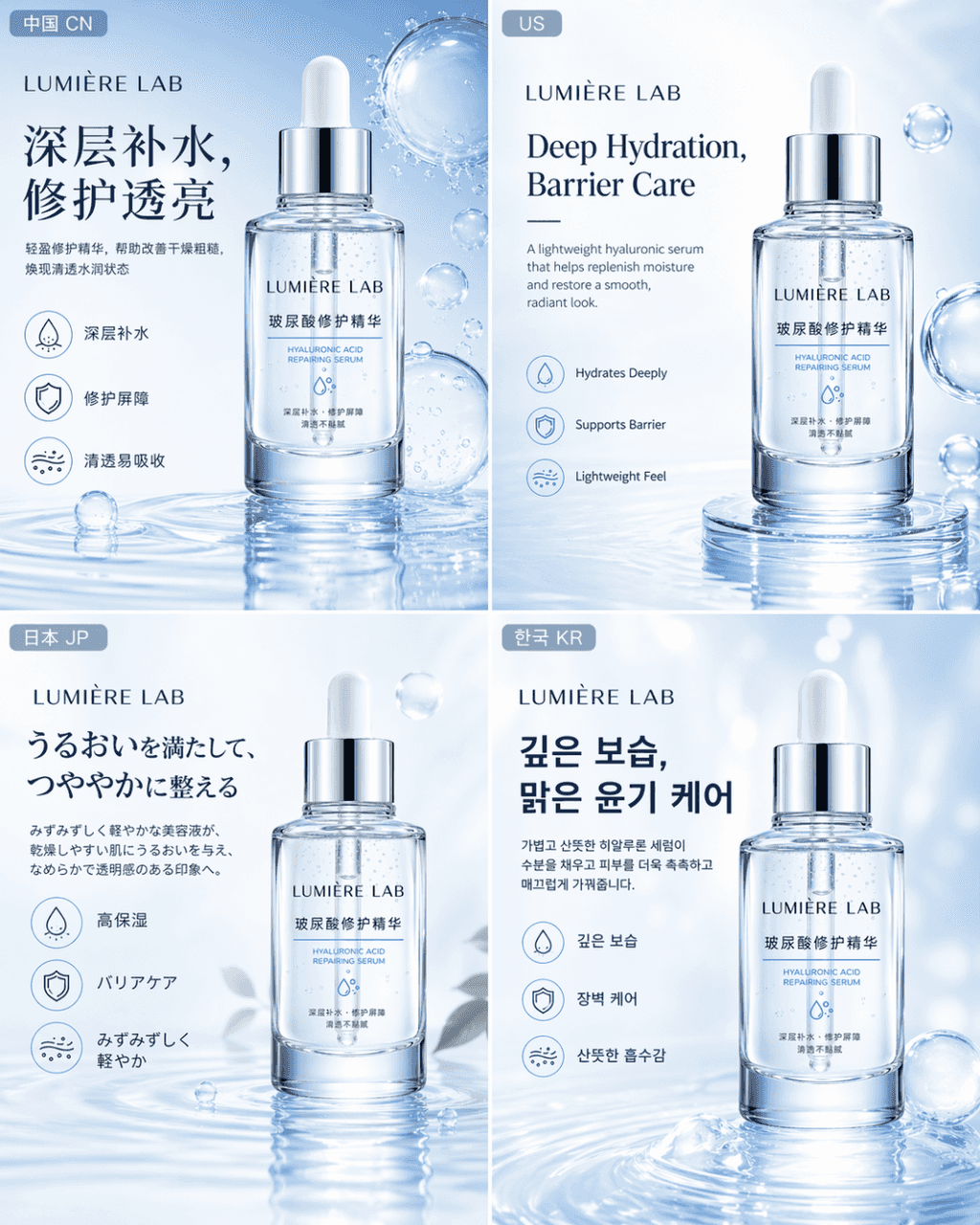
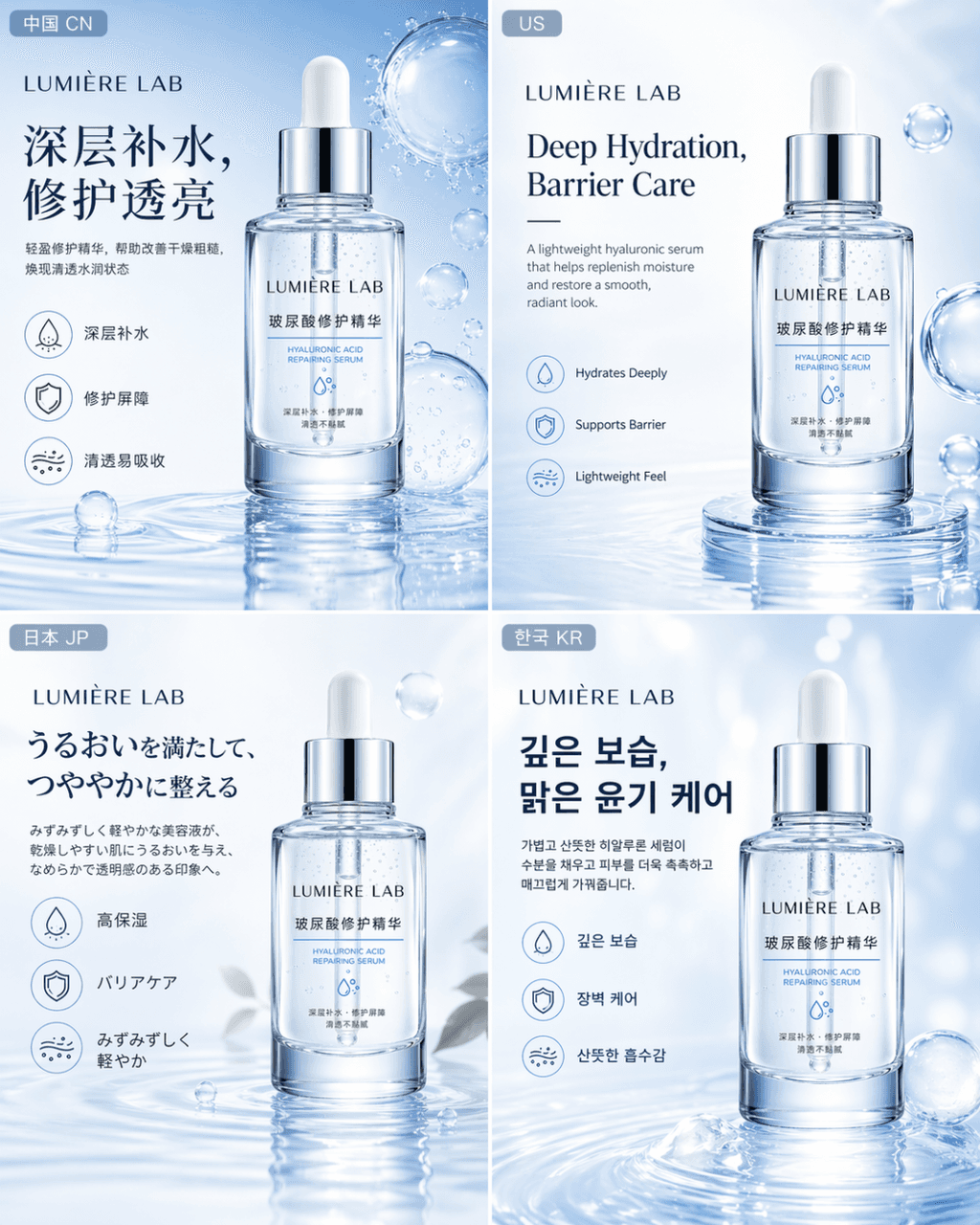
Hasilkan serangkaian peta e-commerce pasar multi-negara untuk produk perawatan kulit yang sama LUMIÈRE LAB Hyaluronic Acid Repair Essence, sesuai dengan empat versi pasar Tiongkok, Amerika Serikat, Jepang, dan Korea Sel…
Cepat
Hasilkan serangkaian peta e-commerce pasar multi-negara untuk produk perawatan kulit yang sama LUMIÈRE LAB Hyaluronic Acid Repair Essence, sesuai dengan empat versi pasar Tiongkok, Amerika Serikat, Jepang, dan Korea Selatan. Persyaratan: Produk itu sendiri tetap konsisten, visi merek bersatu, dan desain botol, kinerja material, posisi fungsional, dan nuansa kelas atas tetap tidak berubah; namun setiap versi lebih mendekati platform e-niaga arus utama lokal dan kebiasaan estetika konsumen dalam hal konten bahasa, logika tata letak, metode penyajian informasi, dan detail suasana lokal. Semuanya harus seperti paket visual e-commerce resmi yang diproduksi oleh merek perawatan kulit internasional untuk pasar berbeda, bukan empat poster independen dengan gaya berbeda.
Cara menggunakan perintah ini
Baca perintah Peta e-commerce multi-negara secara lengkap dan identifikasi persyaratan subjek, gaya, kamera, pencahayaan, dan komposisi sebelum membuatnya.
Ganti placeholder dalam tanda kurung atau gaya argumen dengan persyaratan produk, karakter, merek, adegan, palet warna, atau rasio aspek Anda.
Buka https://www.gptimagehub.com/id/generate?promptId=cmogxmziq00nfxt5gjmy7g5gf, buat gambarnya, lalu sempurnakan perintah dengan subjek, teks, tata letak, atau batasan negatif yang lebih spesifik jika diperlukan.
Pertanyaan Umum yang cepat
Untuk apa perintah Peta e-commerce multi-negara paling baik digunakan?
Perintah ini paling baik digunakan untuk gambar produk dan e-commerce yang menginginkan struktur yang dapat digunakan kembali, arah visual yang mendetail, dan kualitas keluaran yang konsisten.
Bisakah saya mengedit prompt sebelum membuat?
Ya. Teks perintah lengkap terlihat di halaman ini sehingga Anda dapat mengubah subjek, nama produk, warna, komposisi, istilah kamera, rasio aspek, dan catatan gaya sebelum pembuatan.
Model mana yang harus saya gunakan dengan perintah ini?
Gunakan model yang ditampilkan dalam metadata perintah sebagai titik awal default. Jika model gambar lain mendukung rasio aspek dan gaya instruksi yang sama, Anda dapat menyesuaikan perintah dan membandingkan hasilnya.