
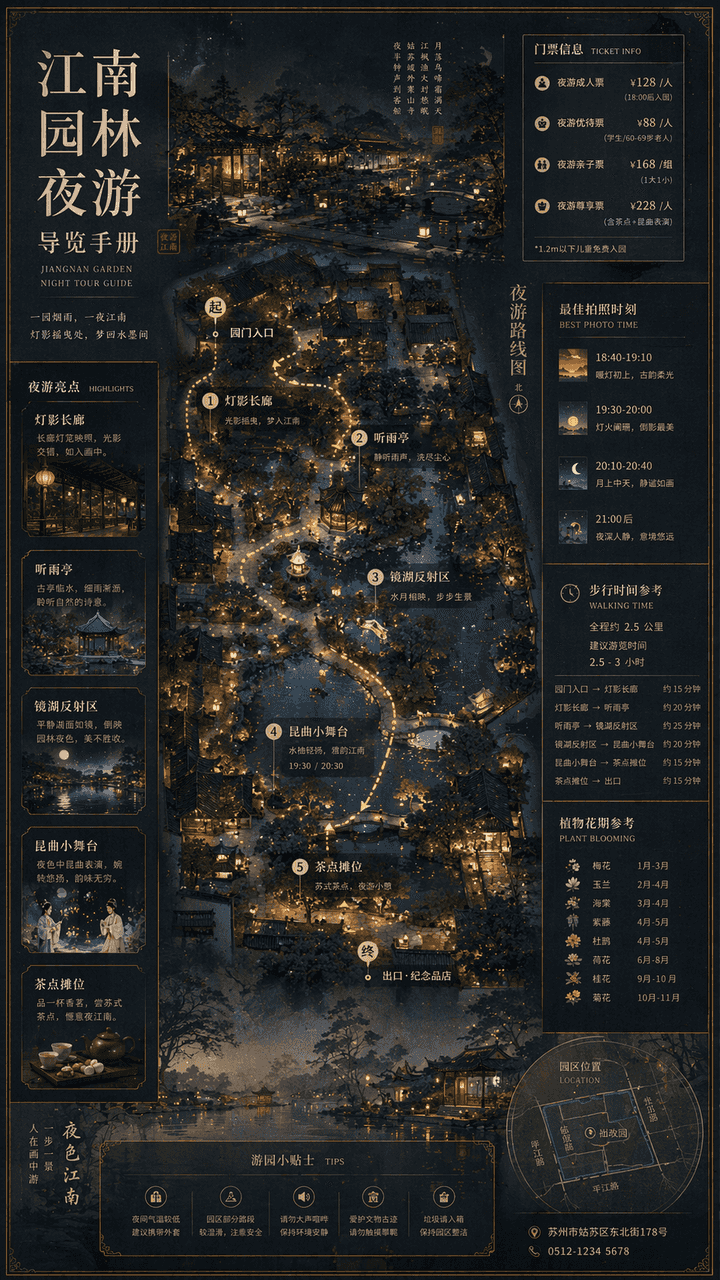
Buku Pemandu Wisata Malam Taman Jiangnan
"Manual Pemandu Wisata Malam Taman Jiangnan" menggabungkan lukisan pemandangan tradisional dengan sistem peta wisata budaya modern. Layar utama adalah pemandangan taman dari atas ditambah pemandangan perspektif parsial,…
Cepat
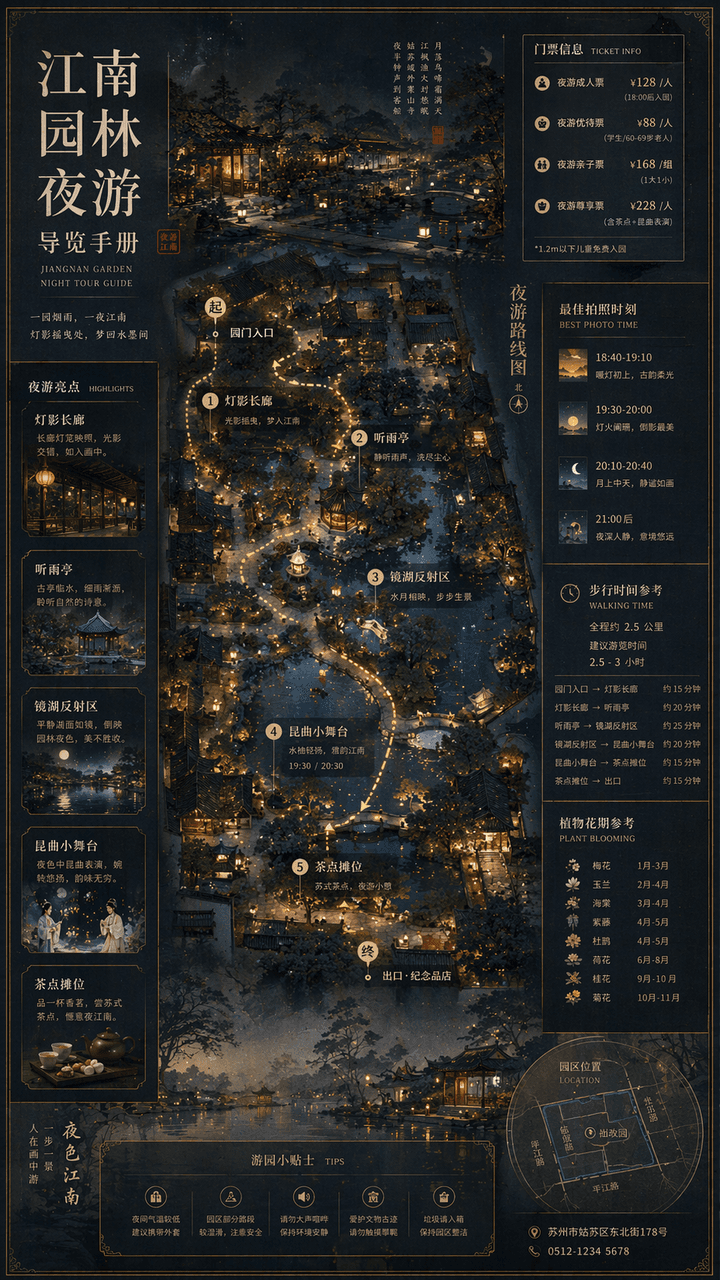
"Manual Pemandu Wisata Malam Taman Jiangnan" menggabungkan lukisan pemandangan tradisional dengan sistem peta wisata budaya modern. Layar utama adalah pemandangan taman dari atas ditambah pemandangan perspektif parsial, penandaan rute wisata malam, titik lentera, paviliun mendengarkan hujan, area refleksi danau cermin, panggung kecil pertunjukan opera Kunqu, dan kios minuman. Bilah samping mencakup level tiket, momen foto terbaik, waktu berjalan kaki, dan periode pembungaan tanaman. Fontnya merupakan kombinasi Dinasti Song dan warna hitam halus modern, dan rasio keseluruhan yang elegan dan presisi adalah 9:16.
Cara menggunakan perintah ini
Baca perintah Buku Pemandu Wisata Malam Taman Jiangnan secara lengkap dan identifikasi persyaratan subjek, gaya, kamera, pencahayaan, dan komposisi sebelum membuatnya.
Ganti placeholder dalam tanda kurung atau gaya argumen dengan persyaratan produk, karakter, merek, adegan, palet warna, atau rasio aspek Anda.
Buka https://www.gptimagehub.com/id/generate?promptId=cmogxkmc000i5xt5gu75h92mu, buat gambarnya, lalu sempurnakan perintah dengan subjek, teks, tata letak, atau batasan negatif yang lebih spesifik jika diperlukan.
Pertanyaan Umum yang cepat
Untuk apa perintah Buku Pemandu Wisata Malam Taman Jiangnan paling baik digunakan?
Perintah ini paling baik digunakan untuk gambar infografik / edukasi yang menginginkan struktur yang dapat digunakan kembali, arah visual yang mendetail, dan kualitas keluaran yang konsisten.
Bisakah saya mengedit prompt sebelum membuat?
Ya. Teks perintah lengkap terlihat di halaman ini sehingga Anda dapat mengubah subjek, nama produk, warna, komposisi, istilah kamera, rasio aspek, dan catatan gaya sebelum pembuatan.
Model mana yang harus saya gunakan dengan perintah ini?
Gunakan model yang ditampilkan dalam metadata perintah sebagai titik awal default. Jika model gambar lain mendukung rasio aspek dan gaya instruksi yang sama, Anda dapat menyesuaikan perintah dan membandingkan hasilnya.