
Diagram SOP dapur di stasiun penelitian Antartika
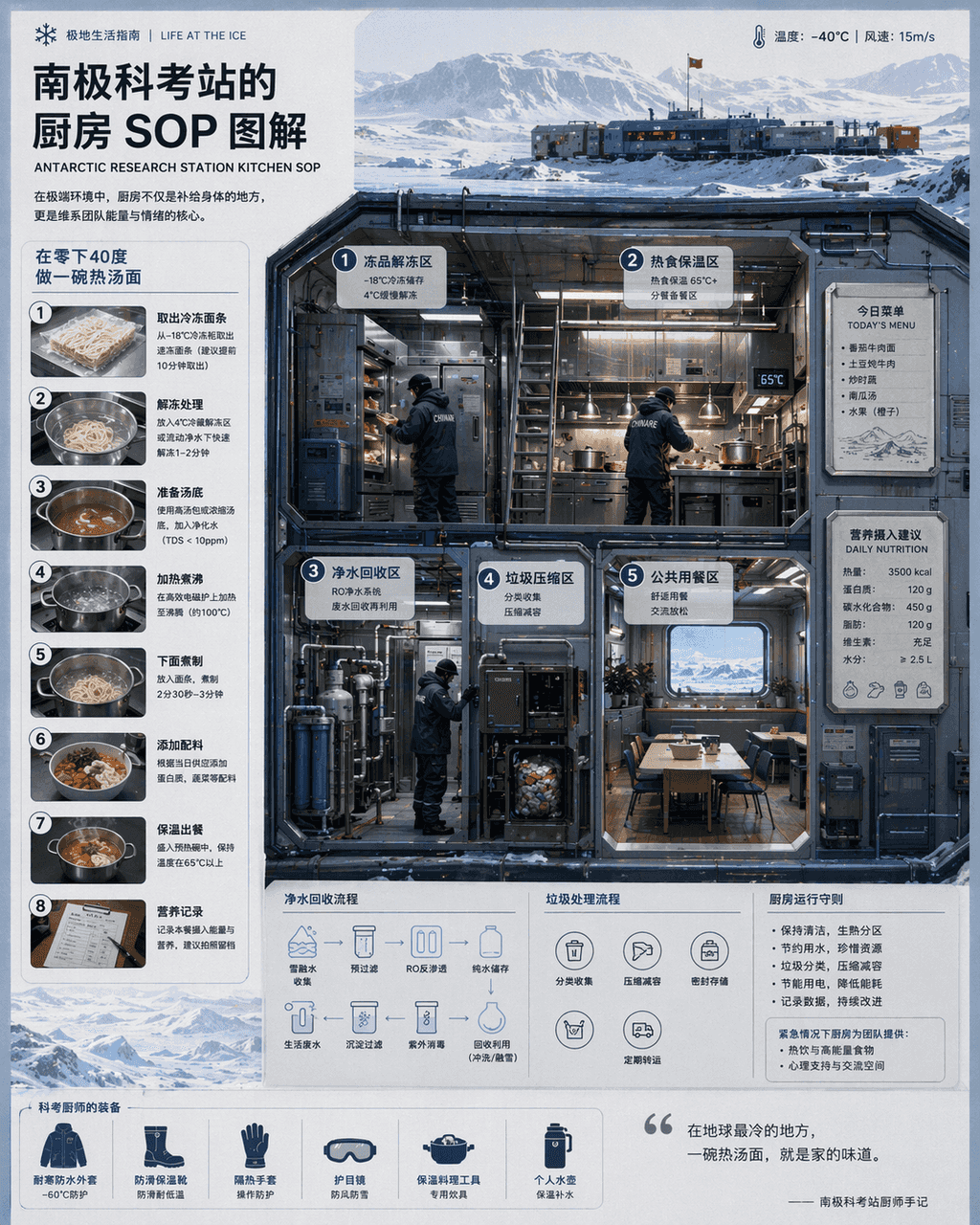
"SOP Dapur di "Ilustrasi" Stasiun Penelitian Antartika menggabungkan ilustrasi ilmiah dengan diagram alur katering. Layar utama adalah penampang dapur tahan dingin, dengan partisi yang menunjukkan pencairan produk beku,…
Cepat
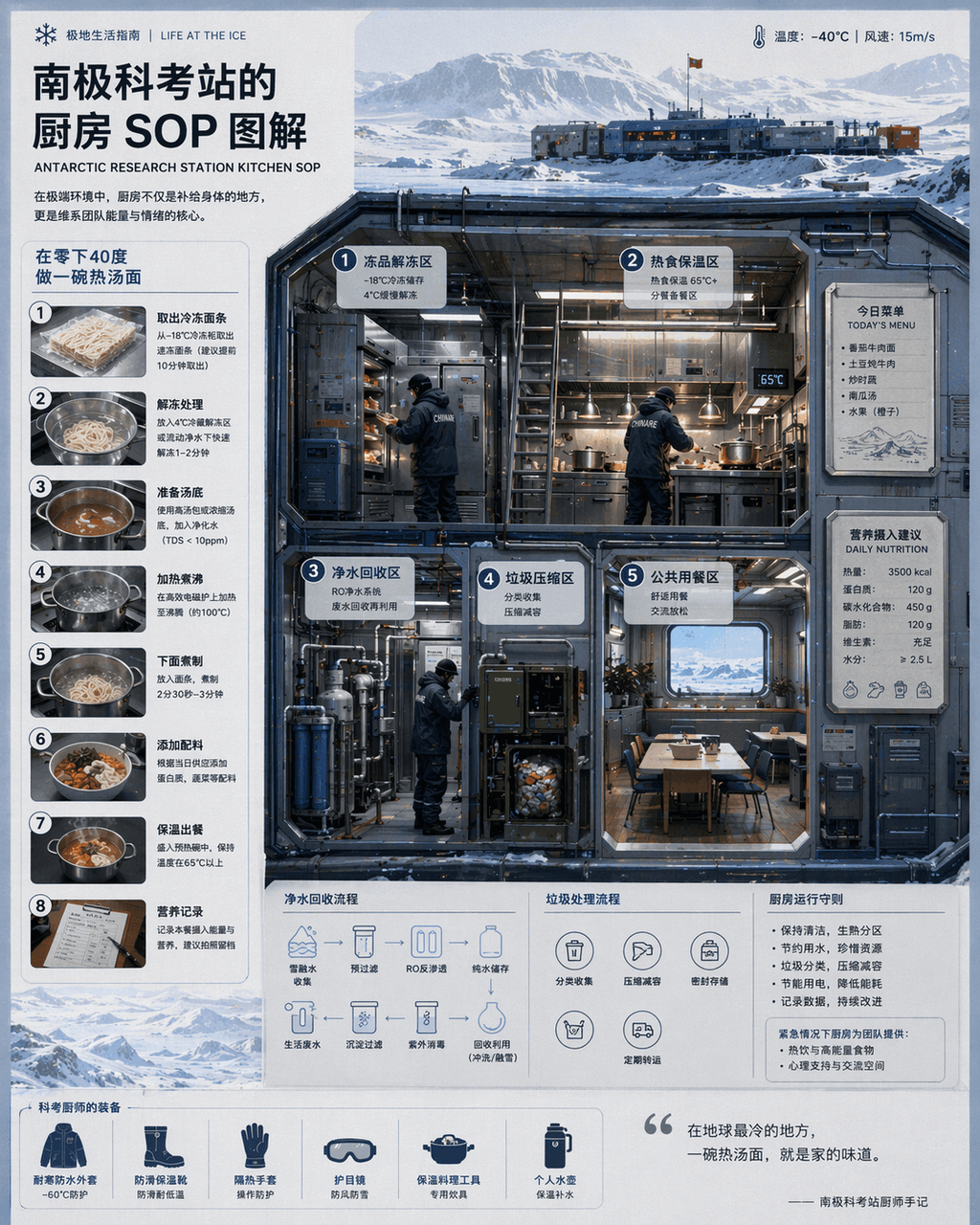
"SOP Dapur di "Ilustrasi" Stasiun Penelitian Antartika menggabungkan ilustrasi ilmiah dengan diagram alur katering. Layar utama adalah penampang dapur tahan dingin, dengan partisi yang menunjukkan pencairan produk beku, isolasi makanan panas, daur ulang air murni, kompresi sampah, dan ruang makan umum. Koki mengenakan seragam ujian ilmiah yang berat. Ada menu hari ini yang terpasang secara magnetis dan rekomendasi asupan nutrisi di dinding. Diagram langkah demi langkah bernomor di sebelah kiri menjelaskan "membuat semangkuk panas sup mie pada suhu minus 40 derajat." Gaya visualnya bersih dan profesional, dan kepadatan informasinya tinggi, seperti sisipan edisi khusus National Geographic, dengan rasio 4:5.
Cara menggunakan perintah ini
Baca perintah Diagram SOP dapur di stasiun penelitian Antartika secara lengkap dan identifikasi persyaratan subjek, gaya, kamera, pencahayaan, dan komposisi sebelum membuatnya.
Ganti placeholder dalam tanda kurung atau gaya argumen dengan persyaratan produk, karakter, merek, adegan, palet warna, atau rasio aspek Anda.
Buka https://www.gptimagehub.com/id/generate?promptId=cmogxj64800h7xt5go4eujdnb, buat gambarnya, lalu sempurnakan perintah dengan subjek, teks, tata letak, atau batasan negatif yang lebih spesifik jika diperlukan.
Pertanyaan Umum yang cepat
Untuk apa perintah Diagram SOP dapur di stasiun penelitian Antartika paling baik digunakan?
Perintah ini paling baik digunakan untuk gambar infografik / edukasi yang menginginkan struktur yang dapat digunakan kembali, arah visual yang mendetail, dan kualitas keluaran yang konsisten.
Bisakah saya mengedit prompt sebelum membuat?
Ya. Teks perintah lengkap terlihat di halaman ini sehingga Anda dapat mengubah subjek, nama produk, warna, komposisi, istilah kamera, rasio aspek, dan catatan gaya sebelum pembuatan.
Model mana yang harus saya gunakan dengan perintah ini?
Gunakan model yang ditampilkan dalam metadata perintah sebagai titik awal default. Jika model gambar lain mendukung rasio aspek dan gaya instruksi yang sama, Anda dapat menyesuaikan perintah dan membandingkan hasilnya.