
Paket Penerimaan Mahasiswa Baru Sekolah Sihir
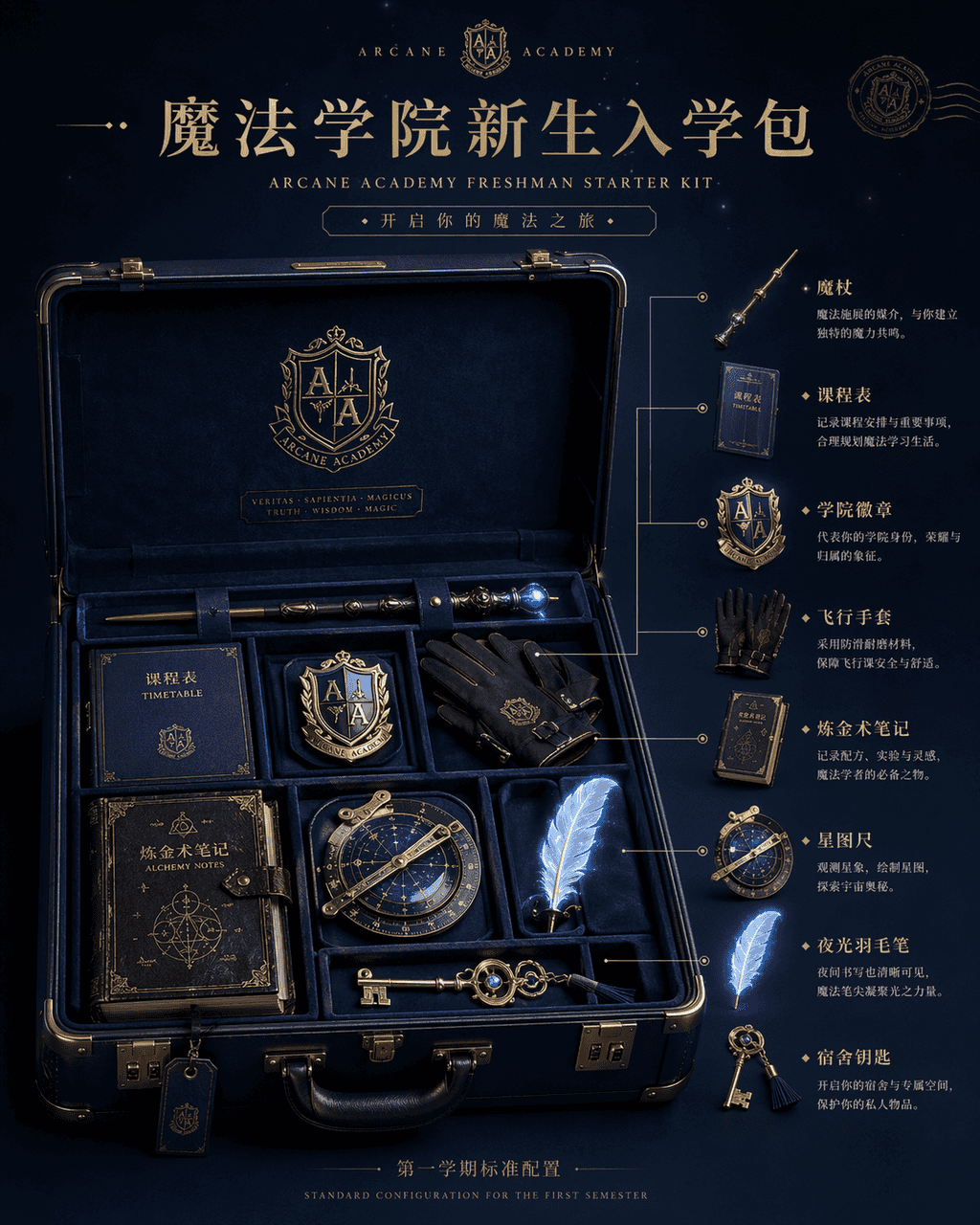
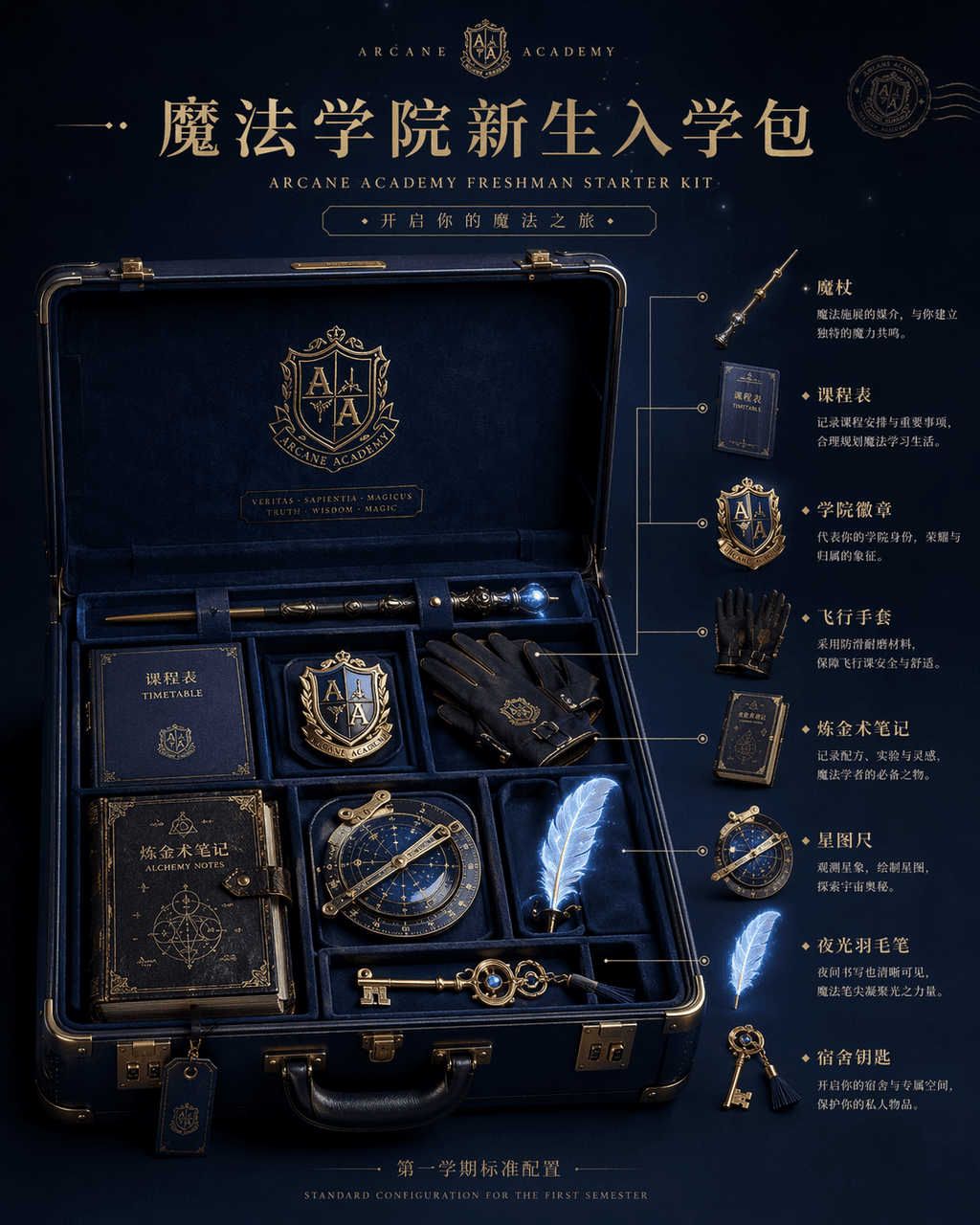
Gambar tampilan produk "Paket Penerimaan Mahasiswa Baru Akademi Sihir", gambar utama e-commerce terintegrasi dengan pengaturan tampilan dunia fantasi. Bagian tengah gambar adalah sebuah koper cangkang keras berwarna bir…
Cepat
Gambar tampilan produk "Paket Penerimaan Mahasiswa Baru Akademi Sihir", gambar utama e-commerce terintegrasi dengan pengaturan tampilan dunia fantasi. Bagian tengah gambar adalah sebuah koper cangkang keras berwarna biru tua terbuka, di dalamnya tersusun rapi tongkat sihir, kurikulum, lencana akademi, sarung tangan terbang, catatan alkimia, penggaris bintang, pena bulu bercahaya, dan Kunci rumah, di sisi kanan adalah anotasi diagram yang diledakkan dan deskripsi penggunaan setiap item. Judul di atas seperti halaman rilis produk baru kelas atas, dan huruf kecil di bawah bertuliskan "Konfigurasi Standar untuk Semester Pertama". Cahayanya adalah cahaya lembut tingkat studio, namun objeknya memiliki cahaya ajaib yang samar. Bahannya kaya akan detail, seperti merek perjalanan mewah dan keajaiban. Bahan IP co-branded, rasio 4:5.
Cara menggunakan perintah ini
Baca perintah Paket Penerimaan Mahasiswa Baru Sekolah Sihir secara lengkap dan identifikasi persyaratan subjek, gaya, kamera, pencahayaan, dan komposisi sebelum membuatnya.
Ganti placeholder dalam tanda kurung atau gaya argumen dengan persyaratan produk, karakter, merek, adegan, palet warna, atau rasio aspek Anda.
Buka https://www.gptimagehub.com/id/generate?promptId=cmogxi9wd00gpxt5gxj310gqt, buat gambarnya, lalu sempurnakan perintah dengan subjek, teks, tata letak, atau batasan negatif yang lebih spesifik jika diperlukan.
Pertanyaan Umum yang cepat
Untuk apa perintah Paket Penerimaan Mahasiswa Baru Sekolah Sihir paling baik digunakan?
Perintah ini paling baik digunakan untuk gambar lainnya yang menginginkan struktur yang dapat digunakan kembali, arah visual yang mendetail, dan kualitas keluaran yang konsisten.
Bisakah saya mengedit prompt sebelum membuat?
Ya. Teks perintah lengkap terlihat di halaman ini sehingga Anda dapat mengubah subjek, nama produk, warna, komposisi, istilah kamera, rasio aspek, dan catatan gaya sebelum pembuatan.
Model mana yang harus saya gunakan dengan perintah ini?
Gunakan model yang ditampilkan dalam metadata perintah sebagai titik awal default. Jika model gambar lain mendukung rasio aspek dan gaya instruksi yang sama, Anda dapat menyesuaikan perintah dan membandingkan hasilnya.