
Sistem panduan pasar basah di masa depan
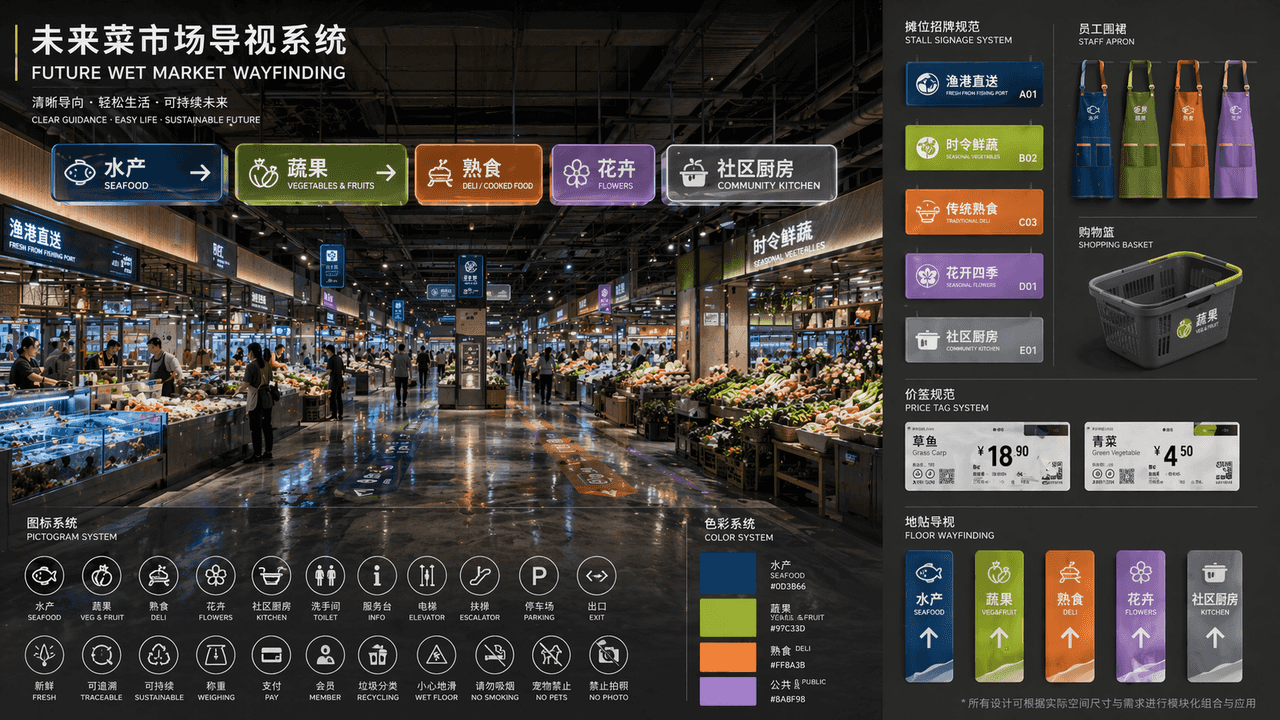
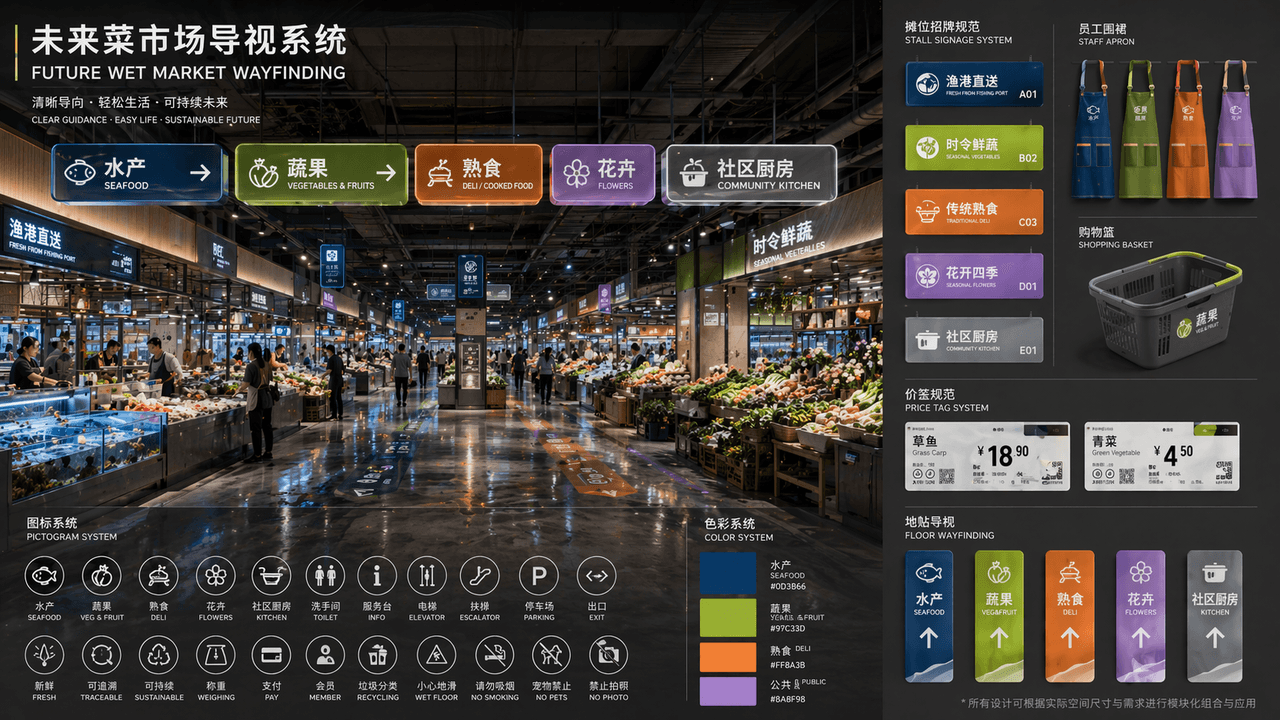
"WAYFINDING PASAR BASAH MASA DEPAN" adalah satu set lengkap proposal identitas visual ruang publik. Gambar utama adalah tampilan perspektif aula pasar basah futuristik yang telah direnovasi. Papan panduan bercahaya modu…
Cepat
"WAYFINDING PASAR BASAH MASA DEPAN" adalah satu set lengkap proposal identitas visual ruang publik. Gambar utama adalah tampilan perspektif aula pasar basah futuristik yang telah direnovasi. Papan panduan bercahaya modular digantung di bagian atas. Partisi tersebut meliputi "produk akuatik/buah-buahan dan sayur-sayuran/toko makanan/bunga/dapur masyarakat". Sistem warnanya sesuai dengan biru laut dalam, hijau kuning, oranye hangat, dan lavender. Sebuah piktogram ditempatkan di sudut kiri bawah. Sistem ikon, di sisi kanan merupakan tampilan yang diperluas dari spesifikasi terpadu untuk tanda kios, celemek staf, keranjang belanja, label harga, dan stiker lantai. Tata letak judulnya seperti proposal penawaran lembaga desain. Desain keseluruhan memiliki kesan hidup dan desain publik kelas atas. Bahannya menonjolkan akrilik buram, logam daur ulang, dan pantulan lantai basah, dengan perbandingan 16:9.
Cara menggunakan perintah ini
Baca perintah Sistem panduan pasar basah di masa depan secara lengkap dan identifikasi persyaratan subjek, gaya, kamera, pencahayaan, dan komposisi sebelum membuatnya.
Ganti placeholder dalam tanda kurung atau gaya argumen dengan persyaratan produk, karakter, merek, adegan, palet warna, atau rasio aspek Anda.
Buka https://www.gptimagehub.com/id/generate?promptId=cmogxhv9a00ghxt5gzsw049qk, buat gambarnya, lalu sempurnakan perintah dengan subjek, teks, tata letak, atau batasan negatif yang lebih spesifik jika diperlukan.
Pertanyaan Umum yang cepat
Untuk apa perintah Sistem panduan pasar basah di masa depan paling baik digunakan?
Perintah ini paling baik digunakan untuk gambar lainnya yang menginginkan struktur yang dapat digunakan kembali, arah visual yang mendetail, dan kualitas keluaran yang konsisten.
Bisakah saya mengedit prompt sebelum membuat?
Ya. Teks perintah lengkap terlihat di halaman ini sehingga Anda dapat mengubah subjek, nama produk, warna, komposisi, istilah kamera, rasio aspek, dan catatan gaya sebelum pembuatan.
Model mana yang harus saya gunakan dengan perintah ini?
Gunakan model yang ditampilkan dalam metadata perintah sebagai titik awal default. Jika model gambar lain mendukung rasio aspek dan gaya instruksi yang sama, Anda dapat menyesuaikan perintah dan membandingkan hasilnya.