
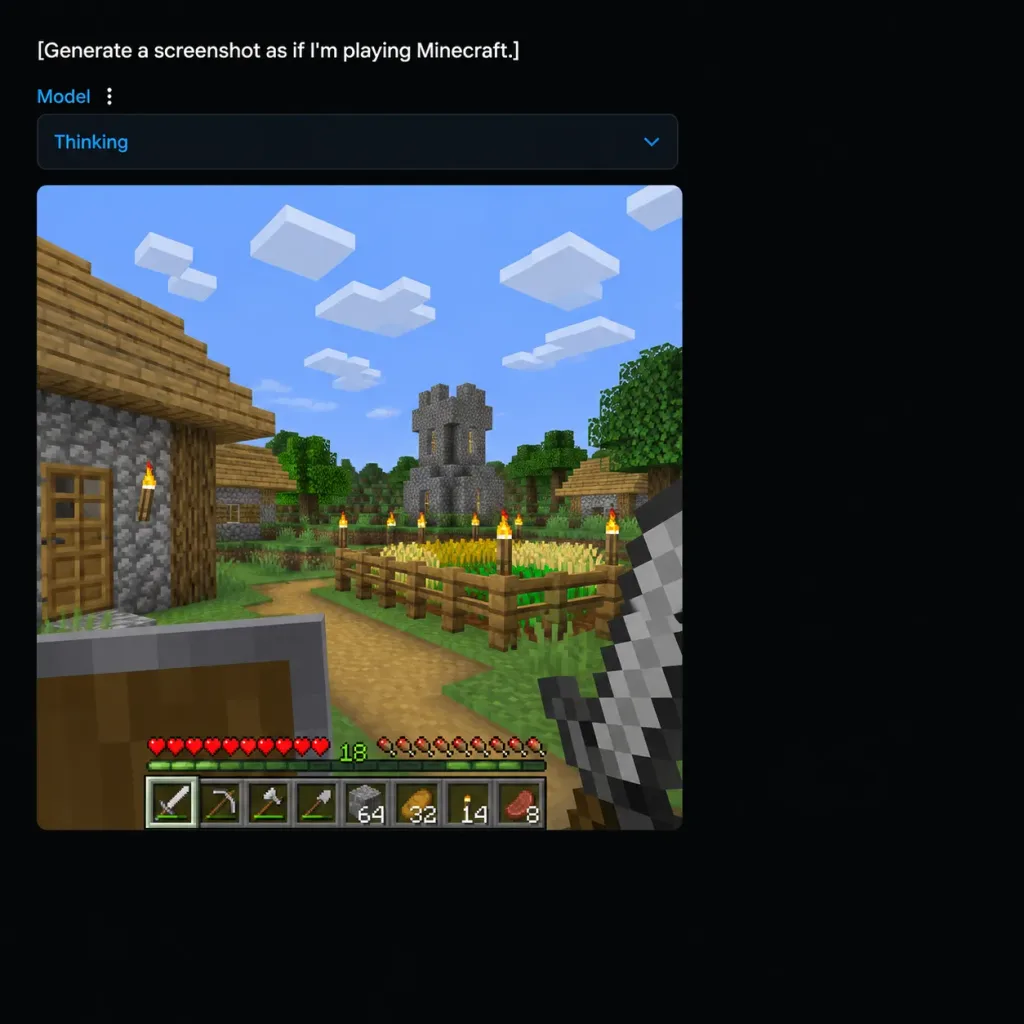
Gameplay Minecraft di Antarmuka AI Gelap
Hasilkan tangkapan layar web app gelap yang menampilkan gameplay desa Minecraft sudut pandang orang pertama dengan HUD. Sesuaikan teks prompt atau latarnya.
Prompt
A square 1:1 screenshot of a dark-mode AI image-generation web application interface displaying a generated Minecraft gameplay scene. UI layout: - Background: Deep black canvas with content positioned near the top-left and generous empty dark margins. - Top text prompt: The exact white text "[Generate a screenshot as if I'm playing Minecraft.]" - Sub-bar: Directly underneath, a small blue label reading "Model" next to a vertical three-dot menu icon, followed by a wide dark rounded-rectangle dropdown containing blue text "Thinking" and a downward chevron icon. Generated gameplay panel: - A large square image panel with slightly rounded corners embedded beneath the dropdown. - Scene: First-person perspective of an authentic blocky Minecraft village on a bright sunny day under a blue sky with 8 blocky white cloud clusters. - Environment: Cobblestone and wooden plank house with a door and lit torch on the left foreground; distant gray cobblestone church tower with yellow-lit slit windows; green voxel trees, dirt paths, grass blocks, and a fenced crop field filled with golden wheat and green sprouts; 6 wooden fence posts topped with flaming torches. - First-person view & HUD: Off-hand raised wooden shield in the bottom-left, main hand holding an iron sword in the bottom-right. Bottom HUD features authentic pixelated 10 red hearts, 10 hunger icons, a green experience counter displaying "18", and a 9-slot hotbar showing an iron sword, pickaxe, axe, shovel, building block stack of 64, and item stacks. - Style: Authentic low-resolution pixelated voxel game rendering embedded inside clean modern dark web UI chrome.
Yang bisa Anda ubah
Sebelum membuat gambar, ganti bagian prompt ini dengan subjek atau teks Anda sendiri.
[Generate a screenshot as if I'm playing Minecraft.]placeholder“Model”teks dalam tanda kutip“Thinking”teks dalam tanda kutip“18”teks dalam tanda kutip
Detail prompt
- Kategori
- Desain UI / UX
- Model
- GPT IMAGE 2
- Biaya per gambar
- 1K: 43 kredit · 2K: 86 kredit · 4K: 143 kredit
- Rasio aspek
- 1:1
- Ditambahkan