
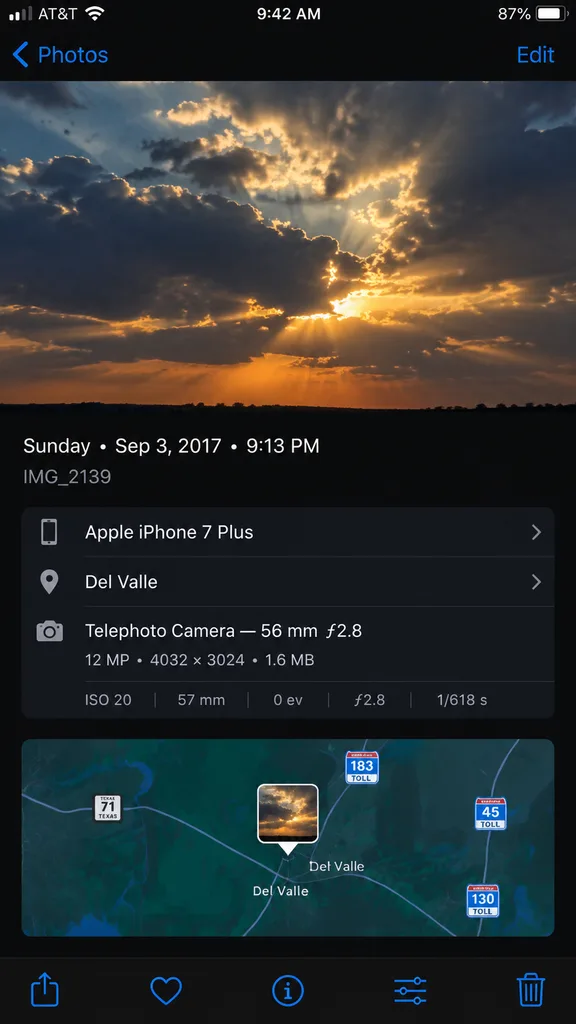
Tampilan Metadata Foto iPhone
Menghasilkan tangkapan layar panel info aplikasi Foto iPhone yang realistis dengan peta dan spesifikasi kamera. Ubah tanggal, perangkat, dan lokasi.
Prompt
A high-fidelity, clean synthetic screenshot of an iPhone Photos app information panel, using the reference photo as a guide. The top half shows a crisp photo of [dramatic evening clouds with warm golden sunlight filtering through]. Below it, a sleek dark iOS metadata interface displays exact text: '[Sunday • Sep 3, 2017 • 9:13 PM]', filename '[IMG_2139]', device '[Apple iPhone 7 Plus]', location '[Del Valle]', and technical camera specs '[Telephoto Camera — 56 mm ƒ2.8; 12 MP • 4032 × 3024 • 1.6 MB; ISO 20; 57 mm; 0 ev; ƒ2.8; 1/618 s]'. Directly below the metadata is an interactive mini-map view centered with a small photo-pin thumbnail, showing highway route shields for [Texas 71, 183 Toll, 45 Toll, and 130 Toll]. At the very bottom edge of the screen, exactly five standard iOS icons sit in a row: share sheet, favorite heart, info button, adjustments slider, and trash can.
Yang bisa Anda ubah
Sebelum membuat gambar, ganti bagian prompt ini dengan subjek atau teks Anda sendiri.
[IMG_2139]placeholder[Apple iPhone 7 Plus]placeholder[Del Valle]placeholder[Texas 71, 183 Toll, 45 Toll, and 130 Toll]placeholder
Detail prompt
- Kategori
- Desain UI / UX
- Model
- GPT IMAGE 2
- Biaya per gambar
- 1K: 43 kredit · 2K: 86 kredit · 4K: 143 kredit
- Rasio aspek
- 9:16
- Ditambahkan