
halaman #29
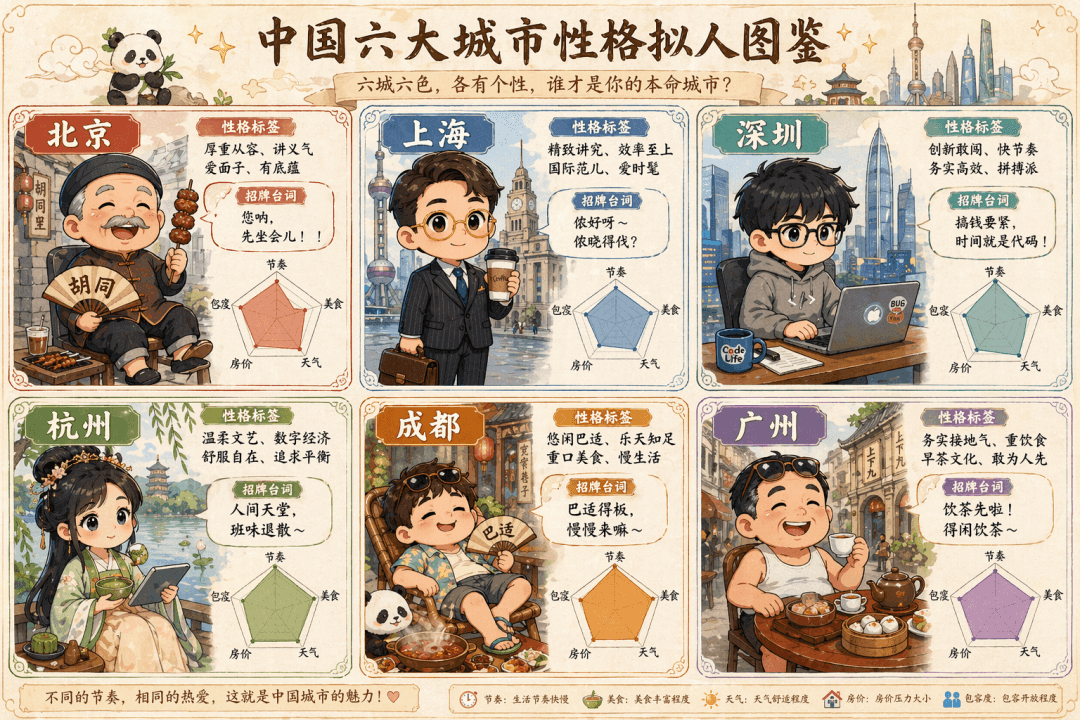
Perintahnya adalah menggambar "Ilustrasi Antropomorfik Karakter di Enam Kota Besar di Tiongkok" yang dilukis dengan tangan lucu. Enam penjahat versi Q dalam kotak enam persegi mewakili Beijing (lelaki tua di gang yang m…
Cepat
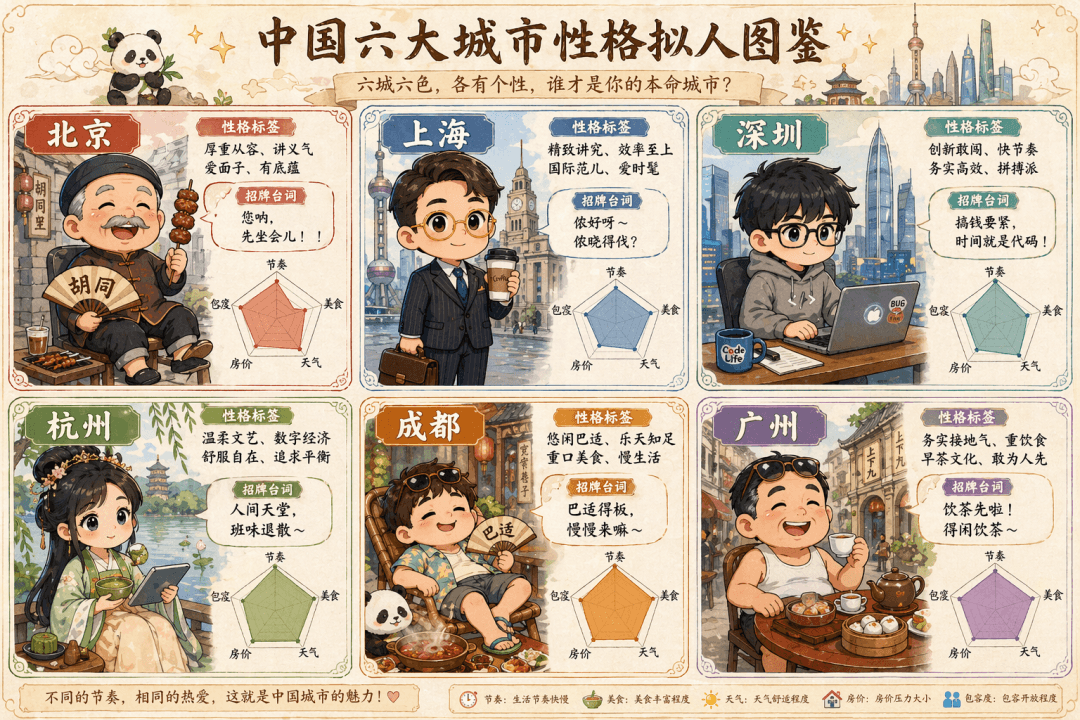
Perintahnya adalah menggambar "Ilustrasi Antropomorfik Karakter di Enam Kota Besar di Tiongkok" yang dilukis dengan tangan lucu. Enam penjahat versi Q dalam kotak enam persegi mewakili Beijing (lelaki tua di gang yang mengenakan setelan Tang mengenakan tali), Shanghai (pekerja kerah putih elit dengan kacamata berbingkai emas memegang kopi), Shenzhen (programmer dengan kaus memegang buku catatan), Hangzhou (gadis di Hanfu memegang matcha dan tablet), Chengdu (setengah berbaring dengan celana pendek dan sandal jepit di sekitar panci panas), dan Guangzhou (Lao Guang minum teh pagi dengan sandal jepit). Setiap grid dilengkapi dengan label kepribadian, garis tanda tangan, dan bagan radar (lima dimensi: ritme, makanan, cuaca, harga rumah, dan toleransi), dan keseluruhannya seperti panduan peri.
Cara menggunakan perintah ini
Baca perintah halaman #29 secara lengkap dan identifikasi persyaratan subjek, gaya, kamera, pencahayaan, dan komposisi sebelum membuatnya.
Ganti placeholder dalam tanda kurung atau gaya argumen dengan persyaratan produk, karakter, merek, adegan, palet warna, atau rasio aspek Anda.
Buka https://www.gptimagehub.com/id/generate?promptId=cmogxpbjb00pdxt5grigwujv4, buat gambarnya, lalu sempurnakan perintah dengan subjek, teks, tata letak, atau batasan negatif yang lebih spesifik jika diperlukan.
Pertanyaan Umum yang cepat
Untuk apa perintah halaman #29 paling baik digunakan?
Perintah ini paling baik digunakan untuk gambar infografik / edukasi yang menginginkan struktur yang dapat digunakan kembali, arah visual yang mendetail, dan kualitas keluaran yang konsisten.
Bisakah saya mengedit prompt sebelum membuat?
Ya. Teks perintah lengkap terlihat di halaman ini sehingga Anda dapat mengubah subjek, nama produk, warna, komposisi, istilah kamera, rasio aspek, dan catatan gaya sebelum pembuatan.
Model mana yang harus saya gunakan dengan perintah ini?
Gunakan model yang ditampilkan dalam metadata perintah sebagai titik awal default. Jika model gambar lain mendukung rasio aspek dan gaya instruksi yang sama, Anda dapat menyesuaikan perintah dan membandingkan hasilnya.