
Rilis Poster #23
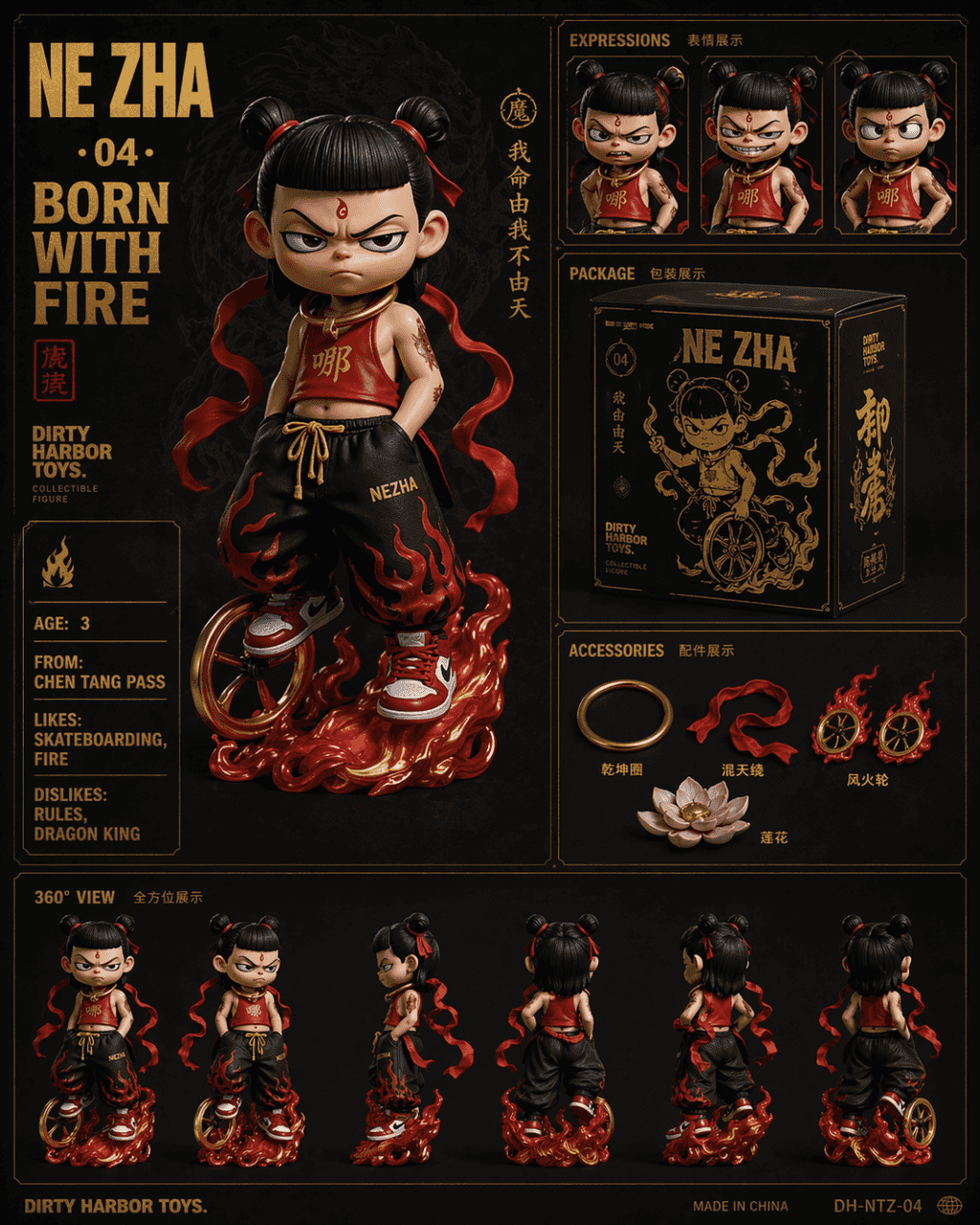
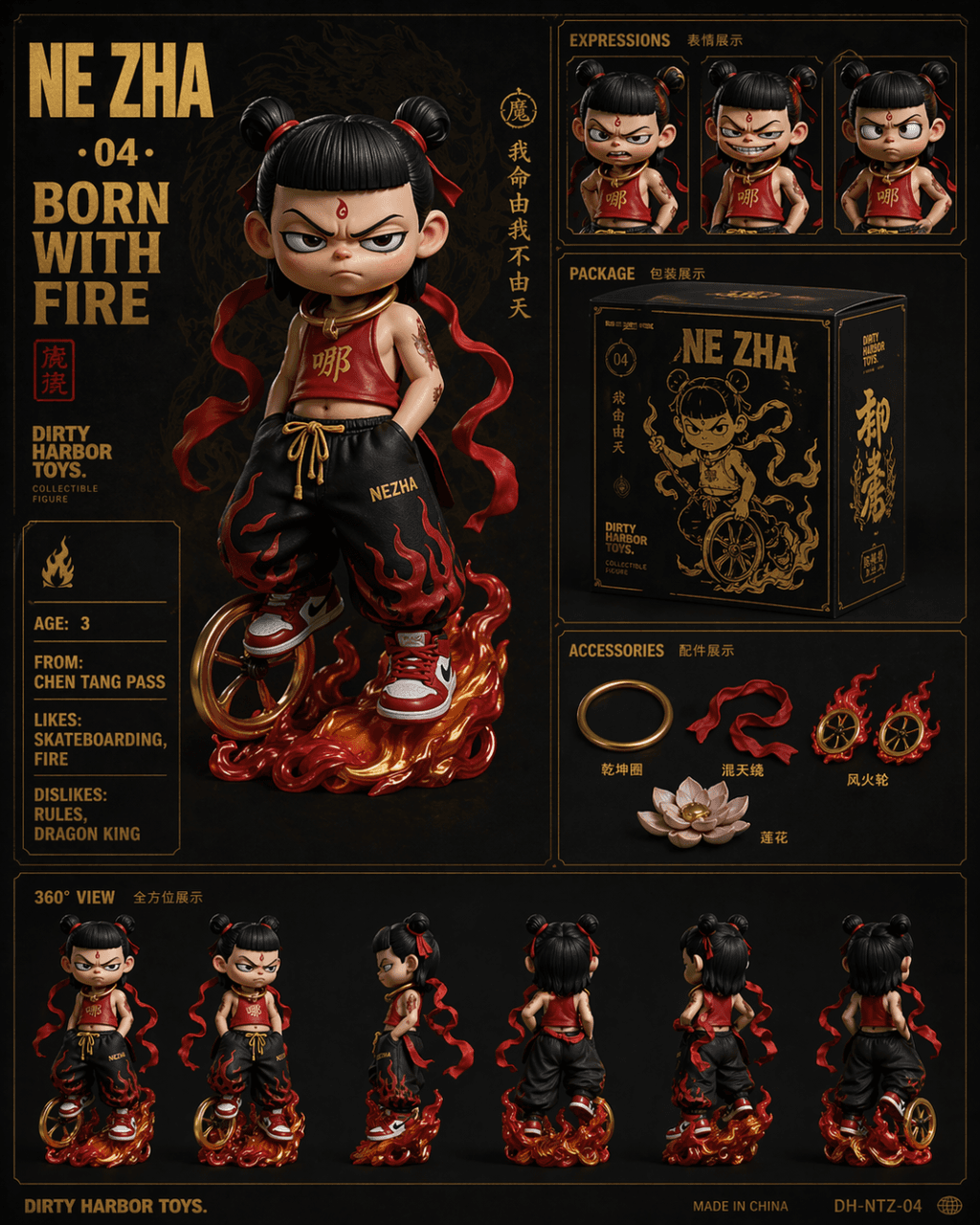
Perintahnya adalah menggambar tampilan kotak enam persegi gaya Dirty Harbour Toys dari koleksi trendi nasional, dengan teks stempel panas emas pada latar belakang gelap. Gambar utama menunjukkan boneka mainan trendi ver…
Cepat
Perintahnya adalah menggambar tampilan kotak enam persegi gaya Dirty Harbour Toys dari koleksi trendi nasional, dengan teks stempel panas emas pada latar belakang gelap. Gambar utama menunjukkan boneka mainan trendi versi Nezha Q dengan ekspresi sulit diatur. Dia memakai ikat pinggang merah versi modifikasi, celana longgar hip-hop, dan sepatu kets merah putih. Dia memiliki roda panas di kakinya dan lingkaran Qiankun tergantung di lehernya. Tampilan jarak dekat dari ekspresi tiga bagian di kanan atas (marah, tertawa, dan akimbo). Di tengahnya terdapat desain kotak kemasan produk berwarna hitam dan emas. Kanan bawah merupakan pajangan aksesoris antara lain Qiankun Circle, Huntian Ling, Hot Wheels, dan Lotus. Baris bawah tampilan berbalik 360 derajat. Karakter besar di kiri atas adalah "NE ZHA · 04 · BORN WITH FIRE", dan kartu atribut bahasa Inggris di sebelah kiri adalah "AGE: 3 / FROM: CHEN TANG PASS / LIKES: SKATEBOARDING, FIRE / DISLIKES: RULES, DRAGON KING".
Cara menggunakan perintah ini
Baca perintah Rilis Poster #23 secara lengkap dan identifikasi persyaratan subjek, gaya, kamera, pencahayaan, dan komposisi sebelum membuatnya.
Ganti placeholder dalam tanda kurung atau gaya argumen dengan persyaratan produk, karakter, merek, adegan, palet warna, atau rasio aspek Anda.
Buka https://www.gptimagehub.com/id/generate?promptId=cmogxoye900p1xt5g2ahck373, buat gambarnya, lalu sempurnakan perintah dengan subjek, teks, tata letak, atau batasan negatif yang lebih spesifik jika diperlukan.
Pertanyaan Umum yang cepat
Untuk apa perintah Rilis Poster #23 paling baik digunakan?
Perintah ini paling baik digunakan untuk gambar produk dan e-commerce yang menginginkan struktur yang dapat digunakan kembali, arah visual yang mendetail, dan kualitas keluaran yang konsisten.
Bisakah saya mengedit prompt sebelum membuat?
Ya. Teks perintah lengkap terlihat di halaman ini sehingga Anda dapat mengubah subjek, nama produk, warna, komposisi, istilah kamera, rasio aspek, dan catatan gaya sebelum pembuatan.
Model mana yang harus saya gunakan dengan perintah ini?
Gunakan model yang ditampilkan dalam metadata perintah sebagai titik awal default. Jika model gambar lain mendukung rasio aspek dan gaya instruksi yang sama, Anda dapat menyesuaikan perintah dan membandingkan hasilnya.