
Infografik / Edukasi
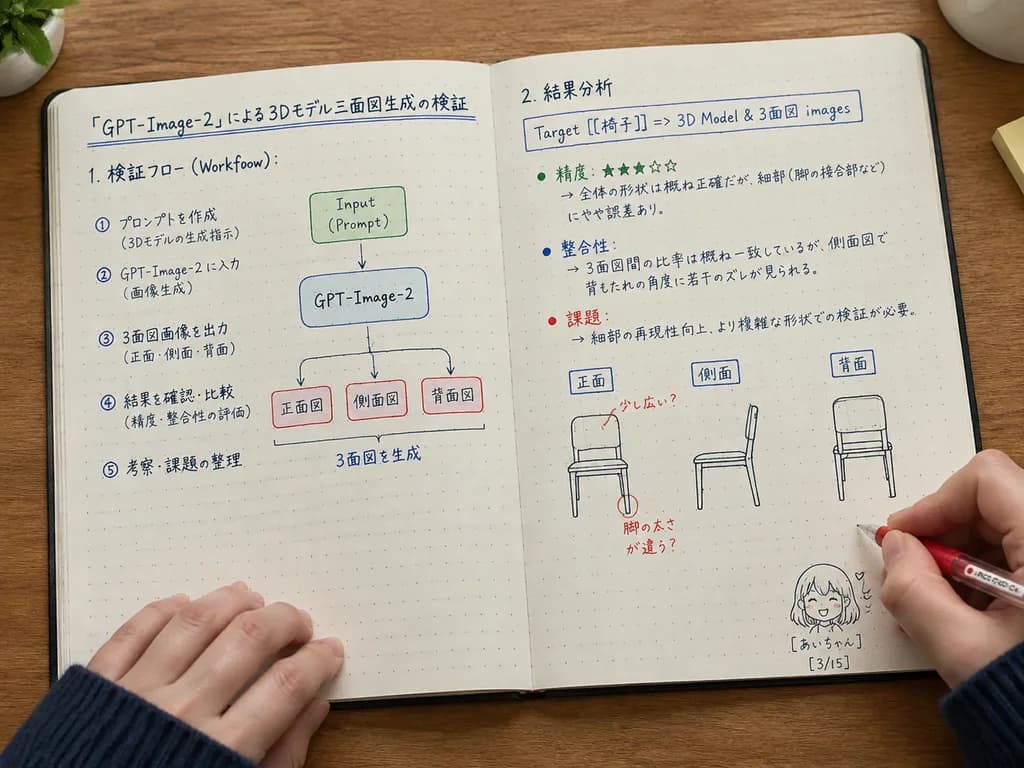
Catatan Teknis Tulisan Tangan di Buku Terbuka
Menghasilkan foto sudut atas buku catatan terbuka berisi diagram alur teknis dan catatan tulisan tangan. Sesuaikan teks dan sketsa dalam kurung siku.
buku catatansudut atastulisan tangandiagramcatatanmeja
Prompt
{
  "type": "photograph of an open notebook",
  "setting": "wooden desk surface, top-down angle, soft natural desk lighting",
  "subject": {
    "hands": "two hands visible at the bottom wearing a dark blue ribbed sweater, right hand holding a red pen labeled [PILOT G-TEC-C4] writing on the page",
    "notebook": "open A5 dot-grid notebook with neat handwritten notes, flowcharts, and diagrams in black, blue, green, and red ink"
  },
  "layout": {
    "left_page": {
      "header": "[「GPT-Image-2」による3Dモデル三面図生成の検証]",
      "sections": [
        {
          "title": "1. 検証フロー (Workflow):",
          "content": "text flow and a flowchart diagram",
          "flowchart_elements": 5,
          "flowchart_labels": [
            "Input (Prompt)",
            "GPT-Image-2",
            "正面図",
            "側面図",
            "背面図"
          ]
        }
      ]
    },
    "right_page": {
      "sections": [
        {
          "title": "2. 結果分析",
          "target_box": "Target [[椅子]] => [3D Model & 3面図 images]",
          "bullet_points_count": 3,
          "bullet_point_topics": [
            "精度: ★★★☆☆",
            "整合性",
            "課題"
          ],
          "diagram_count": 3,
          "diagram_labels": [
            "正面",
            "側面",
            "背面"
          ],
          "diagram_description": "sketches of chairs with red ink correction notes on the front view"
        }
      ],
      "bottom_right_corner": {
        "doodle": "cute anime-style line drawing of a smiling girl with short hair",
        "label": "[あいちゃん] [3/15]"
      }
    }
  }
}Yang bisa Anda ubah
Sebelum membuat gambar, ganti bagian prompt ini dengan subjek atau teks Anda sendiri.
[PILOT G-TEC-C4]placeholder[「GPT-Image-2」による3Dモデル三面図生成の検証]placeholder[椅子]placeholder[3D Model & 3面図 images]placeholder[あいちゃん]placeholder[3/15]placeholder
Detail prompt
- Kategori
- Infografik / Edukasi
- Model
- GPT IMAGE 2
- Biaya per gambar
- 1K: 43 kredit · 2K: 86 kredit · 4K: 143 kredit
- Rasio aspek
- 4:3
- Ditambahkan