
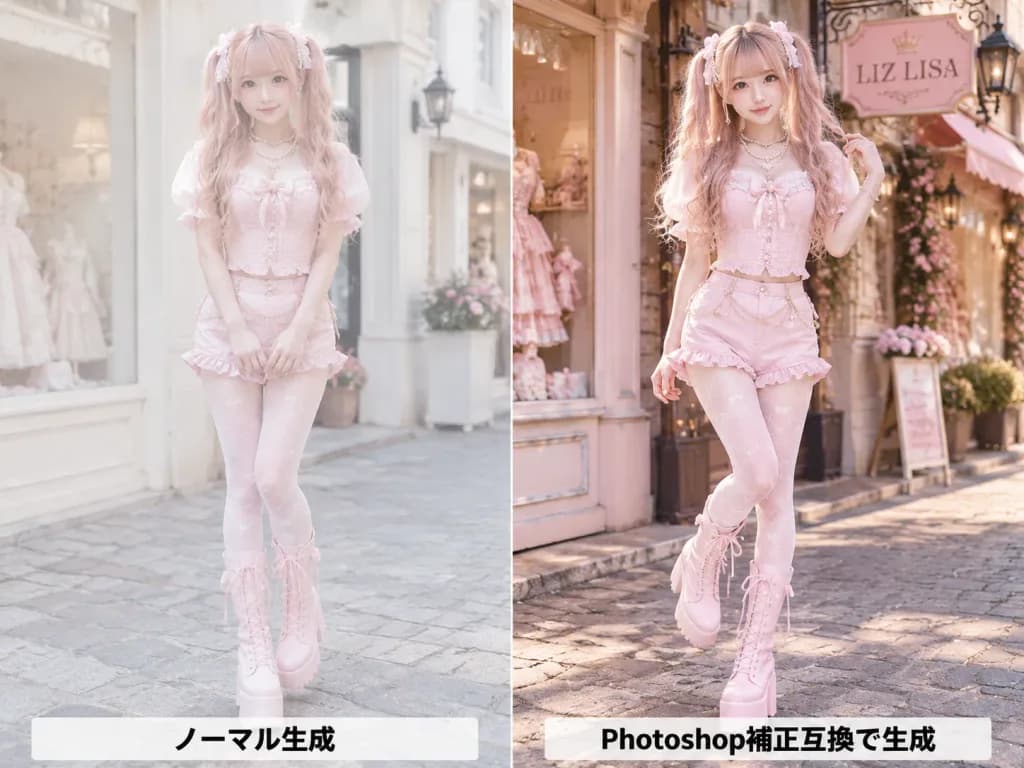
Perbandingan Koreksi Warna Potret Fesyen
Hasilkan gambar perbandingan berdampingan yang menampilkan potret fesyen sebelum dan sesudah koreksi warna. Sesuaikan palet busana, warna rambut, dan plang toko sesuai keinginan.
Prompt
A side-by-side comparison image split exactly into two equal vertical panels with a sharp center dividing line, showing an AI-generated fashion portrait before and after color correction. Subject: A cute young Japanese fashion model with fair skin, long wavy twin-tail hair in [pink blonde], soft bangs, pearl and ribbon hair accessories, and glossy idol-style makeup. She wears a [pastel pink] corset top with puff sleeves, matching shorts, decorative waist chains, patterned tights, layered pearl necklaces, and tall lace-up platform boots. Setting & Composition: Full-body street-level perspective on a charming European boutique shopping street, shallow depth of field, 4:3 aspect ratio. Left Panel (Uncorrected): The model stands in front of a pale boutique facade with a gentle smile. Lighting and colors appear slightly flat, low-contrast, pale, airy, and softly washed out. A horizontal label in bold black text at the bottom reads "ノーマル生成". Right Panel (Color Corrected): The same model poses in front of a boutique featuring a hanging sign reading "[LIZ LISA]", placing one hand in her hair with one leg slightly bent. Professional retouched finish with richer contrast, warmer highlights, vibrant pinks, crisp details, and polished skin tones. A horizontal label in bold black text at the bottom reads "Photoshop補正互換で生成". Constraints: Both panels must depict the same fashion photoshoot session. Realistic anatomy, full-body framing, and no additional watermarks or borders other than the central vertical split.
Yang bisa Anda ubah
Sebelum membuat gambar, ganti bagian prompt ini dengan subjek atau teks Anda sendiri.
[pink blonde]placeholder[pastel pink]placeholder[LIZ LISA]placeholder“ノーマル生成”teks dalam tanda kutip“Photoshop補正互換で生成”teks dalam tanda kutip
Detail prompt
- Kategori
- Potret dan fotografi
- Model
- GPT IMAGE 2
- Biaya per gambar
- 1K: 43 kredit · 2K: 86 kredit · 4K: 143 kredit
- Rasio aspek
- 4:3
- Ditambahkan