
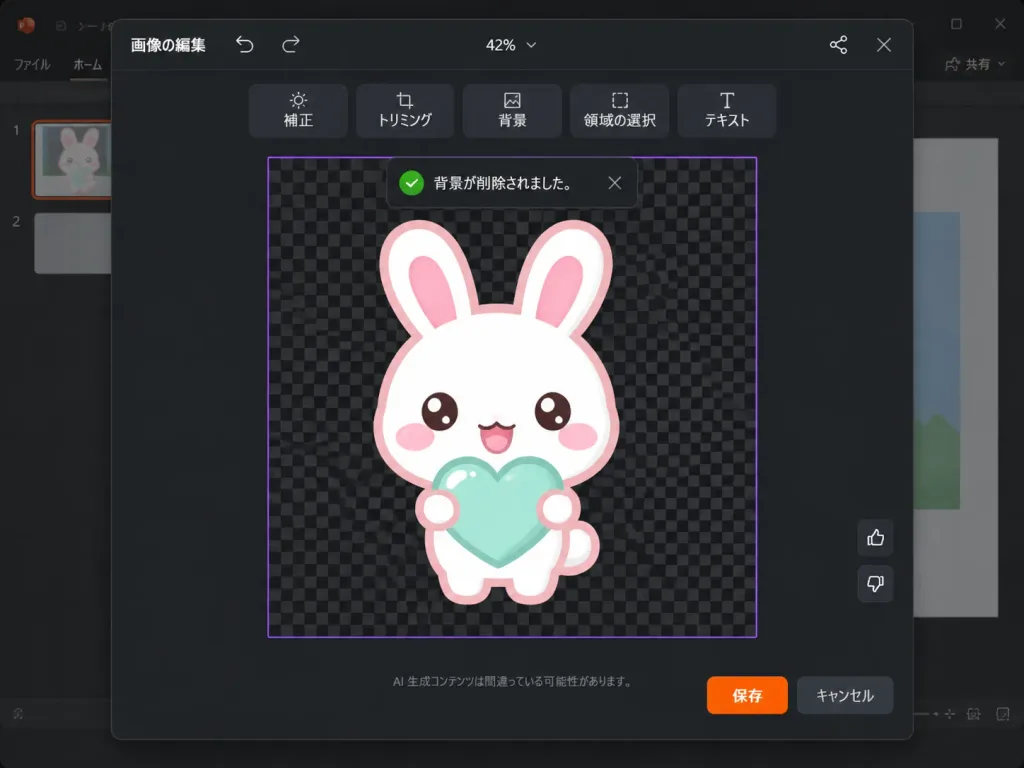
Editor Maskot UI Perangkat Lunak Mode Gelap
Menghasilkan tangkapan layar editor gambar presentasi mode gelap yang realistis dengan UI Jepang dan maskot berlatar transparan. Sesuaikan karakter, objek, atau warna garis luar.
Prompt
A realistic software screenshot of a dark-themed PowerPoint-style image editing modal in Japanese. Layout and interface: A 1024×768 landscape screenshot with a dark charcoal modal dialog centered over a faintly visible presentation slide background, featuring subtle rounded corners and a soft drop shadow. At the top center, the zoom level indicates "42%". Top bar: Left side features the Japanese text "画像の編集" with small undo and redo arrow icons; right side features a small connected-dots network icon and an "X" close button. Below the top bar, a centered horizontal floating toolbar contains 6 dark rounded-rectangle buttons with icons and Japanese labels: "補正", "トリミング", "背景", "領域の選択", "テキスト". Main canvas: A central square work area outlined with a thin purple border, filled with a black and dark-gray checkerboard transparency grid pattern. A dark toast notification floats near the top of the canvas with a green checkmark icon, reading "背景が削除されました。" with a small dismiss "X". Subject: Centered on the checkerboard canvas is [a white kawaii rabbit] mascot drawn in a cute sticker-like vector art style with a thick [pale pink] outline. It has an oversized rounded head, two long upright ears with pink inner ears, glossy brown eyes, oval pink blush cheeks, and a happy open mouth. It holds [a mint-aqua heart] in front of its chest with two small rounded paws, featuring soft glossy highlights and no harsh drop shadows. Controls and footer: On the right edge of the work area, two small vertical feedback buttons: thumbs up above thumbs down. At the bottom center of the modal, small muted Japanese disclaimer text reads "AI 生成コンテンツは間違っている可能性があります。" Bottom right shows two action buttons: an orange "保存" button and a dark gray "キャンセル" button. Visual style: Crisp, authentic Microsoft-style dark UI typography, clean vector sticker art, and realistic software interface rendering.
Yang bisa Anda ubah
Sebelum membuat gambar, ganti bagian prompt ini dengan subjek atau teks Anda sendiri.
[a white kawaii rabbit]placeholder[pale pink]placeholder[a mint-aqua heart]placeholder“42%”teks dalam tanda kutip“画像の編集”teks dalam tanda kutip“補正”teks dalam tanda kutip“トリミング”teks dalam tanda kutip“背景”teks dalam tanda kutip
Detail prompt
- Kategori
- Desain UI / UX
- Model
- GPT IMAGE 2
- Biaya per gambar
- 1K: 43 kredit · 2K: 86 kredit · 4K: 143 kredit
- Rasio aspek
- 4:3
- Ditambahkan