
Foto Pemasaran Komersial Produk Kecantikan
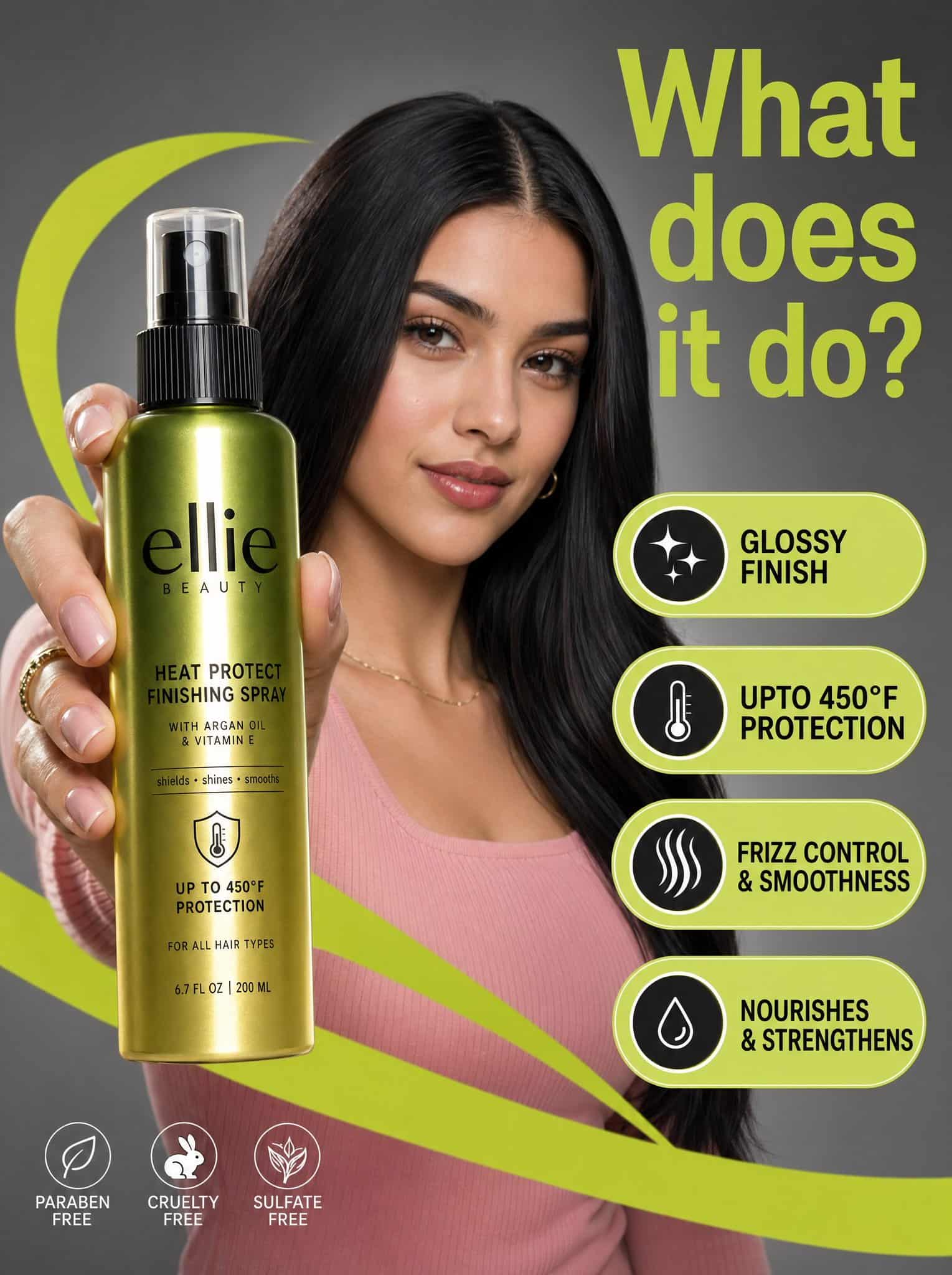
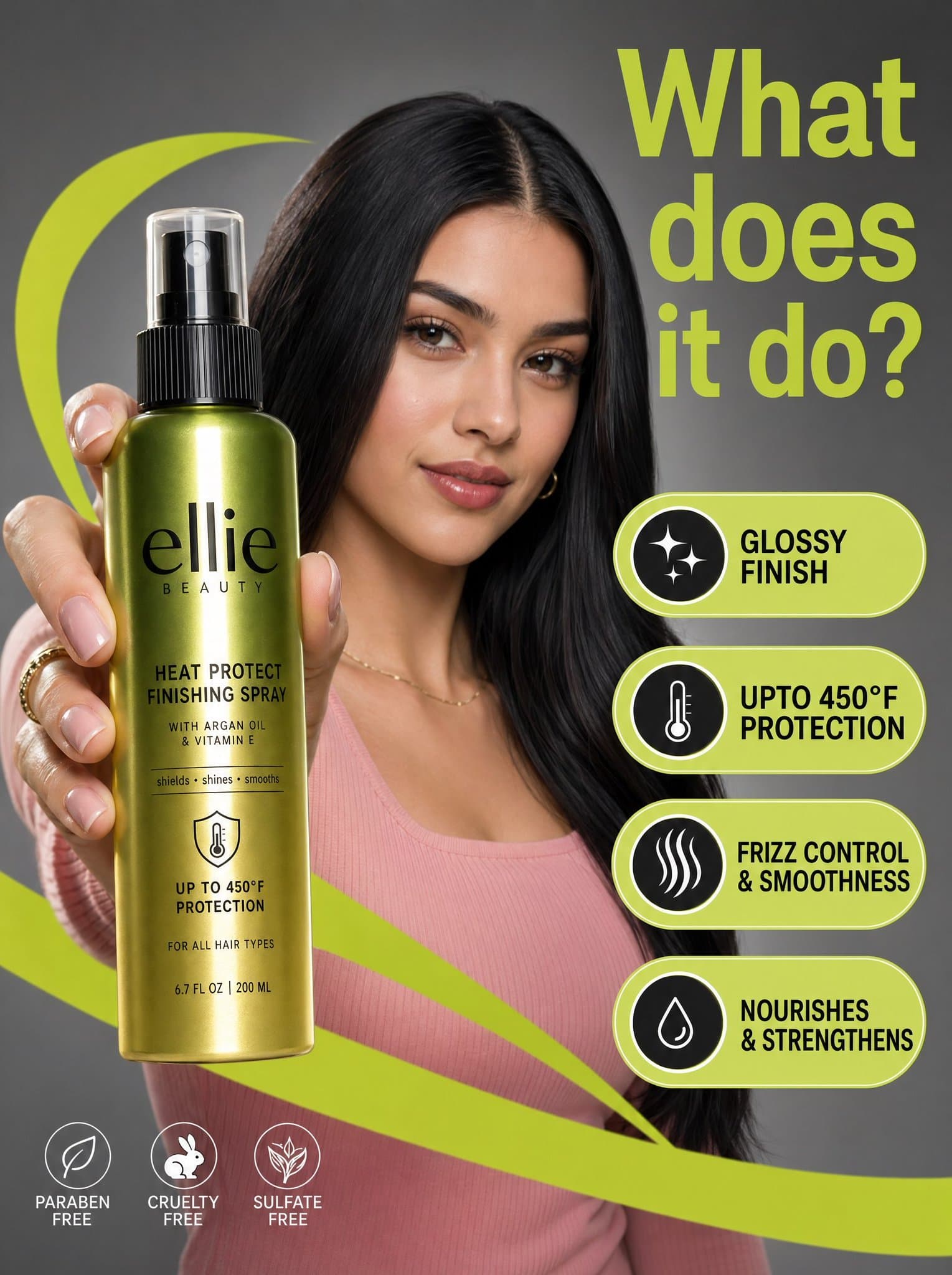
Sebuah foto pemasaran komersial beresolusi tinggi menampilkan seorang wanita muda dengan rambut hitam halus dan atasan bergaris merah muda dalam suasana studio abu-abu netral, di tengah di belakang botol semprot Ellie B…
Cepat
Sebuah foto pemasaran komersial beresolusi tinggi menampilkan seorang wanita muda dengan rambut hitam halus dan atasan bergaris merah muda dalam suasana studio abu-abu netral, di tengah di belakang botol semprot Ellie Beauty yang mengilap dan menonjol di latar depan. Komposisi ini diberi energi oleh grafis "swoosh" hijau limau yang cerah dan info berbentuk pil mengambang yang menonjolkan fitur produk seperti "hasil akhir mengkilap" dan "perlindungan hingga 450°F" dalam teks sans-serif hitam tebal. Pencahayaannya disebarkan secara profesional, memberikan sorotan lembut pada wajah model sekaligus menciptakan pantulan vertikal yang tajam pada label botol gradasi hijau metalik hingga emas. Yang paling menonjol adalah judul besar berwarna hijau limau di kanan atas yang menanyakan, "Apa fungsinya?", yang semuanya menciptakan estetika yang bersih, modern, dan kontras tinggi dengan kedalaman bidang yang dangkal yang membuat produk dan ekspresi terfokus model tetap terlihat lega.
Cara menggunakan perintah ini
Baca perintah Foto Pemasaran Komersial Produk Kecantikan secara lengkap dan identifikasi persyaratan subjek, gaya, kamera, pencahayaan, dan komposisi sebelum membuatnya.
Ganti placeholder dalam tanda kurung atau gaya argumen dengan persyaratan produk, karakter, merek, adegan, palet warna, atau rasio aspek Anda.
Buka https://www.gptimagehub.com/id/generate?promptId=cmogwwell006xzpdywzi7jvuo, buat gambarnya, lalu sempurnakan perintah dengan subjek, teks, tata letak, atau batasan negatif yang lebih spesifik jika diperlukan.
Pertanyaan Umum yang cepat
Untuk apa perintah Foto Pemasaran Komersial Produk Kecantikan paling baik digunakan?
Perintah ini paling baik digunakan untuk gambar desain ui / ux yang menginginkan struktur yang dapat digunakan kembali, arah visual yang mendetail, dan kualitas keluaran yang konsisten.
Bisakah saya mengedit prompt sebelum membuat?
Ya. Teks perintah lengkap terlihat di halaman ini sehingga Anda dapat mengubah subjek, nama produk, warna, komposisi, istilah kamera, rasio aspek, dan catatan gaya sebelum pembuatan.
Model mana yang harus saya gunakan dengan perintah ini?
Gunakan model yang ditampilkan dalam metadata perintah sebagai titik awal default. Jika model gambar lain mendukung rasio aspek dan gaya instruksi yang sama, Anda dapat menyesuaikan perintah dan membandingkan hasilnya.