
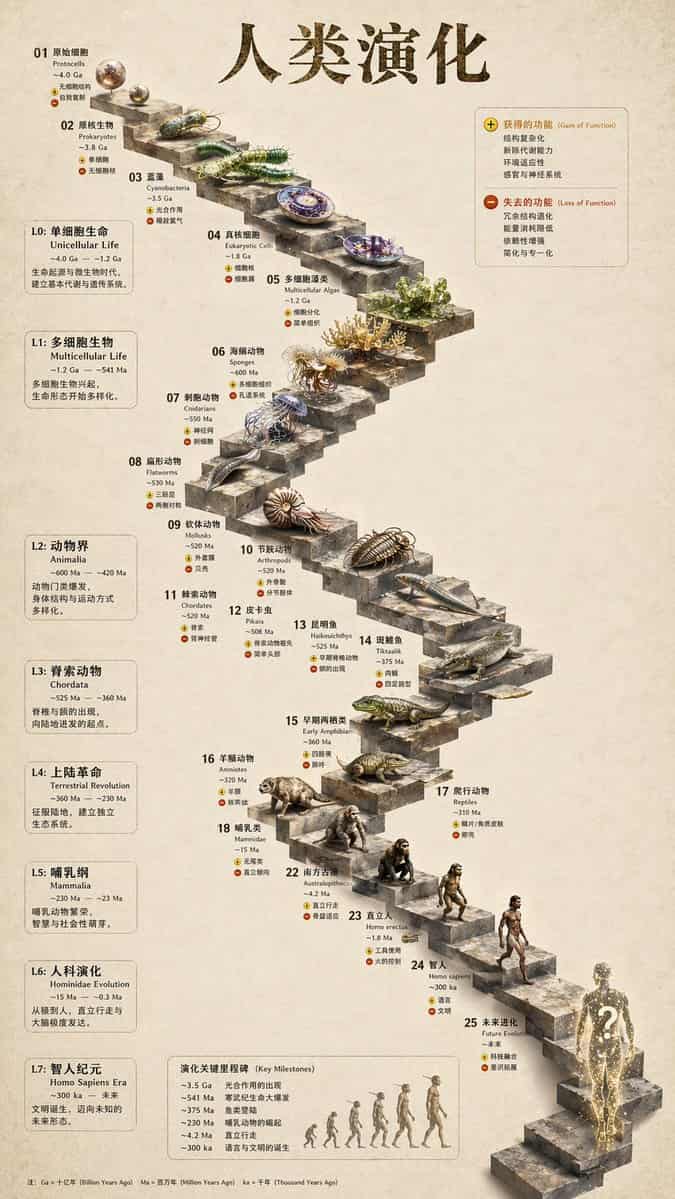
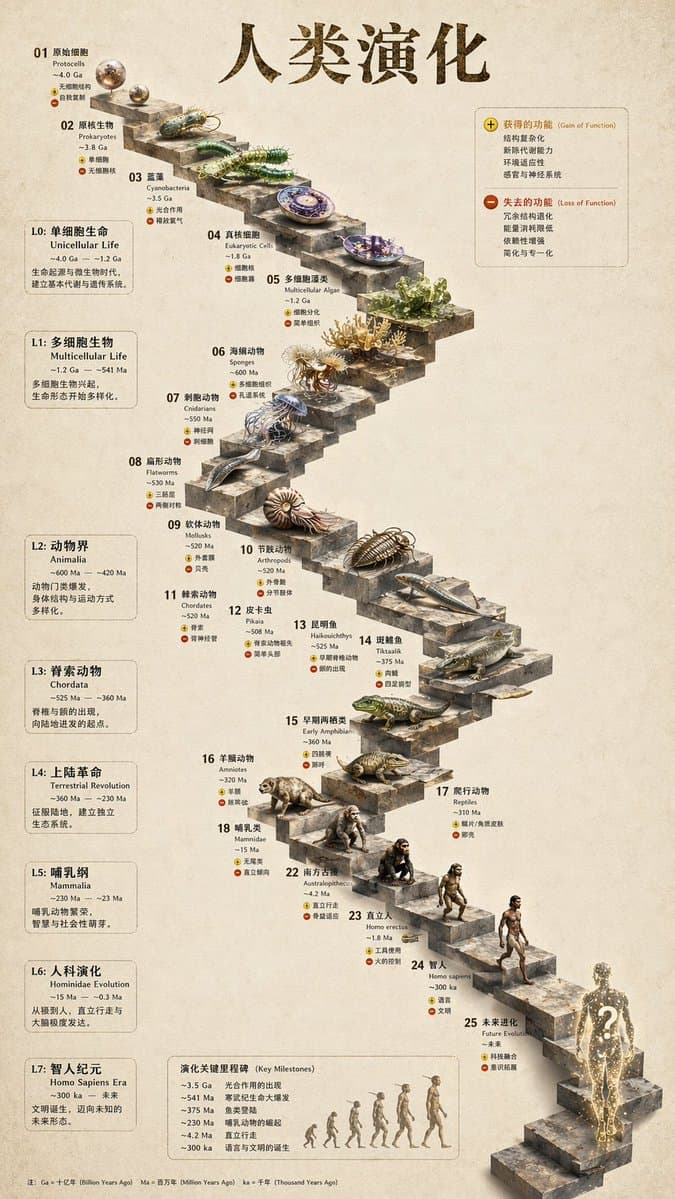
Infografis Evolusi Tangga Batu 3D
{ "type": "infografik garis waktu evolusi", "instruction": "Menggunakan REFERENCE_0 sebagai dasar struktural, ubah desain vektor datar menjadi infografis 3D yang sangat realistis. Ganti jalur landai mulus dengan undakan…
Cepat
{ "type": "infografik garis waktu evolusi", "instruction": "Menggunakan REFERENCE_0 sebagai dasar struktural, ubah desain vektor datar menjadi infografis 3D yang sangat realistis. Ganti jalur landai mulus dengan undakan batu yang berbeda dan tingkatkan semua organisme ke model 3D fotorealistik.", "gaya": { "latar belakang": "{argument name=\"background style\" default=\"vintage textured parchment paper\"}", "tangga": "{argument name=\"staircase material\" default=\"realistic textured stone blocks\"}", "subyek": "{argument name=\"organism style\" default=\"highly detailed photorealistic 3D renders\"}" }, "tata letak": { "main_title": "{argument name=\"main title\" default=\"人类演化\"}", "bagian": [ { "posisi": "bilah sisi kiri", "hitungan": 8, "labels": ["L0: Kehidupan bersel tunggal", "L1: Organisme multiseluler", "L2: Animalia", "L3: Chordata", "L4: Revolusi Terestrial", "L5: Mamalia", "L6: Evolusi Hominin", "L7: Era Homo sapiens"] }, { "posisi": "kanan atas", "title": "Fungsi diperoleh / fungsi hilang", "description": "Legenda dengan ikon plus dan minus" }, { "posisi": "tengah bawah", "title": "Tonggak penting dalam evolusi", "hitungan": 6, "description": "Garis waktu dengan grafik siluet 6 gambar yang menunjukkan evolusi kera dari manusia" } ], "bagian tengah": { "description": "Tangga batu berkelok-kelok dengan 25 anak tangga bernomor yang menampilkan organisme tertentu.", "hitungan": 25, "elemen_terkemuka": [ "Langkah 07: Ubur-ubur", "Langkah 09: Orang Amon", "Langkah 10: Trilobita", "Langkah 24: Berjalan sebagai manusia", "Langkah 25: {argument name=\"future evolution concept\" default=\"glowing cosmic silhouette with a question mark\"}" ] } } }
Cara menggunakan perintah ini
Baca perintah Infografis Evolusi Tangga Batu 3D secara lengkap dan identifikasi persyaratan subjek, gaya, kamera, pencahayaan, dan komposisi sebelum membuatnya.
Ganti placeholder dalam tanda kurung atau gaya argumen dengan persyaratan produk, karakter, merek, adegan, palet warna, atau rasio aspek Anda.
Buka https://www.gptimagehub.com/id/generate?promptId=cmogwy3me009lzpdyd0vcxqra, buat gambarnya, lalu sempurnakan perintah dengan subjek, teks, tata letak, atau batasan negatif yang lebih spesifik jika diperlukan.
Pertanyaan Umum yang cepat
Untuk apa perintah Infografis Evolusi Tangga Batu 3D paling baik digunakan?
Perintah ini paling baik digunakan untuk gambar infografik / edukasi yang menginginkan struktur yang dapat digunakan kembali, arah visual yang mendetail, dan kualitas keluaran yang konsisten.
Bisakah saya mengedit prompt sebelum membuat?
Ya. Teks perintah lengkap terlihat di halaman ini sehingga Anda dapat mengubah subjek, nama produk, warna, komposisi, istilah kamera, rasio aspek, dan catatan gaya sebelum pembuatan.
Model mana yang harus saya gunakan dengan perintah ini?
Gunakan model yang ditampilkan dalam metadata perintah sebagai titik awal default. Jika model gambar lain mendukung rasio aspek dan gaya instruksi yang sama, Anda dapat menyesuaikan perintah dan membandingkan hasilnya.