
Lembar Presentasi Desain Industri
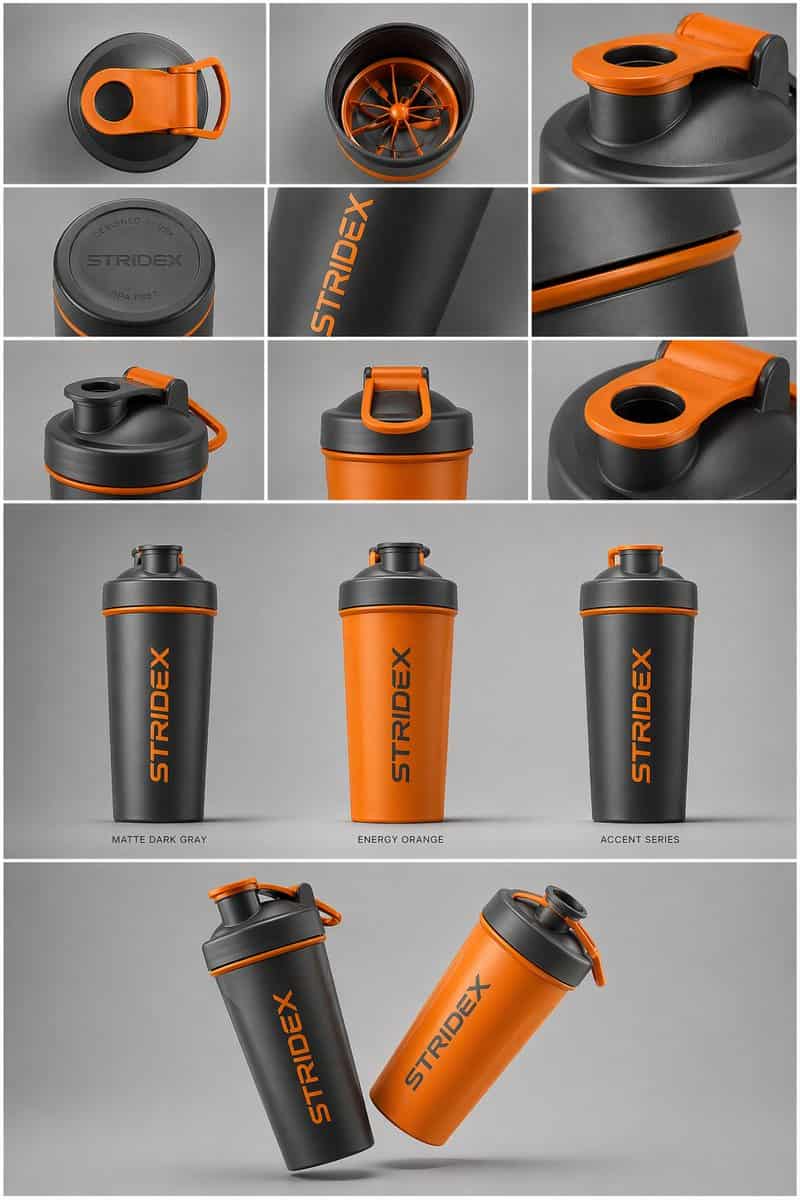
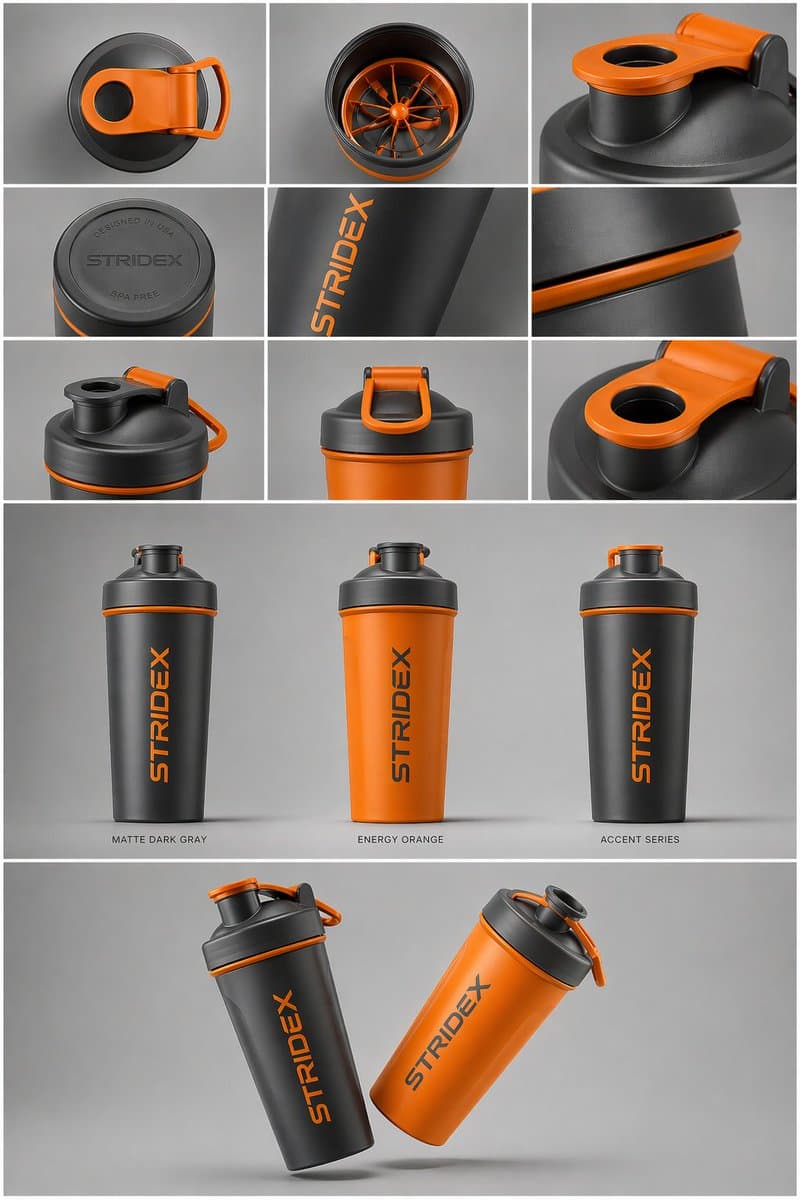
Subjek Inti: [{argument name="reference" default="use the uploaded image"}, jaga agar detail, tipografi, dan struktur tetap terkunci 100%] Tata Letak & Komposisi: {argument name="presentation type" default="professional…
Cepat
Subjek Inti: [{argument name="reference" default="use the uploaded image"}, jaga agar detail, tipografi, dan struktur tetap terkunci 100%] Tata Letak & Komposisi: {argument name="presentation type" default="professional industrial design presentation sheet"}. Gambar harus diatur dalam sistem grid yang bersih. Baris Atas: Tata letak 3x3 yang menampilkan tampilan tata letak datar dari atas ke bawah dan detail makro material dari dekat. Bagian Tengah: Tiga foto utama produk yang berdiri tegak dengan warna berbeda (Matte Black, Arctic White, dan varian beraksen). Produk harus sedikit dimiringkan untuk menunjukkan kedalaman dan bentuk. Bagian Bawah: Komposisi "mengambang" dinamis yang menampilkan dua produk yang tumpang tindih pada sudut berlawanan untuk menampilkan profil depan dan samping secara bersamaan. Lingkungan & Pencahayaan: Berlatar belakang abu-abu studio yang minimalis dan netral. Pencahayaan lembut dari atas ke bawah dengan bayangan kontak yang realistis. Estetika fotografi produk kelas atas. Gaya & Selesai: Tekstur matte, siluet bersih, dan tepi tajam. Biarkan area kosong yang ditentukan pada permukaan produk untuk "Placeholder Branding" dan "Graphic Mockup". Resolusi 4k, gaya render Unreal Engine 5, sangat realistis, estetika bersih.
Cara menggunakan perintah ini
Baca perintah Lembar Presentasi Desain Industri secara lengkap dan identifikasi persyaratan subjek, gaya, kamera, pencahayaan, dan komposisi sebelum membuatnya.
Ganti placeholder dalam tanda kurung atau gaya argumen dengan persyaratan produk, karakter, merek, adegan, palet warna, atau rasio aspek Anda.
Buka https://www.gptimagehub.com/id/generate?promptId=cmogx6d9r00fzzpdyd2l77n5e, buat gambarnya, lalu sempurnakan perintah dengan subjek, teks, tata letak, atau batasan negatif yang lebih spesifik jika diperlukan.
Pertanyaan Umum yang cepat
Untuk apa perintah Lembar Presentasi Desain Industri paling baik digunakan?
Perintah ini paling baik digunakan untuk gambar produk dan e-commerce yang menginginkan struktur yang dapat digunakan kembali, arah visual yang mendetail, dan kualitas keluaran yang konsisten.
Bisakah saya mengedit prompt sebelum membuat?
Ya. Teks perintah lengkap terlihat di halaman ini sehingga Anda dapat mengubah subjek, nama produk, warna, komposisi, istilah kamera, rasio aspek, dan catatan gaya sebelum pembuatan.
Model mana yang harus saya gunakan dengan perintah ini?
Gunakan model yang ditampilkan dalam metadata perintah sebagai titik awal default. Jika model gambar lain mendukung rasio aspek dan gaya instruksi yang sama, Anda dapat menyesuaikan perintah dan membandingkan hasilnya.