
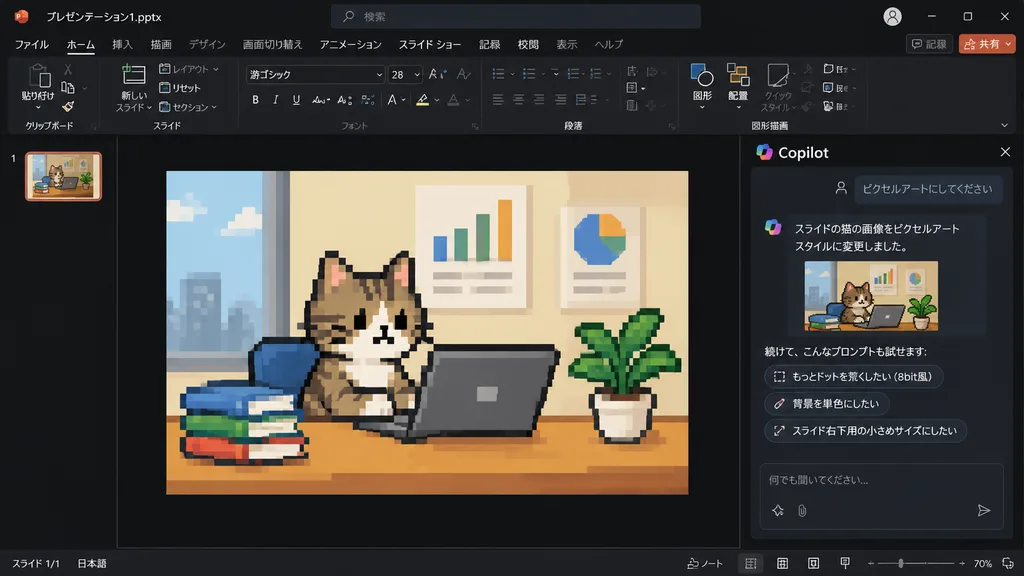
PowerPoint Copilot पिक्सेल आर्ट बिल्ली स्लाइड
डार्क मोड PowerPoint Copilot इंटरफ़ेस का स्क्रीनशॉट बनाता है जिसमें स्लाइड इमेज 8-बिट पिक्सेल आर्ट में बदल जाती है। अपनी आवश्यकतानुसार टेक्स्ट या विषय बदलें।
प्रॉम्प्ट
Using the reference photo of a PowerPoint dark-mode Copilot interface screenshot, transform only the inserted slide image into retro 8-bit pixel art while keeping the rest of the layout, UI, and composition strictly unchanged. Within the slide, redraw the [tabby cat sitting at a desk with a laptop, books, potted plant, and wall charts] in chunky, low-resolution game-style pixel art with visible square pixels and simplified shading. Update the Japanese Copilot side panel chat text: the user prompt box displays 「ピクセルアートにしてください」, followed by an AI response stating the cat image was changed to pixel art style, and three suggested follow-up prompt pills: 「もっとドットを荒くしたい(8bit風)」, 「背景を単色にしたい」, and 「スライド右下用の小さめサイズにしたい」.
आप क्या बदल सकते हैं
इमेज बनाने से पहले प्रॉम्प्ट के इन हिस्सों को अपने विषय या शब्दों से बदलें।
“ピクセルアートにしてください”उद्धरण चिह्नों में लिखा पाठ“もっとドットを荒くしたい(8bit風)”उद्धरण चिह्नों में लिखा पाठ“背景を単色にしたい”उद्धरण चिह्नों में लिखा पाठ“スライド右下用の小さめサイズにしたい”उद्धरण चिह्नों में लिखा पाठ
प्रॉम्प्ट का विवरण
- श्रेणी
- UI / UX डिज़ाइन
- मॉडल
- GPT IMAGE 2
- प्रति इमेज लागत
- 1K: 43 क्रेडिट · 2K: 86 क्रेडिट · 4K: 143 क्रेडिट
- आस्पेक्ट रेशियो
- 16:9
- जोड़ा गया