
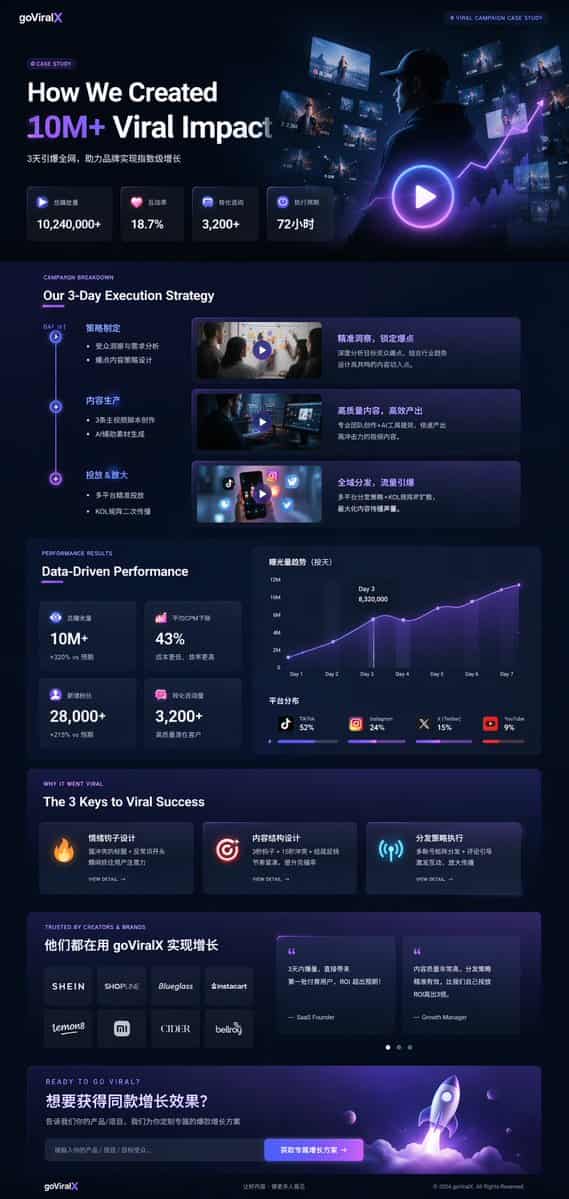
डार्क मोड मार्केटिंग केस स्टडी UI
{ "प्रकार": "यूआई/यूएक्स लैंडिंग पेज मॉकअप", "थीम": "डार्क मोड, चिकना आधुनिक सौंदर्य, ग्लासमॉर्फ़िज्म, {argument name=\"primary accent color\" default=\"neon purple and blue\"} चमकदार लहजे", "हेडर": { "लोगो": "{argument…
शीघ्र
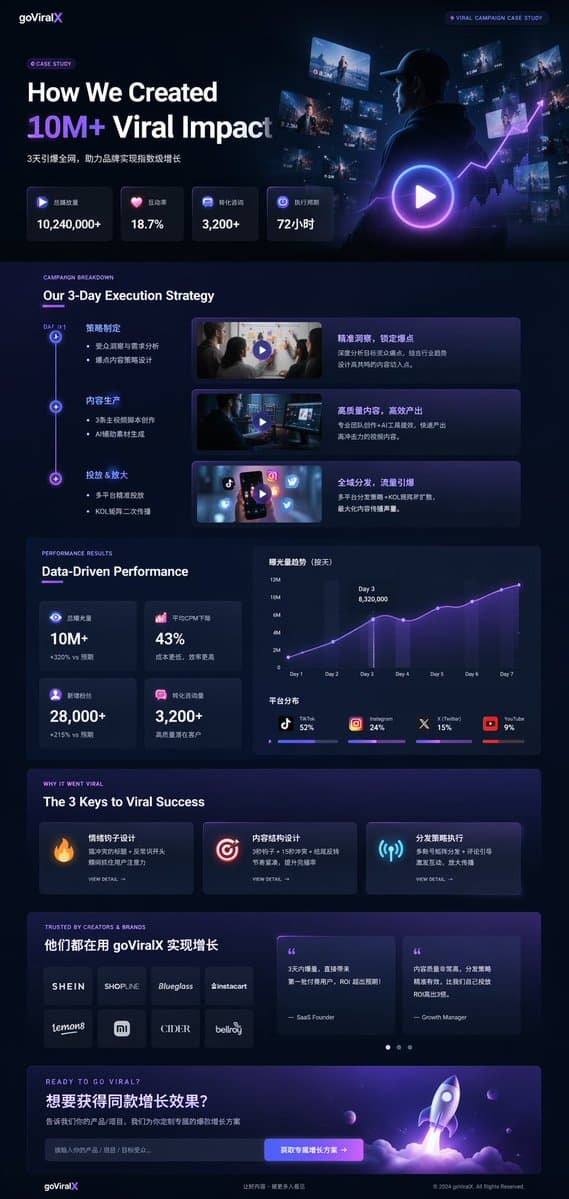
{ "प्रकार": "यूआई/यूएक्स लैंडिंग पेज मॉकअप", "थीम": "डार्क मोड, चिकना आधुनिक सौंदर्य, ग्लासमॉर्फ़िज्म, {argument name=\"primary accent color\" default=\"neon purple and blue\"} चमकदार लहजे", "हेडर": { "लोगो": "{argument name=\"brand name\" default=\"goViralX\"}", "top_right_tag": "वायरल कैम्पेन केस स्टडी" }, "लेआउट": { "अनुभाग": [ { "नाम": "हीरो", "शीर्षक": "{argument name=\"hero headline\" default=\"How We Created 10M+ Viral Impact\"}", "उपशीर्षक": "3 दिनों में पूरे नेटवर्क को नष्ट कर दिया, जिससे ब्रांडों को तेजी से विकास हासिल करने में मदद मिली", "आँकड़े_पंक्ति": { "गिनती": 4, "लेबल": ["कुल प्ले वॉल्यूम", "इंटरैक्शन दर", "रूपांतरण परामर्श", "निष्पादन चक्र"], "मान": ["{argument name=\"main statistic\" default=\"10,240,000+\"}", "18.7%", "3,200+", "72 घंटे"] }, "विज़ुअल": "हुडी पहने एक व्यक्ति का सिनेमाई शॉट, जो चमकती डिजिटल स्क्रीन और ग्राफ़, बड़े प्ले बटन ओवरले को देख रहा है" }, { "नाम": "रणनीति", "शीर्षक": "हमारी 3-दिवसीय निष्पादन रणनीति", "लेआउट_प्रकार": "ऊर्ध्वाधर समयरेखा", "कदम_गिनती": 3, "Elements_per_step": ["टाइमलाइन नोड", "शीर्षक", "बुलेट पॉइंट", "प्ले बटन के साथ वीडियो थंबनेल", "विवरण बॉक्स"] }, { "नाम": "प्रदर्शन", "शीर्षक": "डेटा-संचालित प्रदर्शन", "लेफ्ट_कॉलम": { "स्टेट_कार्ड_काउंट": 4, "मूल्य": ["10एम+", "43%", "28,000+", "3,200+"] }, "राइट_कॉलम": { "चार्ट_गणना": 2, "चार्ट_1": "लाइन ग्राफ़ 7 दिनों की वृद्धि को तीसरे दिन शिखर पर दर्शाता है", "चार्ट_2": "प्लेटफ़ॉर्म वितरण दिखाने वाला क्षैतिज खंडित बार चार्ट (टिकटॉक 52%, इंस्टाग्राम 24%, एक्स 15%, यूट्यूब 9%)" } }, { "नाम": "सफलता की कुंजी", "शीर्षक": "वायरल सफलता की 3 कुंजी", "कार्ड_गिनती": 3, "कार्ड_एलिमेंट्स": ["चमकता हुआ आइकन (अग्नि, लक्ष्य, एंटीना)", "शीर्षक", "विवरण", "विवरण लिंक देखें"] }, { "नाम": "सामाजिक प्रमाण", "शीर्षक": "निर्माताओं और ब्रांडों द्वारा विश्वसनीय", "लेफ्ट_कॉलम": { "लोगो_गणना": 8, "ग्रिड": "2x4", "ब्रांड": ["शीन", "शॉपलाइन", "ब्लूग्लास", "इंस्टाकार्ट", "लेमन8", "एमआई", "साइडर", "बेलरॉय"] }, "राइट_कॉलम": { "प्रशंसापत्र_कार्ड_गिनती": 2, "तत्व": ["उद्धरण", "लेखक का शीर्षक (सास संस्थापक, विकास प्रबंधक)"] } }, { "नाम": "कॉल टू एक्शन", "शीर्षक": "वायरल होने के लिए तैयार?", "इंटरएक्टिव_एलिमेंट्स": ["टेक्स्ट इनपुट फ़ील्ड", "टेक्स्ट '{argument name=\"call to action text\" default=\"获取专属增长方案 ->\"}' के साथ चमकता बटन"], "विज़ुअल": "बैंगनी और नीली लपटों के साथ उड़ान भरते एक रॉकेट जहाज का 3डी रेंडर" } ] } }
इस प्रॉम्प्ट का उपयोग कैसे करें
संपूर्ण डार्क मोड मार्केटिंग केस स्टडी UI प्रॉम्प्ट पढ़ें और जनरेट करने से पहले विषय, शैली, कैमरा, प्रकाश व्यवस्था और संरचना आवश्यकताओं की पहचान करें।
ब्रैकेटेड या तर्क-शैली वाले प्लेसहोल्डर्स को अपने उत्पाद, चरित्र, ब्रांड, दृश्य, रंग पैलेट, या पहलू अनुपात आवश्यकताओं से बदलें।
https://www.gptimagehub.com/hi/generate?promptId=cmogx4gaj00ejzpdyjfmpkq4n खोलें, छवि बनाएं, फिर यदि आवश्यक हो तो अधिक विशिष्ट विषय, पाठ, लेआउट, या नकारात्मक बाधाओं के साथ संकेत को परिष्कृत करें।
शीघ्र पूछे जाने वाले प्रश्न
डार्क मोड मार्केटिंग केस स्टडी UI प्रॉम्प्ट का सबसे अच्छा उपयोग किसके लिए किया जाता है?
यह प्रॉम्प्ट ui / ux डिज़ाइन छवियों के लिए सबसे अच्छा उपयोग किया जाता है जहां आप एक पुन: प्रयोज्य संरचना, विस्तृत दृश्य दिशा और सुसंगत आउटपुट गुणवत्ता चाहते हैं।
क्या मैं जनरेट करने से पहले प्रॉम्प्ट संपादित कर सकता हूँ?
हाँ. पूरा प्रॉम्प्ट टेक्स्ट इस पृष्ठ पर दिखाई देता है ताकि आप पीढ़ी से पहले विषय, उत्पाद नाम, रंग, संरचना, कैमरा शब्द, पहलू अनुपात और शैली नोट्स बदल सकें।
मुझे इस प्रॉम्प्ट के साथ किस मॉडल का उपयोग करना चाहिए?
प्रॉम्प्ट मेटाडेटा में दिखाए गए मॉडल को डिफ़ॉल्ट प्रारंभिक बिंदु के रूप में उपयोग करें। यदि कोई अन्य छवि मॉडल समान पहलू अनुपात और निर्देश शैली का समर्थन करता है, तो आप संकेत को अनुकूलित कर सकते हैं और परिणामों की तुलना कर सकते हैं।