
Sahil kasabasının yıl boyunca iş programı
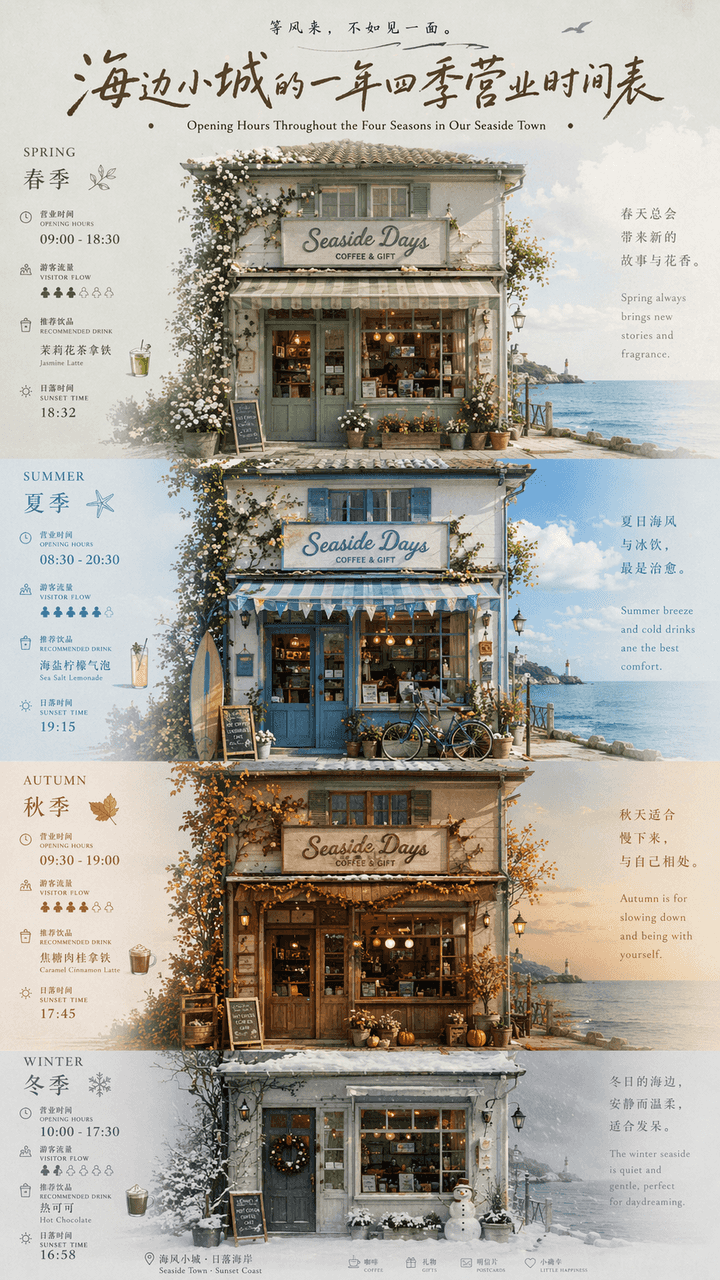
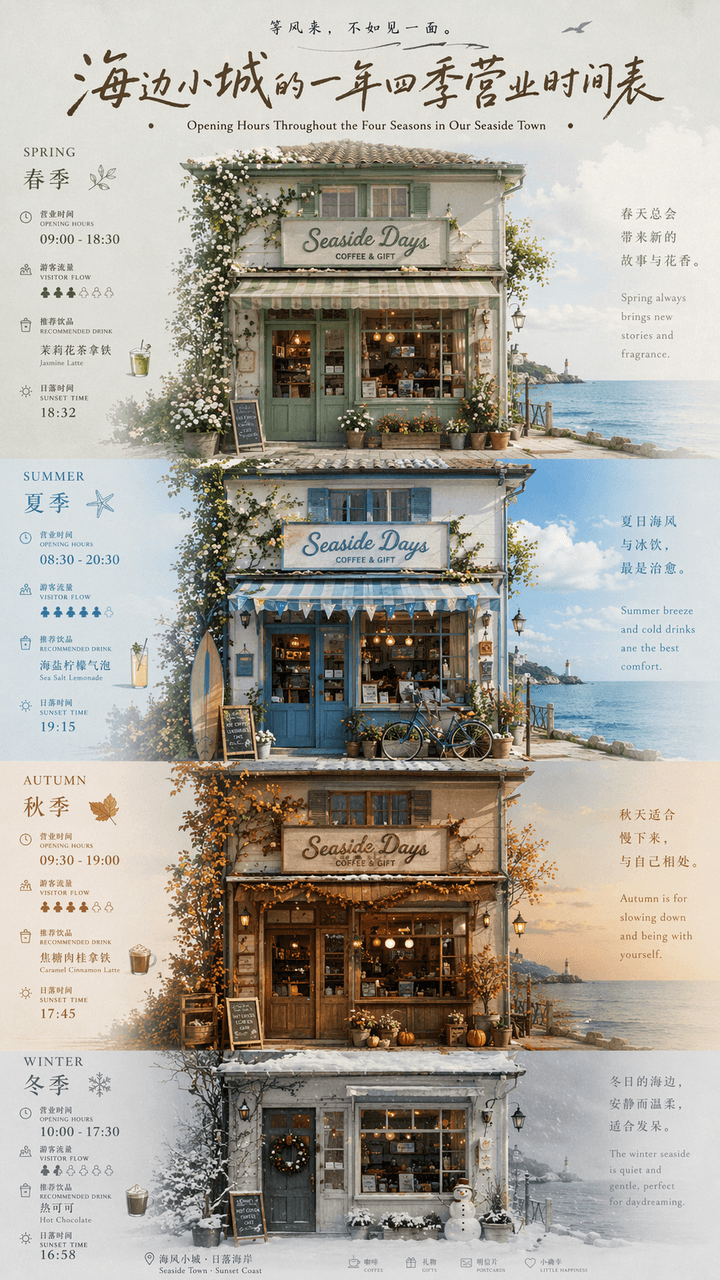
"Küçük bir sahil kasabasının yıl boyu iş programı", yerel kültür ve turizm posterleri ile takvim infografiklerinin bir birleşimidir. Resim sahildeki bir mağazanın ön cephesinde ortalanmıştır. İlkbahar, yaz, sonbahar ve…
İstemi
"Küçük bir sahil kasabasının yıl boyu iş programı", yerel kültür ve turizm posterleri ile takvim infografiklerinin bir birleşimidir. Resim sahildeki bir mağazanın ön cephesinde ortalanmıştır. İlkbahar, yaz, sonbahar ve kıştan oluşan dört mevsim, pencere mobilyalarında, kapı bitkilerinde, gökyüzü renklerinde ve kıyafetlerde meydana gelen değişikliklerle temsil edilmektedir. Her sezon ince bir sayının yanındadır. Çalışma saatleri, turist akışı, önerilen içecekler ve gün batımı saati işaretlenmiştir. Başlıkta retro el yazısı imza karakterleri kullanılıyor ve altyazılar Çince ve İngilizce olarak düzenlenmiş. Her şey bağımsız bir dergi seyahat özelliği gibi görünüyor. Renk şeması ilkbaharda adaçayı yeşilinden, yazın deniz tuzu mavisinden, sonbaharda karamel kahverengisinden kışın sisli gri beyaza geçiş yapıyor. Oranlar 9:16.
Bu istem nasıl kullanılır?
Oluşturmadan önce Sahil kasabasının yıl boyunca iş programı isteminin tamamını okuyun ve konuyu, stili, kamerayı, ışıklandırmayı ve kompozisyon gereksinimlerini tanımlayın.
Parantezli veya bağımsız değişken tarzı yer tutucuları ürününüz, karakteriniz, markanız, sahneniz, renk paletiniz veya en boy oranı gereksinimlerinizle değiştirin.
https://www.gptimagehub.com/tr/generate?promptId=cmogxic5800grxt5gpdhpc7qp dosyasını açın, görüntüyü oluşturun, ardından gerekirse daha spesifik konu, metin, düzen veya negatif kısıtlamalarla istemi hassaslaştırın.
Bilgi İstemi SSS
Sahil kasabasının yıl boyunca iş programı istemi en iyi ne için kullanılır?
Bu istem, yeniden kullanılabilir bir yapı, ayrıntılı görsel yön ve tutarlı çıktı kalitesi istediğiniz diğer görselleri için en iyi şekilde kullanılır.
İstemi oluşturmadan önce düzenleyebilir miyim?
Evet. Bilgi istemi metninin tamamı bu sayfada görünür; böylece oluşturmadan önce konuları, ürün adlarını, renkleri, kompozisyonu, kamera terimlerini, en boy oranını ve stil notlarını değiştirebilirsiniz.
Bu istemle hangi modeli kullanmalıyım?
Bilgi istemi meta verilerinde gösterilen modeli varsayılan başlangıç noktası olarak kullanın. Başka bir görüntü modeli aynı en boy oranını ve talimat stilini destekliyorsa istemi uyarlayabilir ve sonuçları karşılaştırabilirsiniz.