
Paris Metrosu'ndaki duyguların haritası
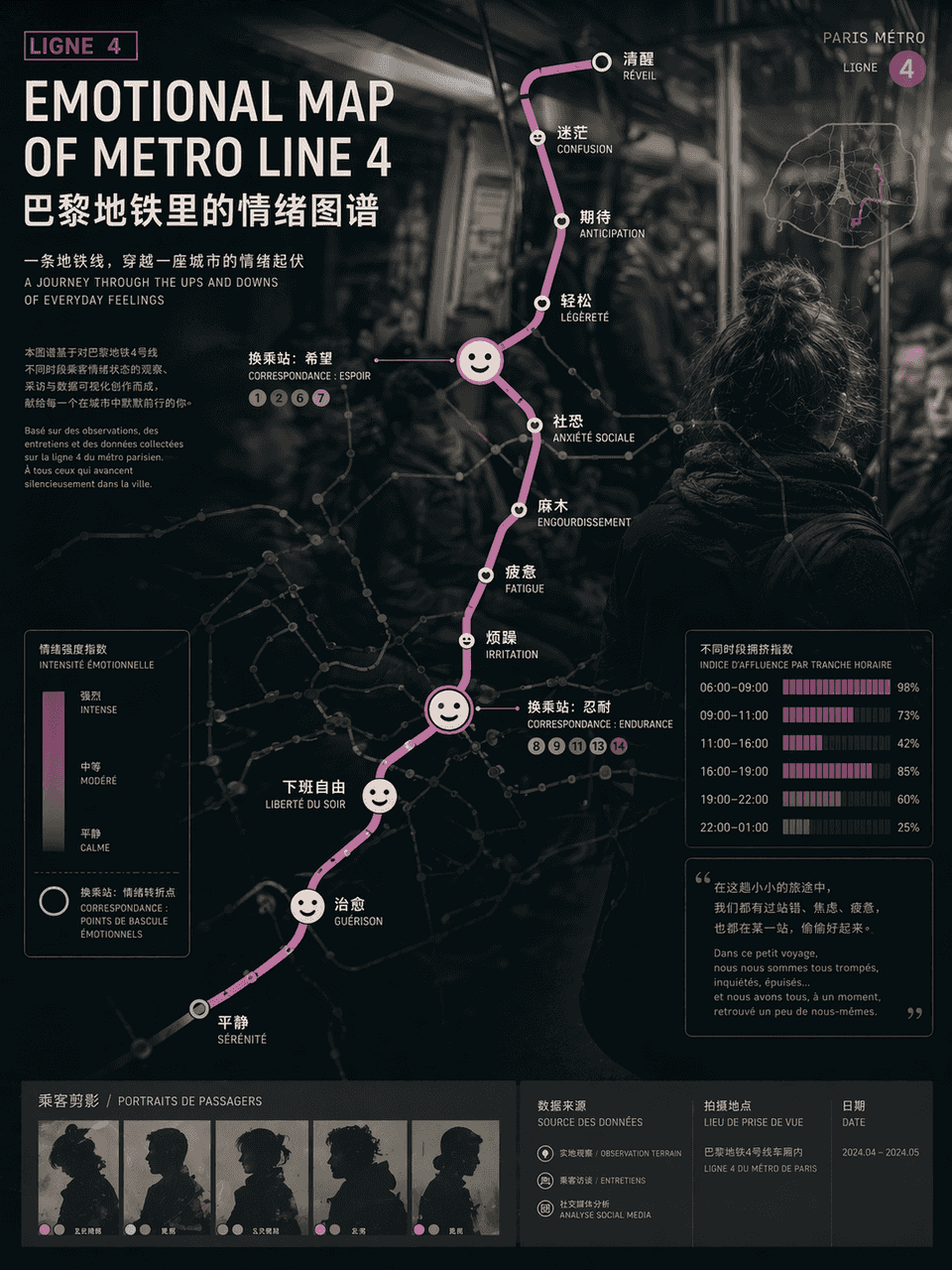
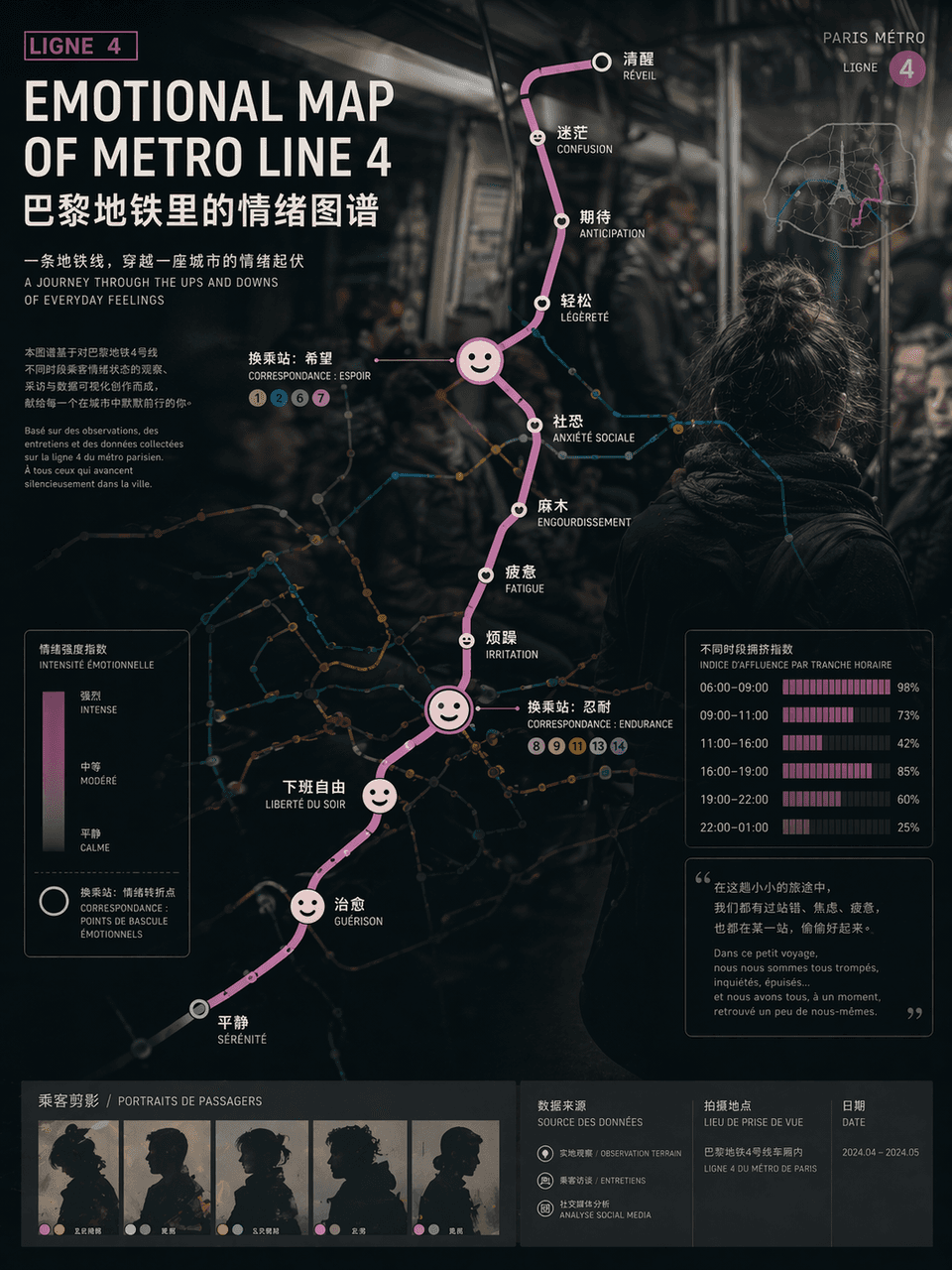
"METRO HATTI DUYGUSAL HARİTASI"/"METRO HATTI DUYGUSAL HARİTASI" 4", duygusal görselleştirme posteri kentsel trafik haritasıyla entegre edilmiştir. Güzergah haritası standart metro haritası sözdizimini kullanır, ancak he…
İstemi
"METRO HATTI DUYGUSAL HARİTASI"/"METRO HATTI DUYGUSAL HARİTASI" 4", duygusal görselleştirme posteri kentsel trafik haritasıyla entegre edilmiştir. Güzergah haritası standart metro haritası sözdizimini kullanır, ancak her istasyonun istasyon adı "uyanık", "uyuşmuş", "beklenti", "sosyal korku" ve "işten kurtulmak" gibi duygusal bir durumla değiştirilir ve aktarım düğümleri soyut ifade simgelerine genişletilir, arka plan Kalabalık vagonların belgesel fotoğrafçılığı tarzında belirsiz bir şekilde bulanıklaştırılmış, farklı zaman aralıklarındaki kalabalık indeks çubuk grafikleri posterin köşelerine yerleştirilmiştir. Başlık, bir sanat sergisine giriş niteliğindedir. Genel tasarım, sosyal gözlemi ve çağdaş sanat mizacını birleştirir.
Bu istem nasıl kullanılır?
Oluşturmadan önce Paris Metrosu'ndaki duyguların haritası isteminin tamamını okuyun ve konuyu, stili, kamerayı, ışıklandırmayı ve kompozisyon gereksinimlerini tanımlayın.
Parantezli veya bağımsız değişken tarzı yer tutucuları ürününüz, karakteriniz, markanız, sahneniz, renk paletiniz veya en boy oranı gereksinimlerinizle değiştirin.
https://www.gptimagehub.com/tr/generate?promptId=cmogxi7a700gnxt5g8uzsvghb dosyasını açın, görüntüyü oluşturun, ardından gerekirse daha spesifik konu, metin, düzen veya negatif kısıtlamalarla istemi hassaslaştırın.
Bilgi İstemi SSS
Paris Metrosu'ndaki duyguların haritası istemi en iyi ne için kullanılır?
Bu istem, yeniden kullanılabilir bir yapı, ayrıntılı görsel yön ve tutarlı çıktı kalitesi istediğiniz diğer görselleri için en iyi şekilde kullanılır.
İstemi oluşturmadan önce düzenleyebilir miyim?
Evet. Bilgi istemi metninin tamamı bu sayfada görünür; böylece oluşturmadan önce konuları, ürün adlarını, renkleri, kompozisyonu, kamera terimlerini, en boy oranını ve stil notlarını değiştirebilirsiniz.
Bu istemle hangi modeli kullanmalıyım?
Bilgi istemi meta verilerinde gösterilen modeli varsayılan başlangıç noktası olarak kullanın. Başka bir görüntü modeli aynı en boy oranını ve talimat stilini destekliyorsa istemi uyarlayabilir ve sonuçları karşılaştırabilirsiniz.