
«Страница файла Бюро содержания мифических существ: Кирин»
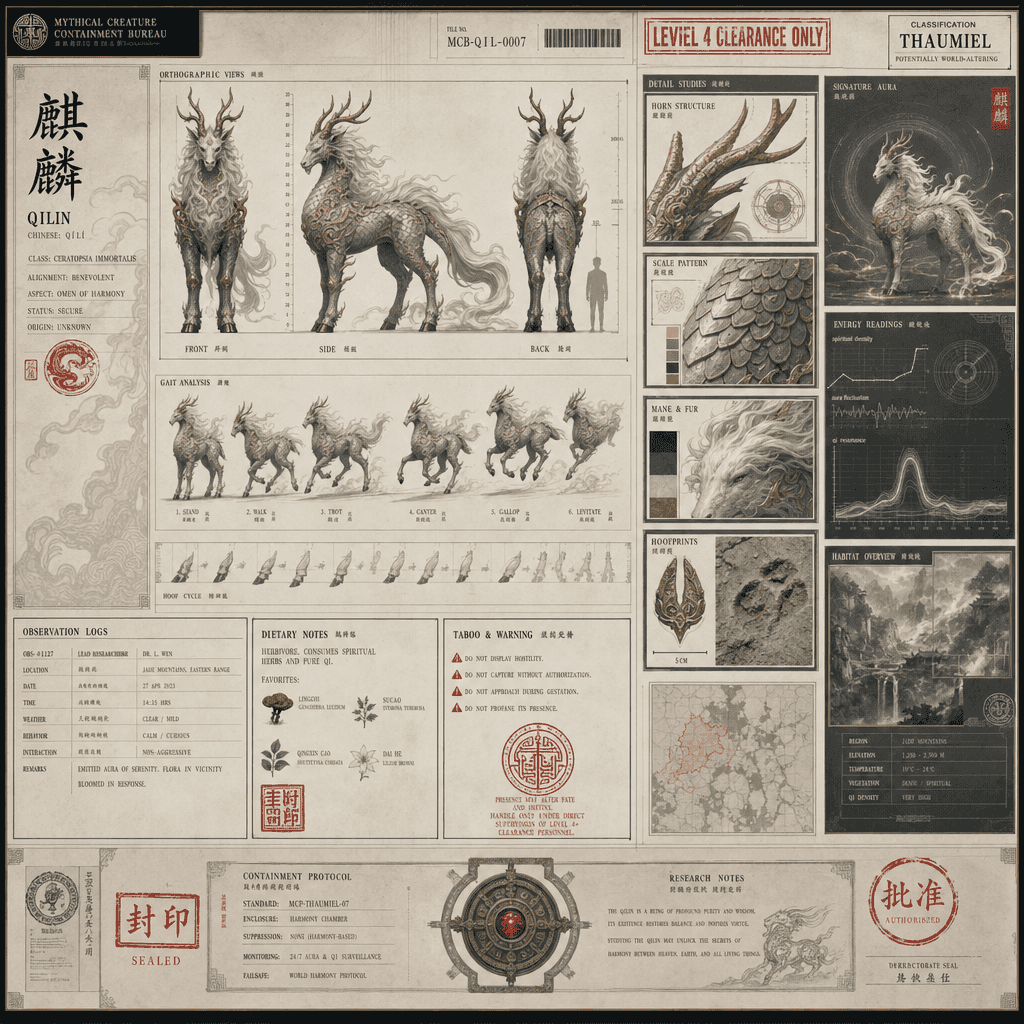
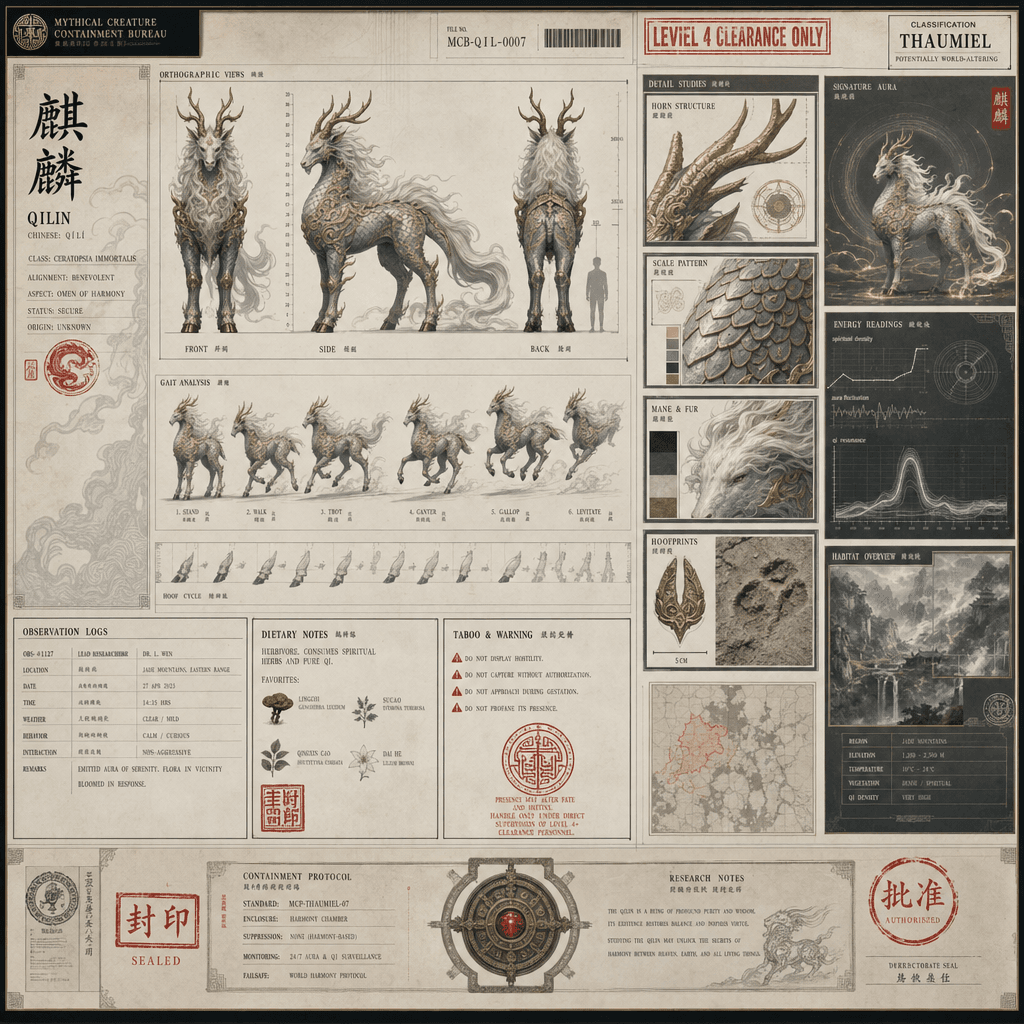
«Страница файла Бюро содержания мифических существ: Кирин» сочетает в себе институциональный дизайн файла с сеттингом восточных фантастических существ. Изображение выглядит как сверхсекретный файл содержания. Слева — тр…
Подскажите
«Страница файла Бюро содержания мифических существ: Кирин» сочетает в себе институциональный дизайн файла с сеттингом восточных фантастических существ. Изображение выглядит как сверхсекретный файл содержания. Слева — трехмерное изображение передней, боковой и задней части Кирина и особенности его походки. Справа — рог, чешуя, грива, детали отпечатка копыта и модуль данных об окружающей среде. В досье напечатана печать звания, журнал наблюдений, диетические привычки и инструкции по табу. Общий образ имеет ощущение святости и спокойного темперамента современного заведения с соотношением сторон 16:9.
Как использовать эту подсказку
Прочтите полную подсказку «Страница файла Бюро содержания мифических существ: Кирин» и определите требования к объекту, стилю, камере, освещению и композиции перед созданием.
Замените заполнители в квадратных скобках или в виде аргументов требованиями к вашему продукту, персонажу, бренду, сцене, цветовой палитре или соотношению сторон.
Откройте https://www.gptimagehub.com/ru/generate?promptId=cmogxks6r00jdxt5g1ntlnlob, сгенерируйте изображение, затем при необходимости уточните подсказку, указав более конкретную тему, текст, макет или отрицательные ограничения.
Подскажите FAQ
Для чего лучше всего использовать приглашение «Страница файла Бюро содержания мифических существ: Кирин»?
Эту подсказку лучше всего использовать для изображений другое, где вам нужна многоразовая структура, детальное визуальное направление и стабильное качество вывода.
Могу ли я отредактировать приглашение перед созданием?
Да. Полный текст подсказки отображается на этой странице, поэтому вы можете изменить темы, названия продуктов, цвета, композицию, термины камеры, соотношение сторон и примечания к стилю перед созданием.
Какую модель мне следует использовать с этой подсказкой?
Используйте модель, показанную в метаданных подсказки, в качестве отправной точки по умолчанию. Если другая модель изображения поддерживает такое же соотношение сторон и стиль инструкций, вы можете адаптировать подсказку и сравнить результаты.