
Социальный скриншот № 16
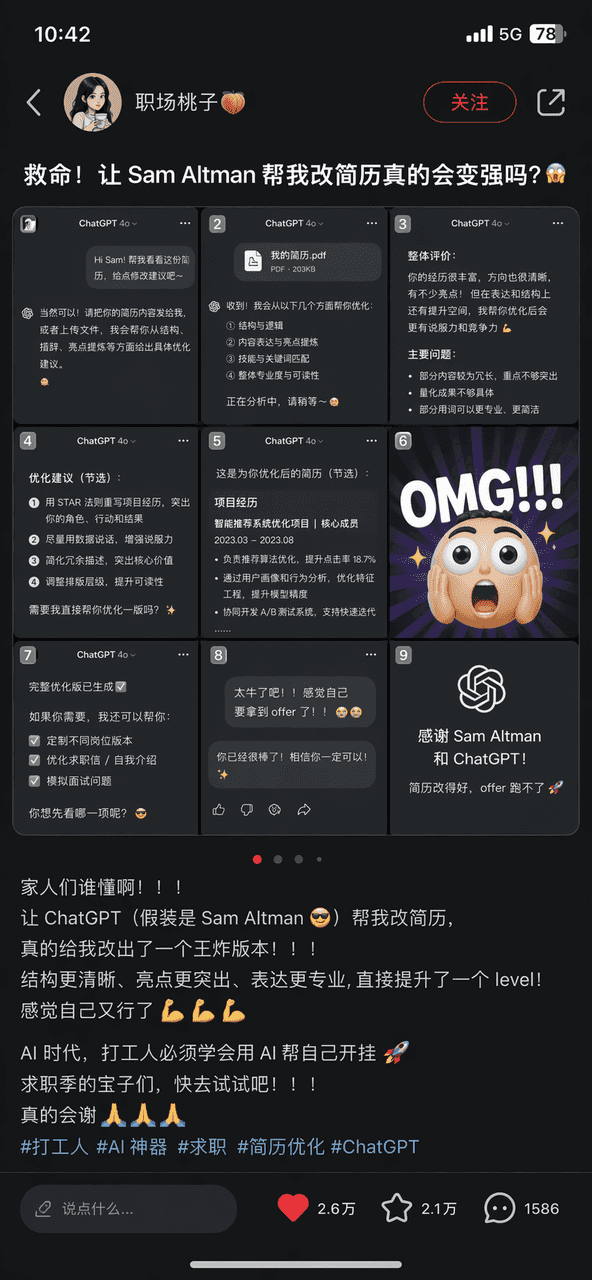
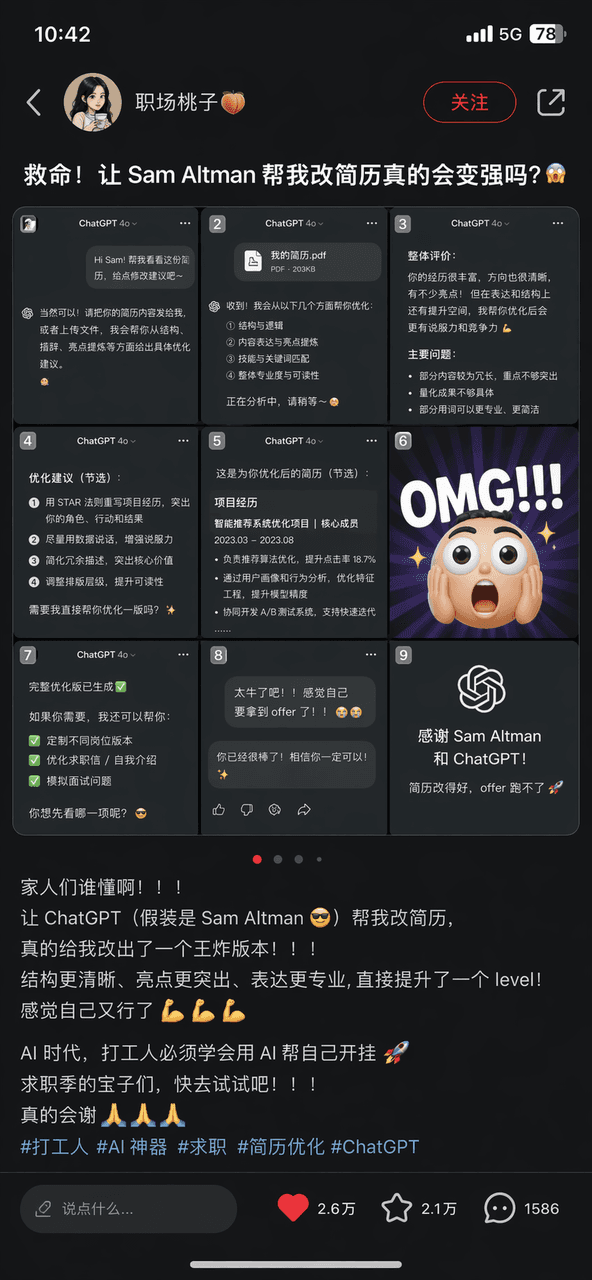
Подсказка состоит в том, чтобы нарисовать скриншот заметки Сяохуншу с заголовком «Помогите! Действительно ли я стану сильнее, если Сэм Альтман поможет мне изменить мое резюме?». Изображение Jiugongge — это скриншот разг…
Подскажите
Подсказка состоит в том, чтобы нарисовать скриншот заметки Сяохуншу с заголовком «Помогите! Действительно ли я стану сильнее, если Сэм Альтман поможет мне изменить мое резюме?». Изображение Jiugongge — это скриншот разговора ChatGPT и смайликов OMG. Текст содержит большое количество смайлов и хэштег «#打工#AI神器#поиск работы». Существует полный S-интерфейс с кнопками «Коллекция» и «Мне нравится» в правом нижнем углу.
Как использовать эту подсказку
Прочтите полную подсказку Социальный скриншот № 16 и определите требования к объекту, стилю, камере, освещению и композиции перед созданием.
Замените заполнители в квадратных скобках или в виде аргументов требованиями к вашему продукту, персонажу, бренду, сцене, цветовой палитре или соотношению сторон.
Откройте https://www.gptimagehub.com/ru/generate?promptId=cmogxojcc00onxt5gv8427l1h, сгенерируйте изображение, затем при необходимости уточните подсказку, указав более конкретную тему, текст, макет или отрицательные ограничения.
Подскажите FAQ
Для чего лучше всего использовать приглашение Социальный скриншот № 16?
Эту подсказку лучше всего использовать для изображений социальные сети, где вам нужна многоразовая структура, детальное визуальное направление и стабильное качество вывода.
Могу ли я отредактировать приглашение перед созданием?
Да. Полный текст подсказки отображается на этой странице, поэтому вы можете изменить темы, названия продуктов, цвета, композицию, термины камеры, соотношение сторон и примечания к стилю перед созданием.
Какую модель мне следует использовать с этой подсказкой?
Используйте модель, показанную в метаданных подсказки, в качестве отправной точки по умолчанию. Если другая модель изображения поддерживает такое же соотношение сторон и стиль инструкций, вы можете адаптировать подсказку и сравнить результаты.