
Подскажите
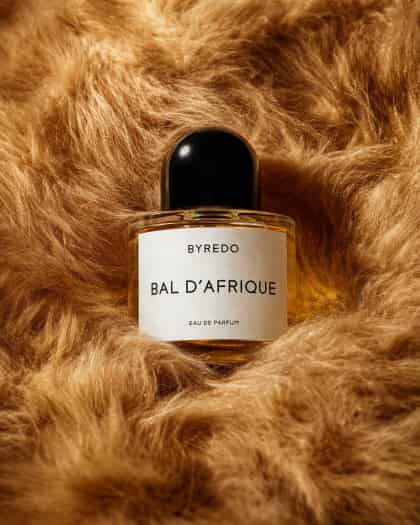
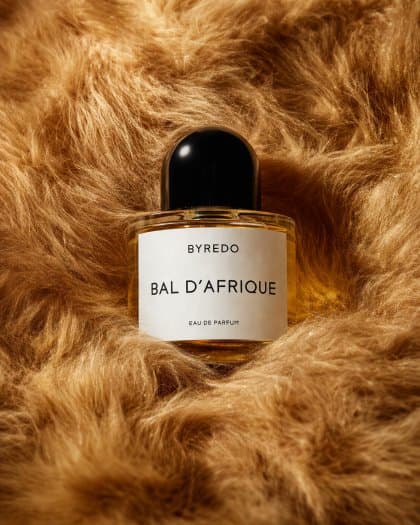
Роскошная редакционная фотография единственного флакона духов, укрытого густым, плюшевым искусственным мехом насыщенных золотисто-карамельных и медово-коричневых тонов. Сосредоточьте композицию на одной прозрачной овальной стеклянной бутылке, наполненной теплой янтарной жидкостью, с глянцевой закругленной черной крышкой и чистой белой прямоугольной этикеткой. Текст метки должен читаться как {argument name="brand name" default="BYREDO"} вверху, {argument name="product name" default="BAL D’AFRIQUE"} крупным шрифтом посередине и {argument name="product type" default="EAU DE PARFUM"} мелким текстом внизу. Снимите его как натюрморт крупным планом с мягким студийным освещением, тонкими бликами на стекле и кепке, нежными тенями в складках меха и теплой кинематографической цветовой палитрой. Бутылка должна слегка входить в мех, чтобы окружающая текстура обрамляла ее со всех сторон, создавая премиальное модное редакционное настроение, минимальную композицию, малую глубину резкости, четкий акцент на этикетке и эстетику элитной косметической кампании.
Как использовать эту подсказку
Прочтите полную подсказку Флакон для духов Editorial в цвете Golden Fur и определите требования к объекту, стилю, камере, освещению и композиции перед созданием.
Замените заполнители в квадратных скобках или в виде аргументов требованиями к вашему продукту, персонажу, бренду, сцене, цветовой палитре или соотношению сторон.
Откройте https://www.gptimagehub.com/ru/generate?promptId=cmogx57cb00f3zpdyro5ubkl4, сгенерируйте изображение, затем при необходимости уточните подсказку, указав более конкретную тему, текст, макет или отрицательные ограничения.
Подскажите FAQ
Для чего лучше всего использовать приглашение Флакон для духов Editorial в цвете Golden Fur?
Эту подсказку лучше всего использовать для изображений другое, где вам нужна многоразовая структура, детальное визуальное направление и стабильное качество вывода.
Могу ли я отредактировать приглашение перед созданием?
Да. Полный текст подсказки отображается на этой странице, поэтому вы можете изменить темы, названия продуктов, цвета, композицию, термины камеры, соотношение сторон и примечания к стилю перед созданием.
Какую модель мне следует использовать с этой подсказкой?
Используйте модель, показанную в метаданных подсказки, в качестве отправной точки по умолчанию. Если другая модель изображения поддерживает такое же соотношение сторон и стиль инструкций, вы можете адаптировать подсказку и сравнить результаты.