
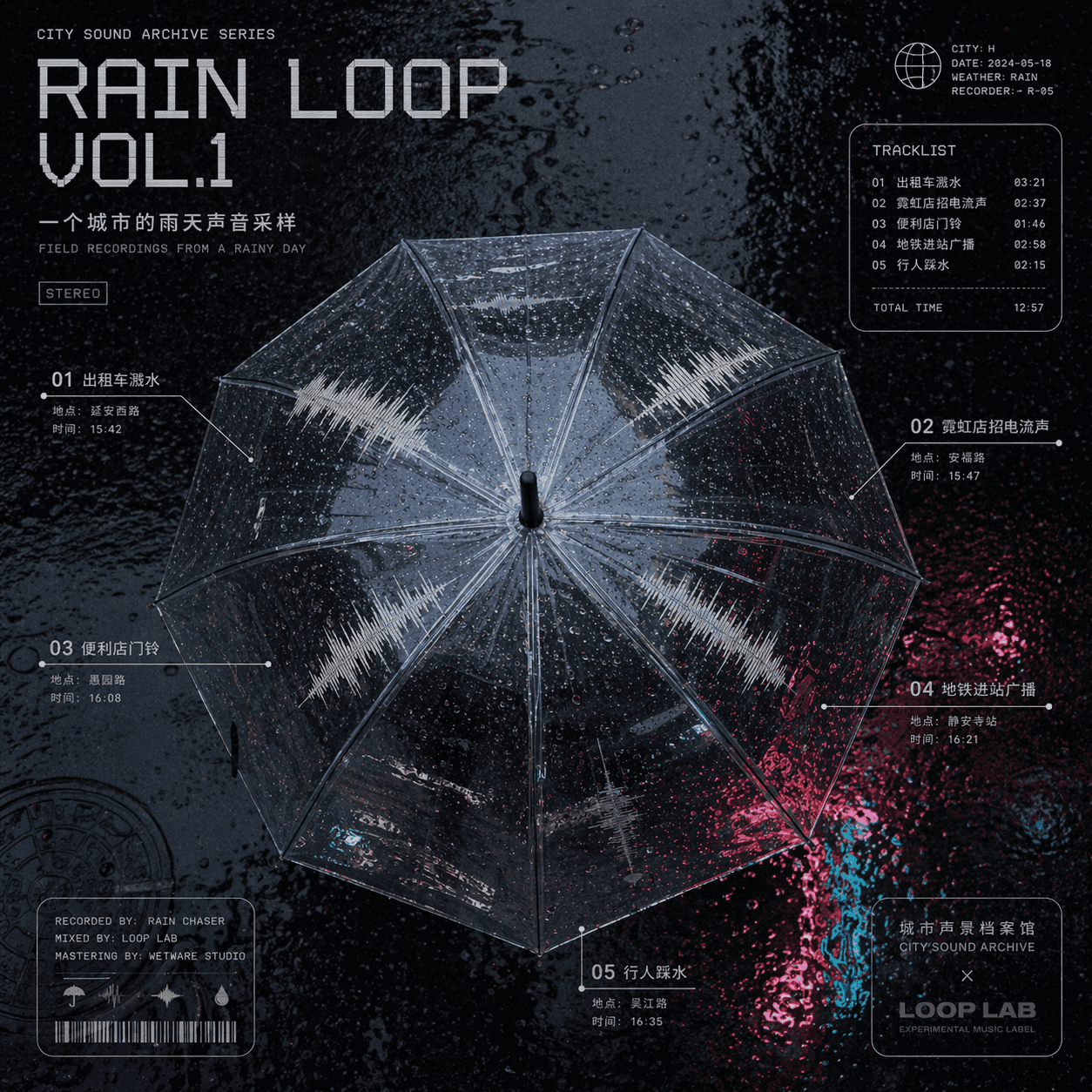
Contoh sampul suara hari hujan di sebuah kota
"Sampel sampul suara hari hujan sebuah kota" adalah kombinasi sampul album musik dan arsip lanskap suara perkotaan. Bagian tengahnya adalah pemandangan atas payung transparan. Bentuk gelombang trek suara yang berbeda-be…
Cepat
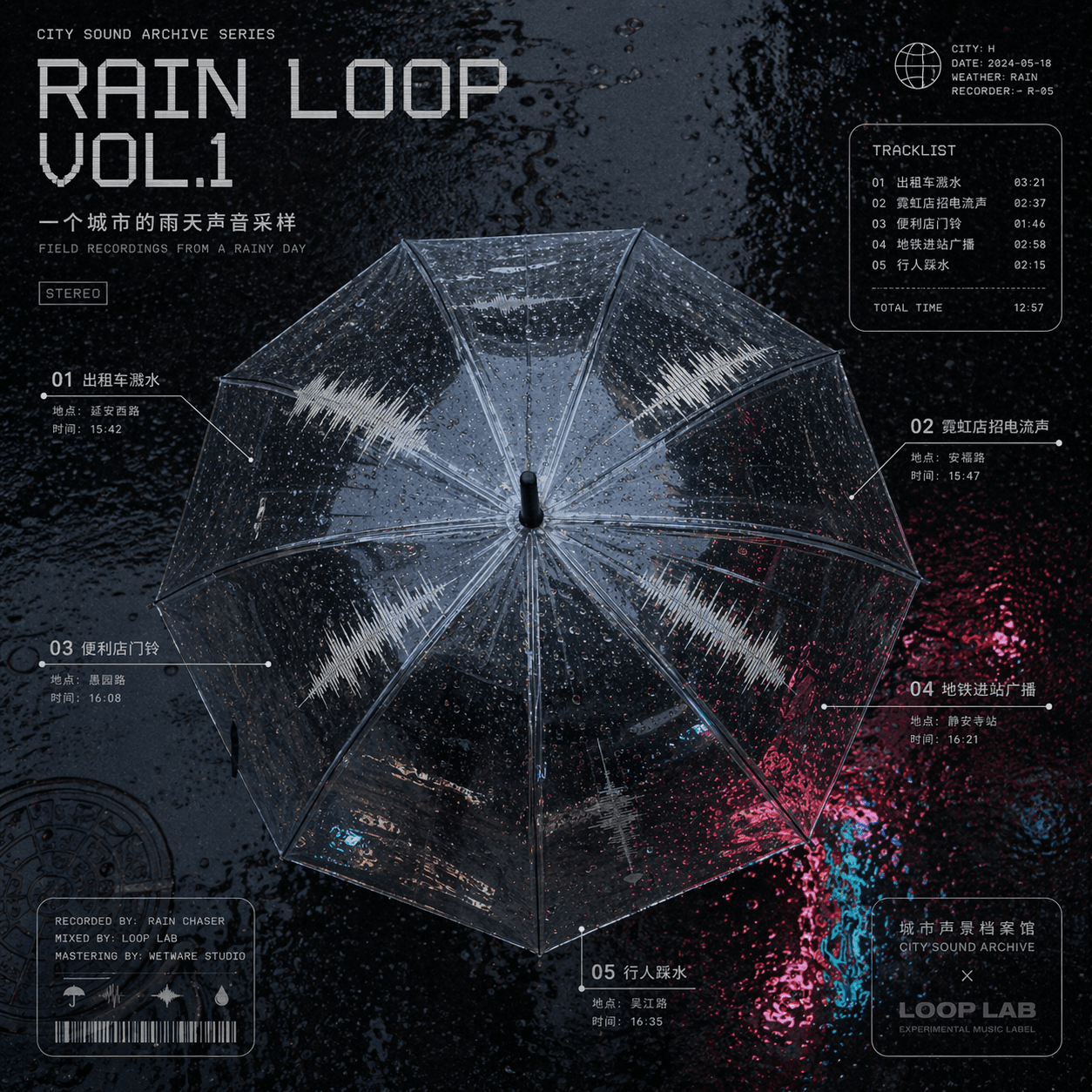
"Sampel sampul suara hari hujan sebuah kota" adalah kombinasi sampul album musik dan arsip lanskap suara perkotaan. Bagian tengahnya adalah pemandangan atas payung transparan. Bentuk gelombang trek suara yang berbeda-beda tersebar di permukaan payung: percikan air taksi, tanda neon toko, bel pintu toko serba ada, pengumuman kedatangan kereta bawah tanah, pejalan kaki menginjak air, dan lokasi serta waktu pengambilan sampel diberi keterangan dalam karakter kecil di sekitarnya, dengan judul "RAIN LOOP" VOL.1" menggunakan font elektronik dingin, dan latar belakangnya adalah tekstur jalan aspal basah yang sangat reflektif. Desain keseluruhan tampak seperti desain gabungan antara album musik eksperimental dan Arsip Peta Suara, dengan rasio 1:1.
Cara menggunakan perintah ini
Baca perintah Contoh sampul suara hari hujan di sebuah kota secara lengkap dan identifikasi persyaratan subjek, gaya, kamera, pencahayaan, dan komposisi sebelum membuatnya.
Ganti placeholder dalam tanda kurung atau gaya argumen dengan persyaratan produk, karakter, merek, adegan, palet warna, atau rasio aspek Anda.
Buka https://www.gptimagehub.com/id/generate?promptId=cmogxj93z00h9xt5gap0nslsa, buat gambarnya, lalu sempurnakan perintah dengan subjek, teks, tata letak, atau batasan negatif yang lebih spesifik jika diperlukan.
Pertanyaan Umum yang cepat
Untuk apa perintah Contoh sampul suara hari hujan di sebuah kota paling baik digunakan?
Perintah ini paling baik digunakan untuk gambar poster dan ilustrasi yang menginginkan struktur yang dapat digunakan kembali, arah visual yang mendetail, dan kualitas keluaran yang konsisten.
Bisakah saya mengedit prompt sebelum membuat?
Ya. Teks perintah lengkap terlihat di halaman ini sehingga Anda dapat mengubah subjek, nama produk, warna, komposisi, istilah kamera, rasio aspek, dan catatan gaya sebelum pembuatan.
Model mana yang harus saya gunakan dengan perintah ini?
Gunakan model yang ditampilkan dalam metadata perintah sebagai titik awal default. Jika model gambar lain mendukung rasio aspek dan gaya instruksi yang sama, Anda dapat menyesuaikan perintah dan membandingkan hasilnya.