
kamar penulis
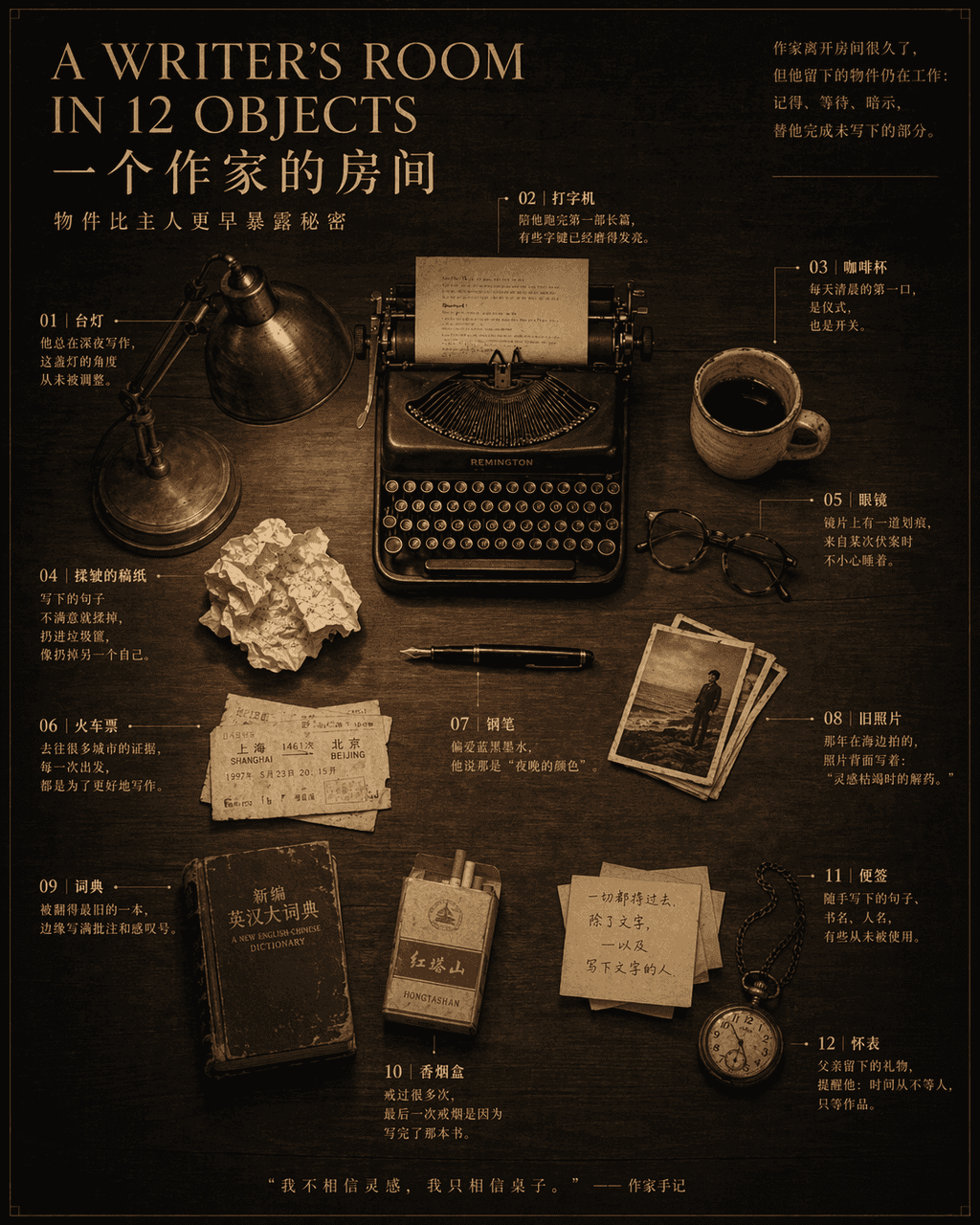
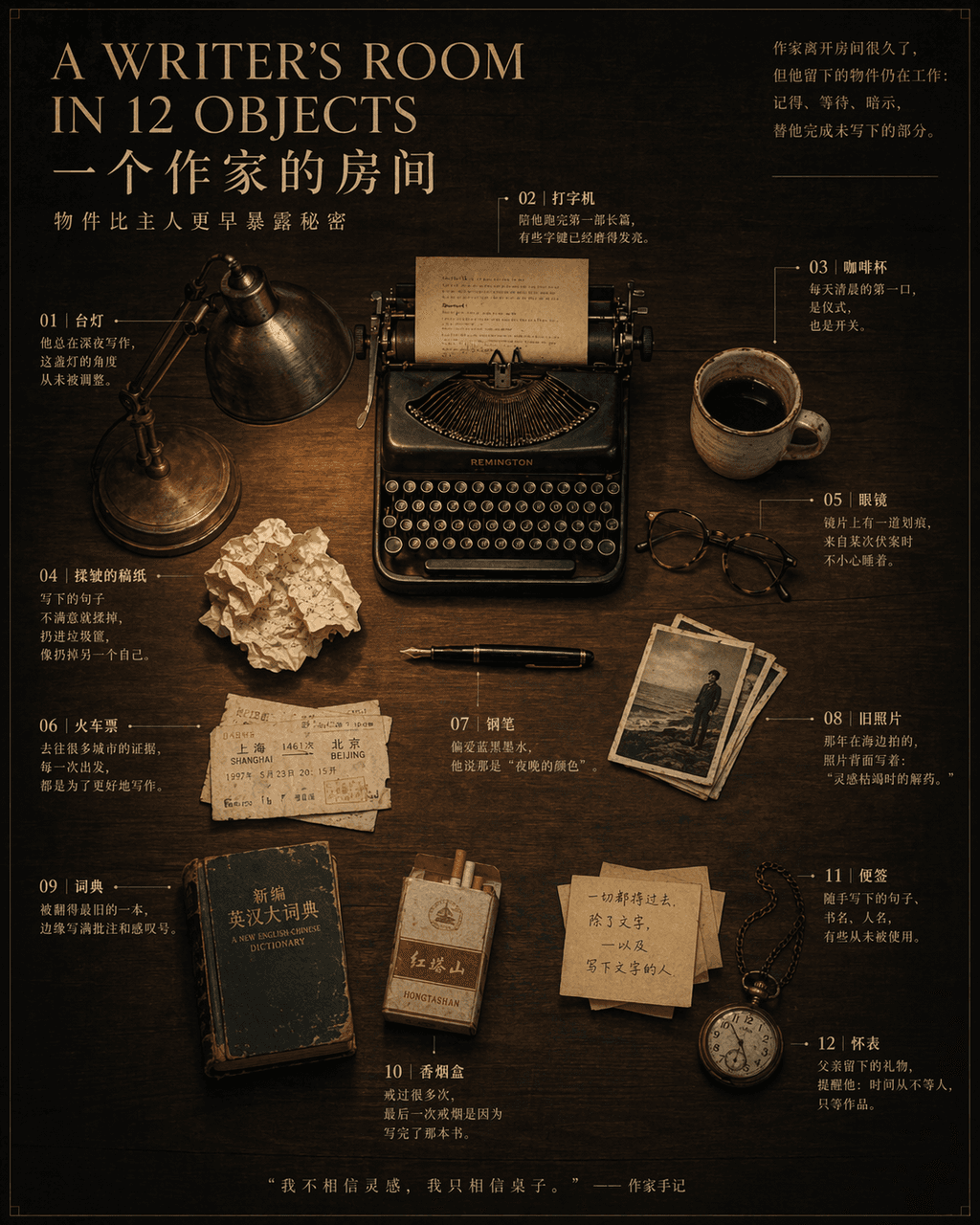
“RUANG PENULIS DALAM 12 BENDA”, sebuah poster naratif still life di halaman dalam majalah, di tengahnya terdapat gambar meja kayu gelap dengan 12 BENDA. Benda-benda ditempatkan dengan tepat: pulpen, mesin tik, gelas, ca…
Cepat
“RUANG PENULIS DALAM 12 BENDA”, sebuah poster naratif still life di halaman dalam majalah, di tengahnya terdapat gambar meja kayu gelap dengan 12 BENDA. Benda-benda ditempatkan dengan tepat: pulpen, mesin tik, gelas, cangkir kopi, kertas naskah kusut, karcis kereta api, lampu meja, foto-foto lama, kamus, kotak rokok, catatan tempel, jam saku. Catatan digambar dengan garis tipis di samping setiap benda, menandai cerita pendek yang berkaitan dengan pemiliknya. Judulnya menggunakan font serif yang elegan, dan subjudulnya berbunyi "Benda mengungkap rahasia lebih awal dari pemiliknya." 4:5.
Cara menggunakan perintah ini
Baca perintah kamar penulis secara lengkap dan identifikasi persyaratan subjek, gaya, kamera, pencahayaan, dan komposisi sebelum membuatnya.
Ganti placeholder dalam tanda kurung atau gaya argumen dengan persyaratan produk, karakter, merek, adegan, palet warna, atau rasio aspek Anda.
Buka https://www.gptimagehub.com/id/generate?promptId=cmogxi2pl00gjxt5g42gtccmx, buat gambarnya, lalu sempurnakan perintah dengan subjek, teks, tata letak, atau batasan negatif yang lebih spesifik jika diperlukan.
Pertanyaan Umum yang cepat
Untuk apa perintah kamar penulis paling baik digunakan?
Perintah ini paling baik digunakan untuk gambar lainnya yang menginginkan struktur yang dapat digunakan kembali, arah visual yang mendetail, dan kualitas keluaran yang konsisten.
Bisakah saya mengedit prompt sebelum membuat?
Ya. Teks perintah lengkap terlihat di halaman ini sehingga Anda dapat mengubah subjek, nama produk, warna, komposisi, istilah kamera, rasio aspek, dan catatan gaya sebelum pembuatan.
Model mana yang harus saya gunakan dengan perintah ini?
Gunakan model yang ditampilkan dalam metadata perintah sebagai titik awal default. Jika model gambar lain mendukung rasio aspek dan gaya instruksi yang sama, Anda dapat menyesuaikan perintah dan membandingkan hasilnya.