
Indeks insomnia suatu kota
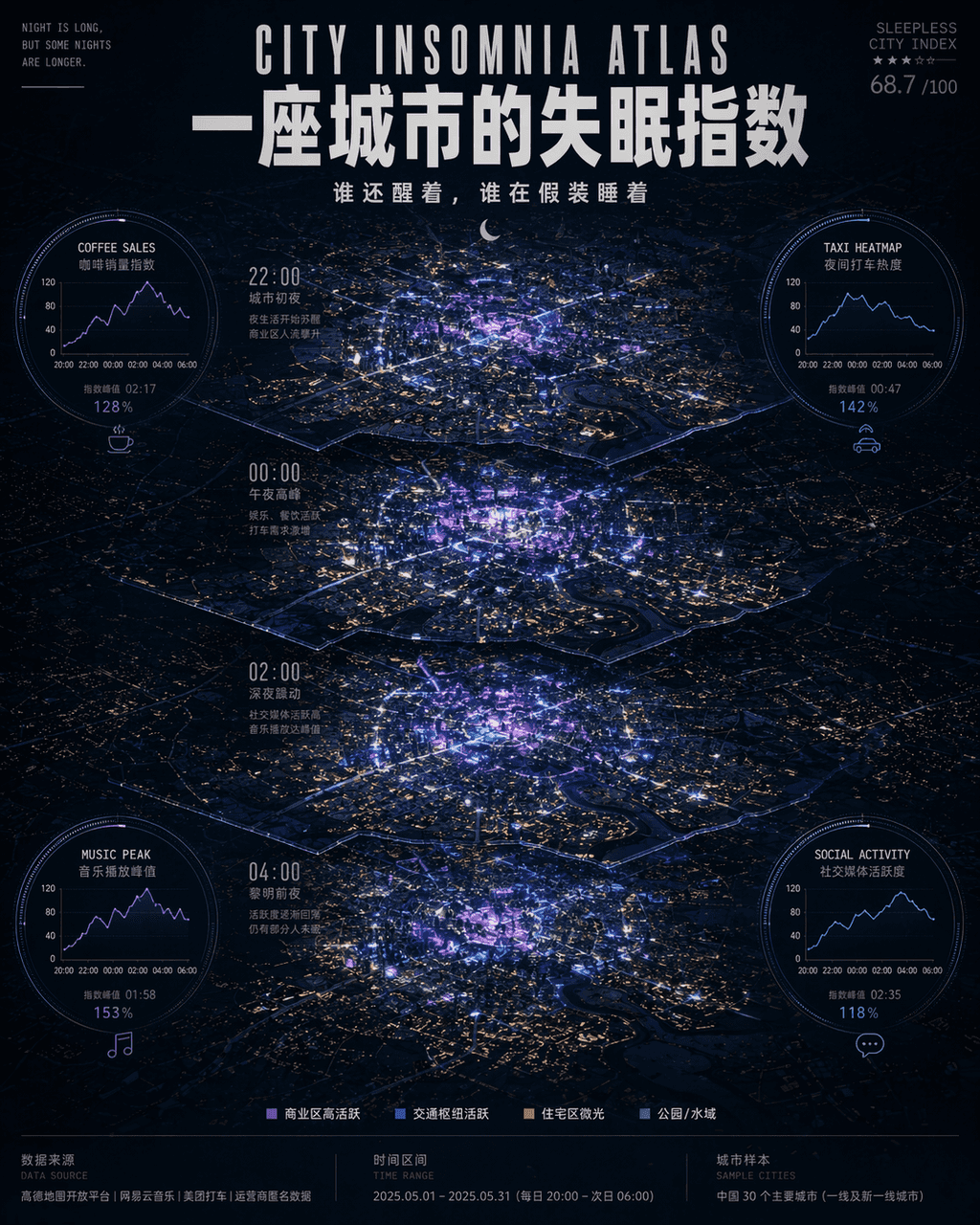
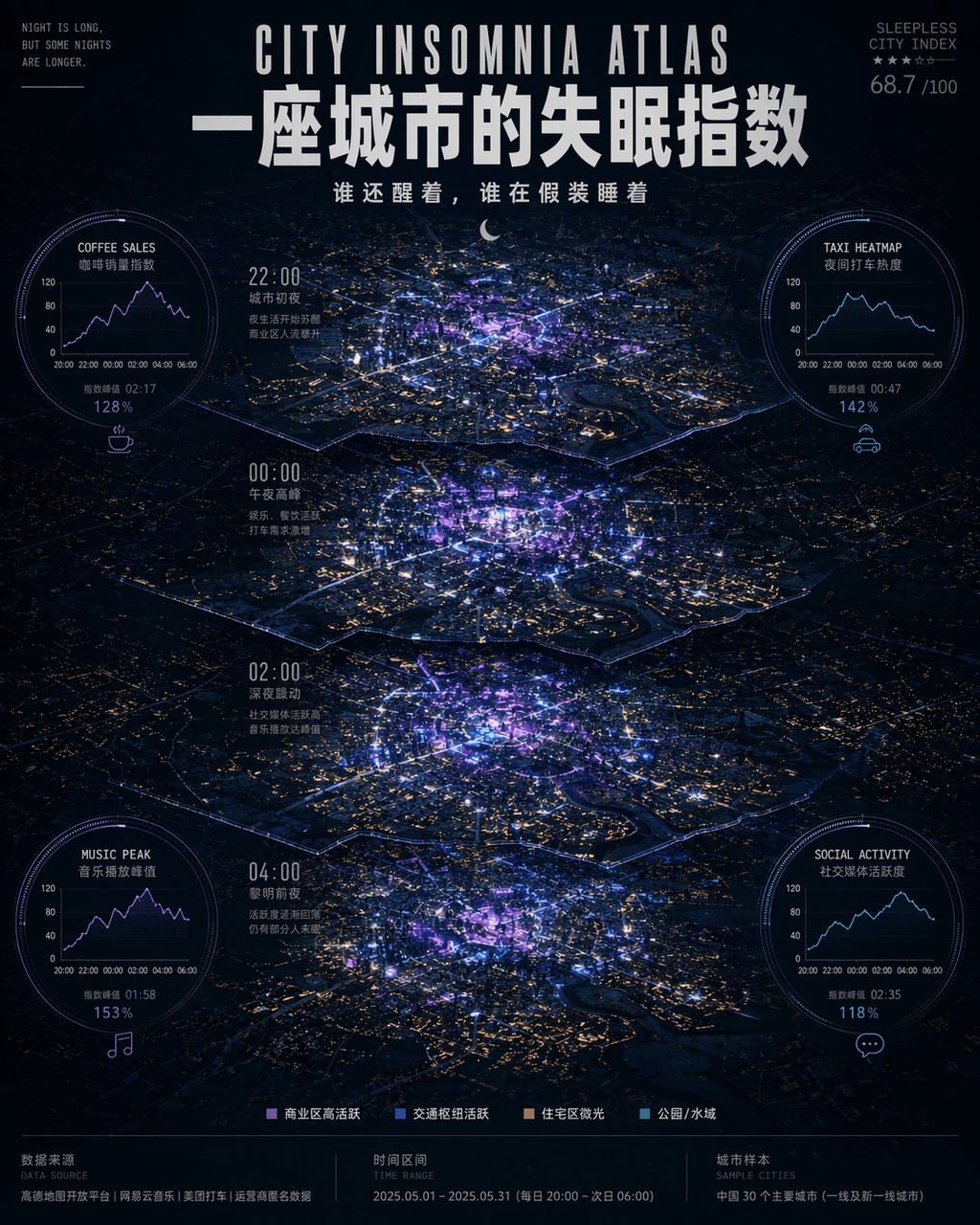
"Indeks insomnia kota"/"CITY INSOMNIA ATLAS", poster visualisasi data kehidupan malam, bagian tengahnya adalah peta pemandangan malam kota dengan perspektif top-down, menurut larut malam 22:00, 00:00, 02:00, 04:00 Empat…
Cepat
"Indeks insomnia kota"/"CITY INSOMNIA ATLAS", poster visualisasi data kehidupan malam, bagian tengahnya adalah peta pemandangan malam kota dengan perspektif top-down, menurut larut malam 22:00, 00:00, 02:00, 04:00 Empat periode waktu diterangi berlapis-lapis, dengan area komersial disorot dengan warna ungu neon dan biru elektrik, dan area perumahan disajikan dalam matriks titik cahaya jendela kuning redup. Empat modul data melingkar tertanam di sekitar peta: kurva penjualan kopi, popularitas taksi malam, puncak pemutaran musik, dan aktivitas media sosial. Judulnya menggunakan huruf besar Inggris dan huruf Cina tebal yang tumpang tindih, dan subjudulnya berbunyi "Siapa yang masih terjaga dan siapa yang berpura-pura tertidur". Karakter kecil di bagian bawah memberi keterangan pada sumber data, interval waktu, dan nomor sampel kota. Referensi visual keseluruhannya adalah gaya laporan lembaga think tank "Monocle" + Teknologi, suasananya antara romansa perkotaan dan kecemasan ringan, rasio 4:5.
Cara menggunakan perintah ini
Baca perintah Indeks insomnia suatu kota secara lengkap dan identifikasi persyaratan subjek, gaya, kamera, pencahayaan, dan komposisi sebelum membuatnya.
Ganti placeholder dalam tanda kurung atau gaya argumen dengan persyaratan produk, karakter, merek, adegan, palet warna, atau rasio aspek Anda.
Buka https://www.gptimagehub.com/id/generate?promptId=cmogxhqbw00gdxt5ga8q4yxv2, buat gambarnya, lalu sempurnakan perintah dengan subjek, teks, tata letak, atau batasan negatif yang lebih spesifik jika diperlukan.
Pertanyaan Umum yang cepat
Untuk apa perintah Indeks insomnia suatu kota paling baik digunakan?
Perintah ini paling baik digunakan untuk gambar lainnya yang menginginkan struktur yang dapat digunakan kembali, arah visual yang mendetail, dan kualitas keluaran yang konsisten.
Bisakah saya mengedit prompt sebelum membuat?
Ya. Teks perintah lengkap terlihat di halaman ini sehingga Anda dapat mengubah subjek, nama produk, warna, komposisi, istilah kamera, rasio aspek, dan catatan gaya sebelum pembuatan.
Model mana yang harus saya gunakan dengan perintah ini?
Gunakan model yang ditampilkan dalam metadata perintah sebagai titik awal default. Jika model gambar lain mendukung rasio aspek dan gaya instruksi yang sama, Anda dapat menyesuaikan perintah dan membandingkan hasilnya.