
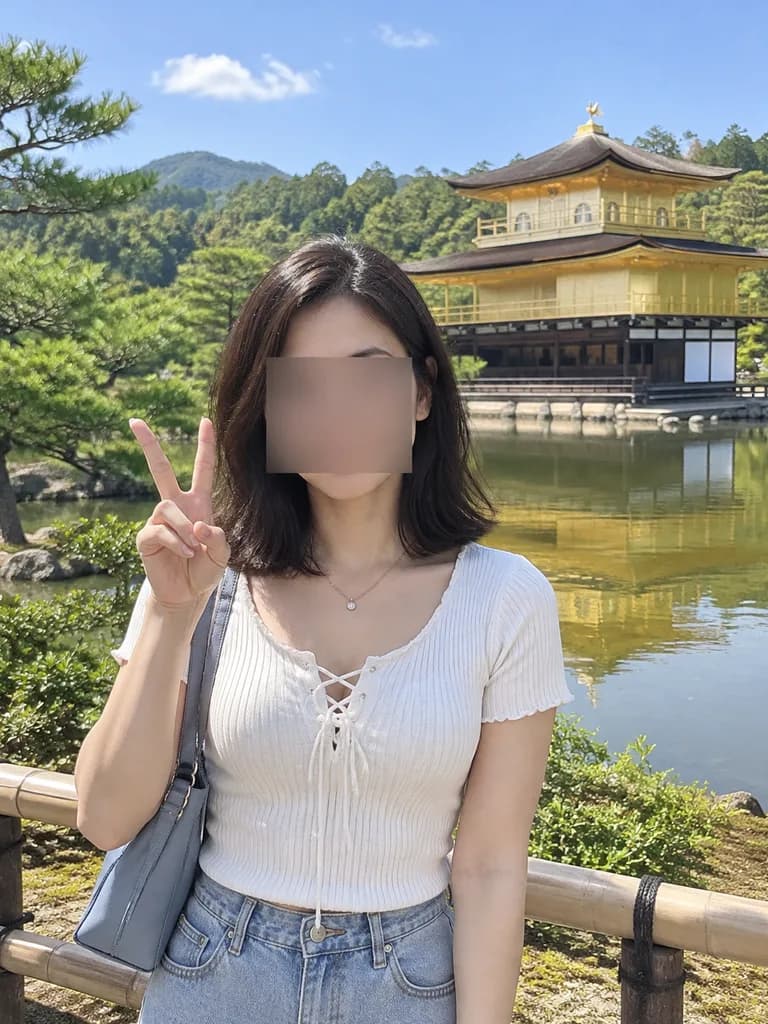
क्योटो के गोल्डन पवेलियन में टूरिस्ट स्नैपशॉट संपादन
रेफरेंस फोटो को क्योटो के गोल्डन पवेलियन के सामने रियलिस्टिक वेकेशन स्नैपशॉट में बदलता है। अपनी ट्रैवल फोटो बनाने के लिए स्थान, पहनावा और पोज़ कस्टमाइज़ करें।
प्रॉम्प्ट
Based on the person in the reference photo, create a realistic outdoor travel snapshot in [Kyoto]. Replace the background with [Kinkaku-ji (the Golden Pavilion) beside a reflective pond, with green trees, blue sky, distant wooded hills, and a low wooden fence in the foreground]. Keep the face obscured with [the same rectangular censor blur]. Outfit: [a white short-sleeve ribbed knit top with a lace-up neckline, light blue high-waisted denim bottoms, a thin necklace, and a gray-blue shoulder bag]. Pose: [standing near the fence, holding up a peace sign with her right hand beside her face]. Lighting and style: bright natural midday sunlight, casual smartphone tourist photo, realistic human proportions, soft depth of field.
आप क्या बदल सकते हैं
इमेज बनाने से पहले प्रॉम्प्ट के इन हिस्सों को अपने विषय या शब्दों से बदलें।
[Kyoto]प्लेसहोल्डर[the same rectangular censor blur]प्लेसहोल्डर
प्रॉम्प्ट का विवरण
- मॉडल
- Nano Banana Pro
- प्रति इमेज लागत
- 1K: 108 क्रेडिट · 2K: 108 क्रेडिट · 4K: 193 क्रेडिट
- आस्पेक्ट रेशियो
- 3:4
- जोड़ा गया