
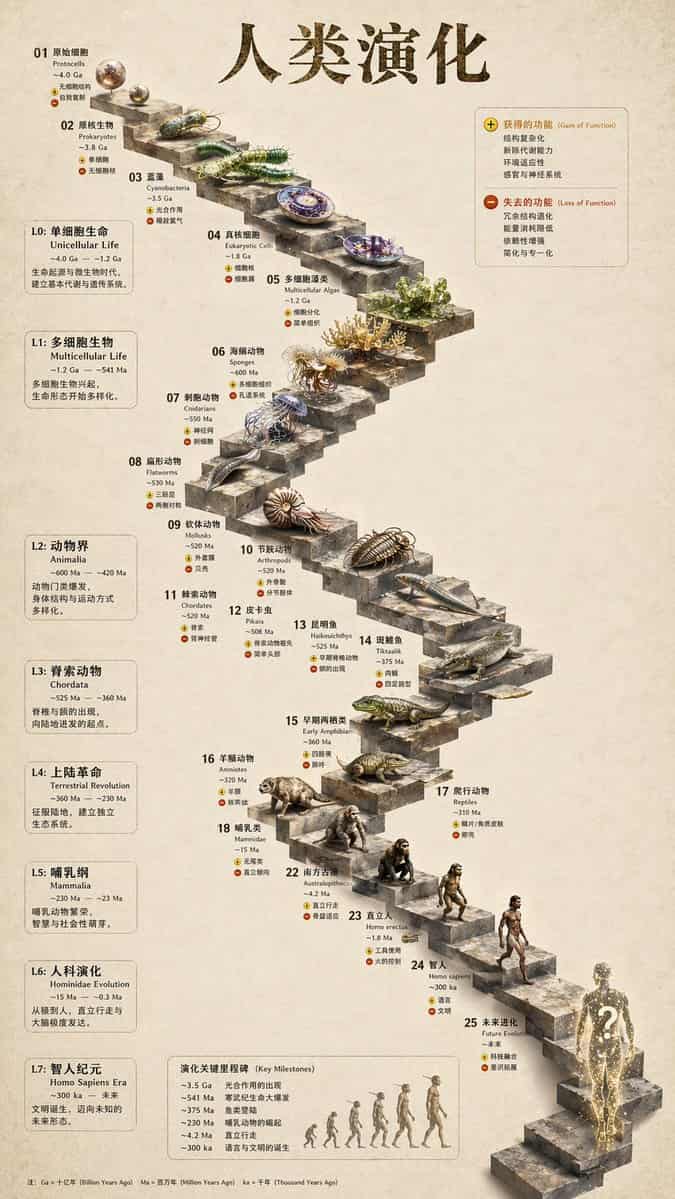
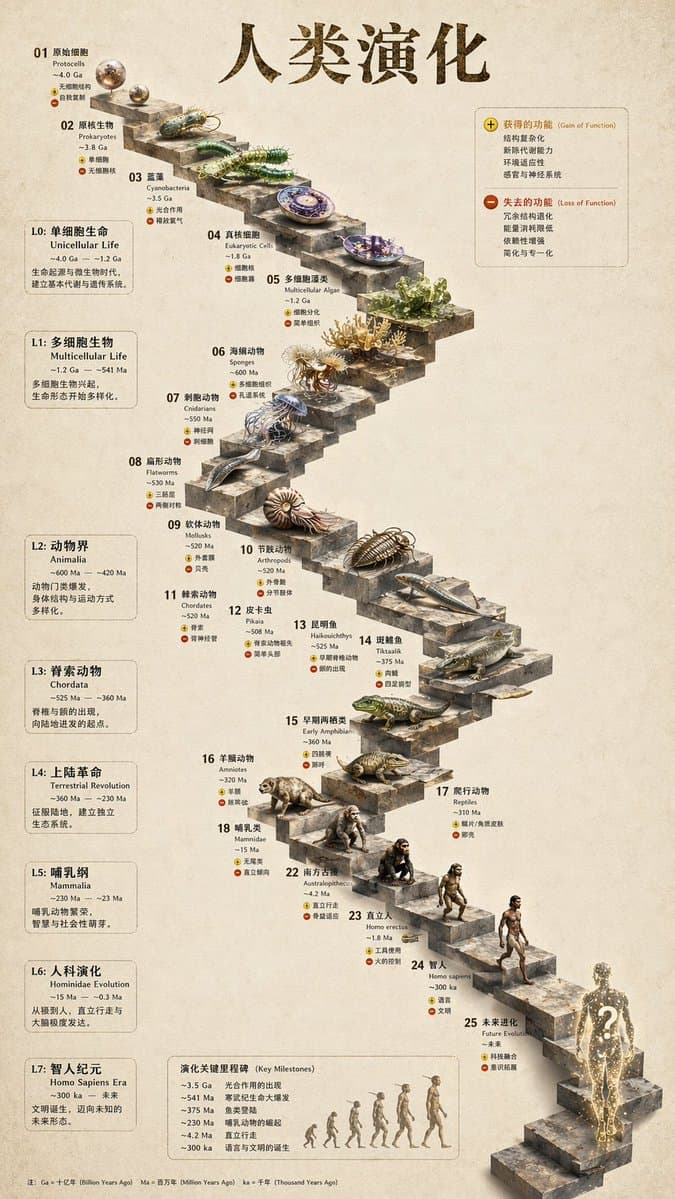
3D स्टोन सीढ़ी विकास इन्फोग्राफिक
{ "प्रकार": "विकासवादी समयरेखा इन्फोग्राफिक", "निर्देश": "संरचनात्मक आधार के रूप में REFERENCE_0 का उपयोग करके, फ्लैट वेक्टर डिज़ाइन को अत्यधिक यथार्थवादी 3D इन्फोग्राफिक में बदलें। चिकने रैंप को अलग-अलग पत्थर के चरणों…
शीघ्र
{ "प्रकार": "विकासवादी समयरेखा इन्फोग्राफिक", "निर्देश": "संरचनात्मक आधार के रूप में REFERENCE_0 का उपयोग करके, फ्लैट वेक्टर डिज़ाइन को अत्यधिक यथार्थवादी 3D इन्फोग्राफिक में बदलें। चिकने रैंप को अलग-अलग पत्थर के चरणों से बदलें और सभी जीवों को फोटोरियलिस्टिक 3D मॉडल में अपग्रेड करें।" "शैली": { "पृष्ठभूमि": "{argument name=\"background style\" default=\"vintage textured parchment paper\"}", "सीढ़ी": "{argument name=\"staircase material\" default=\"realistic textured stone blocks\"}", "विषय": "{argument name=\"organism style\" default=\"highly detailed photorealistic 3D renders\"}" }, "लेआउट": { "मुख्य_शीर्षक": "{argument name=\"main title\" default=\"人类演化\"}", "अनुभाग": [ { "स्थिति": "बायाँ साइडबार", "गिनती": 8, "लेबल": ["L0: एकल-कोशिका जीवन", "L1: बहुकोशिकीय जीव", "L2: एनिमेलिया", "L3: कॉर्डेटा", "L4: स्थलीय क्रांति", "L5: स्तनधारी", "L6: होमिनिन विकास", "L7: होमो सेपियन्स का युग"] }, { "स्थिति": "शीर्ष दाएँ", "शीर्षक": "कार्य प्राप्त हुआ/कार्य नष्ट हुआ", "विवरण": "प्लस और माइनस आइकन के साथ किंवदंती" }, { "स्थिति": "निचला केंद्र", "शीर्षक": "विकास में प्रमुख मील के पत्थर", "गिनती": 6, "विवरण": "वानर से मानव विकास को दर्शाने वाली 6 आकृतियों के सिल्हूट ग्राफ़िक के साथ समयरेखा" } ], "केंद्रबिंदु": { "विवरण": "25 क्रमांकित सीढ़ियों वाली घुमावदार पत्थर की सीढ़ियाँ जिनमें विशिष्ट जीव दिखाई देते हैं।", "गिनती": 25, "उल्लेखनीय_तत्व": [ "चरण 07: जेलिफ़िश", "चरण 09: अम्मोनाइट", "चरण 10: ट्रिलोबाइट", "चरण 24: मानव का चलना", "चरण 25: {argument name=\"future evolution concept\" default=\"glowing cosmic silhouette with a question mark\"}" ] } } }
इस प्रॉम्प्ट का उपयोग कैसे करें
संपूर्ण 3D स्टोन सीढ़ी विकास इन्फोग्राफिक प्रॉम्प्ट पढ़ें और जनरेट करने से पहले विषय, शैली, कैमरा, प्रकाश व्यवस्था और संरचना आवश्यकताओं की पहचान करें।
ब्रैकेटेड या तर्क-शैली वाले प्लेसहोल्डर्स को अपने उत्पाद, चरित्र, ब्रांड, दृश्य, रंग पैलेट, या पहलू अनुपात आवश्यकताओं से बदलें।
https://www.gptimagehub.com/hi/generate?promptId=cmogwy3me009lzpdyd0vcxqra खोलें, छवि बनाएं, फिर यदि आवश्यक हो तो अधिक विशिष्ट विषय, पाठ, लेआउट, या नकारात्मक बाधाओं के साथ संकेत को परिष्कृत करें।
शीघ्र पूछे जाने वाले प्रश्न
3D स्टोन सीढ़ी विकास इन्फोग्राफिक प्रॉम्प्ट का सबसे अच्छा उपयोग किसके लिए किया जाता है?
यह प्रॉम्प्ट इन्फोग्राफ़िक / शिक्षा छवियों के लिए सबसे अच्छा उपयोग किया जाता है जहां आप एक पुन: प्रयोज्य संरचना, विस्तृत दृश्य दिशा और सुसंगत आउटपुट गुणवत्ता चाहते हैं।
क्या मैं जनरेट करने से पहले प्रॉम्प्ट संपादित कर सकता हूँ?
हाँ. पूरा प्रॉम्प्ट टेक्स्ट इस पृष्ठ पर दिखाई देता है ताकि आप पीढ़ी से पहले विषय, उत्पाद नाम, रंग, संरचना, कैमरा शब्द, पहलू अनुपात और शैली नोट्स बदल सकें।
मुझे इस प्रॉम्प्ट के साथ किस मॉडल का उपयोग करना चाहिए?
प्रॉम्प्ट मेटाडेटा में दिखाए गए मॉडल को डिफ़ॉल्ट प्रारंभिक बिंदु के रूप में उपयोग करें। यदि कोई अन्य छवि मॉडल समान पहलू अनुपात और निर्देश शैली का समर्थन करता है, तो आप संकेत को अनुकूलित कर सकते हैं और परिणामों की तुलना कर सकते हैं।