
دليل معلوماتي بشروحات تقنية لمعلم بارز
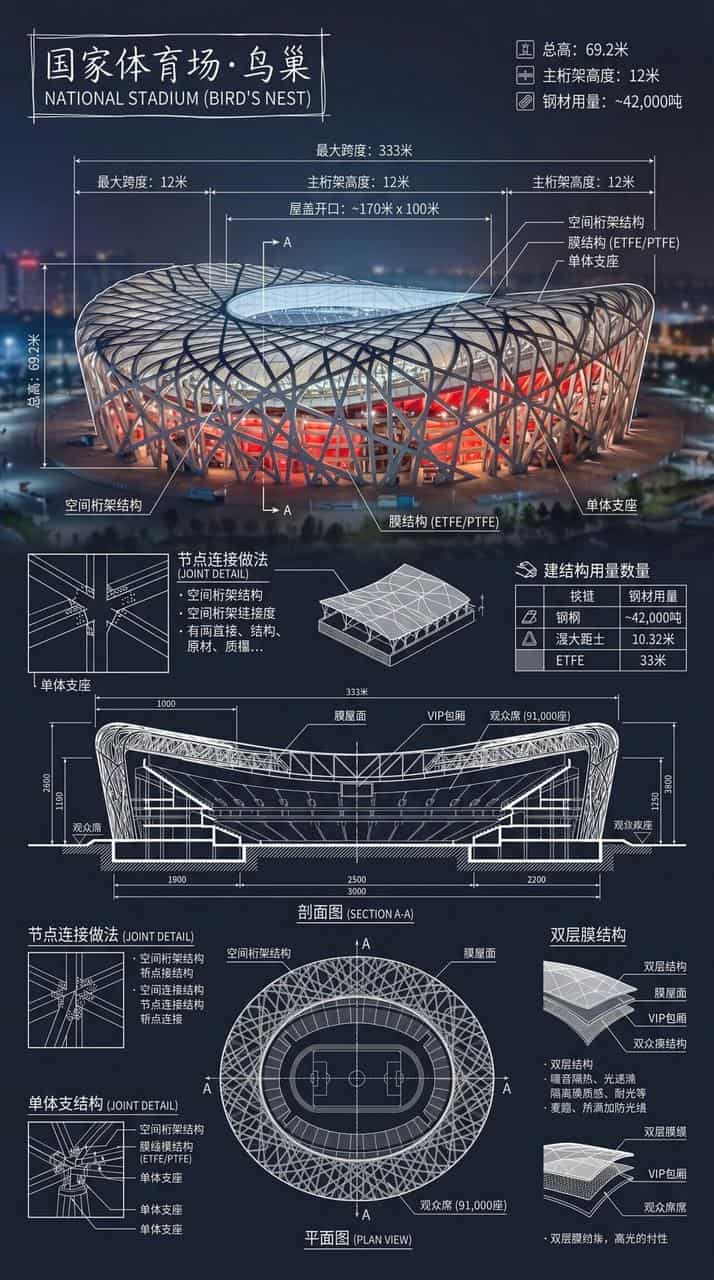
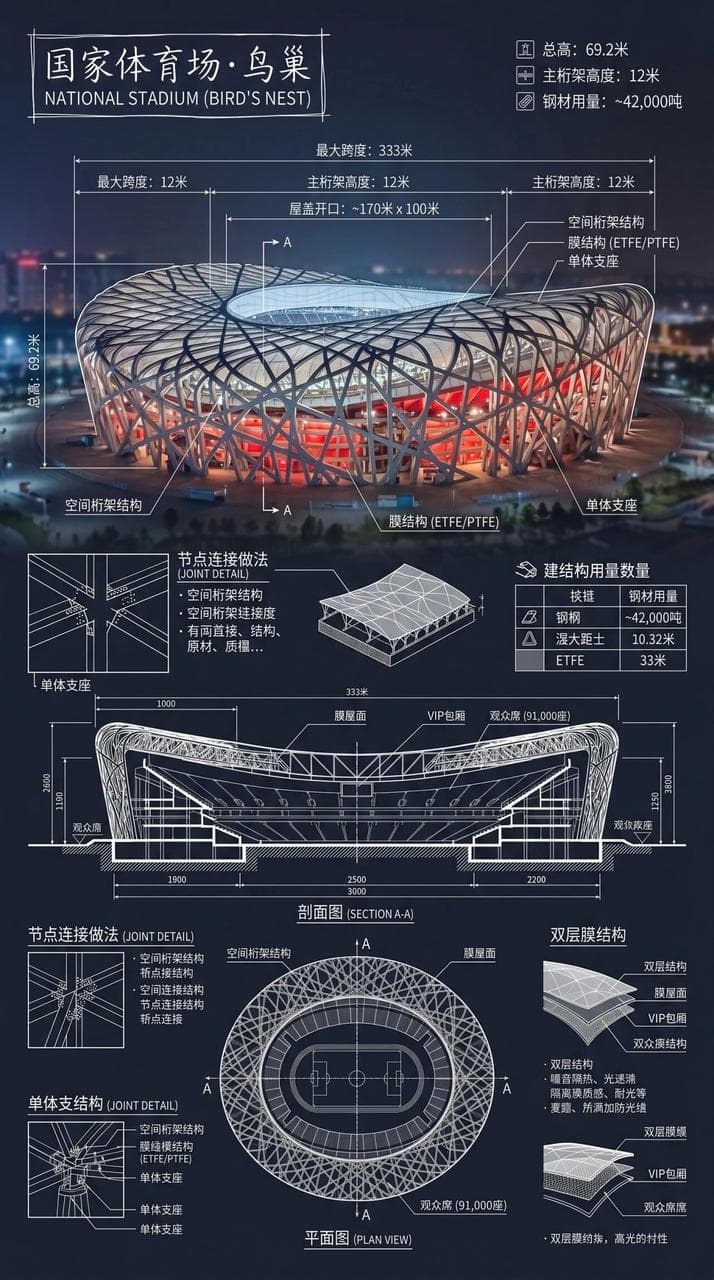
أنشئ إنفوغرافيك للملعب الوطني · عش الطائر. ادمج صورة حقيقية للمعلم البارز مع شروحات تقنية بيضاء متراكبة، مع كتابة اسم المبنى في إطار مرسوم باليد في الزاوية. تتراكب على الصورة شروحات تقنية بيضاء معقدة وواضحة، تعرض بيانات…
موجه
أنشئ إنفوغرافيك للملعب الوطني · عش الطائر. ادمج صورة حقيقية للمعلم البارز مع شروحات تقنية بيضاء متراكبة، مع كتابة اسم المبنى في إطار مرسوم باليد في الزاوية. تتراكب على الصورة شروحات تقنية بيضاء معقدة وواضحة، تعرض بيانات الهيكل الرئيسية، والقياسات المهمة، وكميات المواد، وممارسات التفاصيل، وتتضمن الرسومات المقطعية، والمخططات الأرضية، والميزات المعمارية والهندسية البارزة، ودمجها في صورة طويلة كاملة للنظرة العامة. الخطوط البيضاء دقيقة وواضحة، البيئة الحقيقية مرئية، تركيب عمودي، مهني، عقلاني، وقابل للقراءة بقوة.
كيفية استخدام هذه المطالبة
اقرأ المطالبة دليل معلوماتي بشروحات تقنية لمعلم بارز الكاملة وحدد متطلبات الموضوع والنمط والكاميرا والإضاءة والتركيب قبل الإنشاء.
استبدل العناصر النائبة بين قوسين أو على شكل وسيطة بمتطلبات المنتج أو الشخصية أو العلامة التجارية أو المشهد أو لوحة الألوان أو نسبة العرض إلى الارتفاع.
افتح https://www.gptimagehub.com/ar/generate?promptId=cmogxnc4y00nrxt5gzz39lgk6، وقم بإنشاء الصورة، ثم قم بتحسين المطالبة باستخدام موضوع أو نص أو تخطيط أو قيود سلبية أكثر تحديدًا إذا لزم الأمر.
الأسئلة الشائعة السريعة
ما هو أفضل استخدام للموجه دليل معلوماتي بشروحات تقنية لمعلم بارز؟
يتم استخدام هذه المطالبة بشكل أفضل مع صور الإنفوغرافيك والتعليم حيث تريد بنية قابلة لإعادة الاستخدام، واتجاه مرئي مفصل، وجودة إخراج متسقة.
هل يمكنني تعديل المطالبة قبل الإنشاء؟
نعم. يظهر نص المطالبة الكامل في هذه الصفحة حتى تتمكن من تغيير الموضوعات وأسماء المنتجات والألوان والتركيب ومصطلحات الكاميرا ونسبة العرض إلى الارتفاع وملاحظات النمط قبل الإنشاء.
ما النموذج الذي يجب أن أستخدمه مع هذه المطالبة؟
استخدم النموذج الموضح في بيانات تعريف المطالبة كنقطة بداية افتراضية. إذا كان نموذج صورة آخر يدعم نفس نسبة العرض إلى الارتفاع ونمط التعليمات، فيمكنك تعديل المطالبة ومقارنة النتائج.