
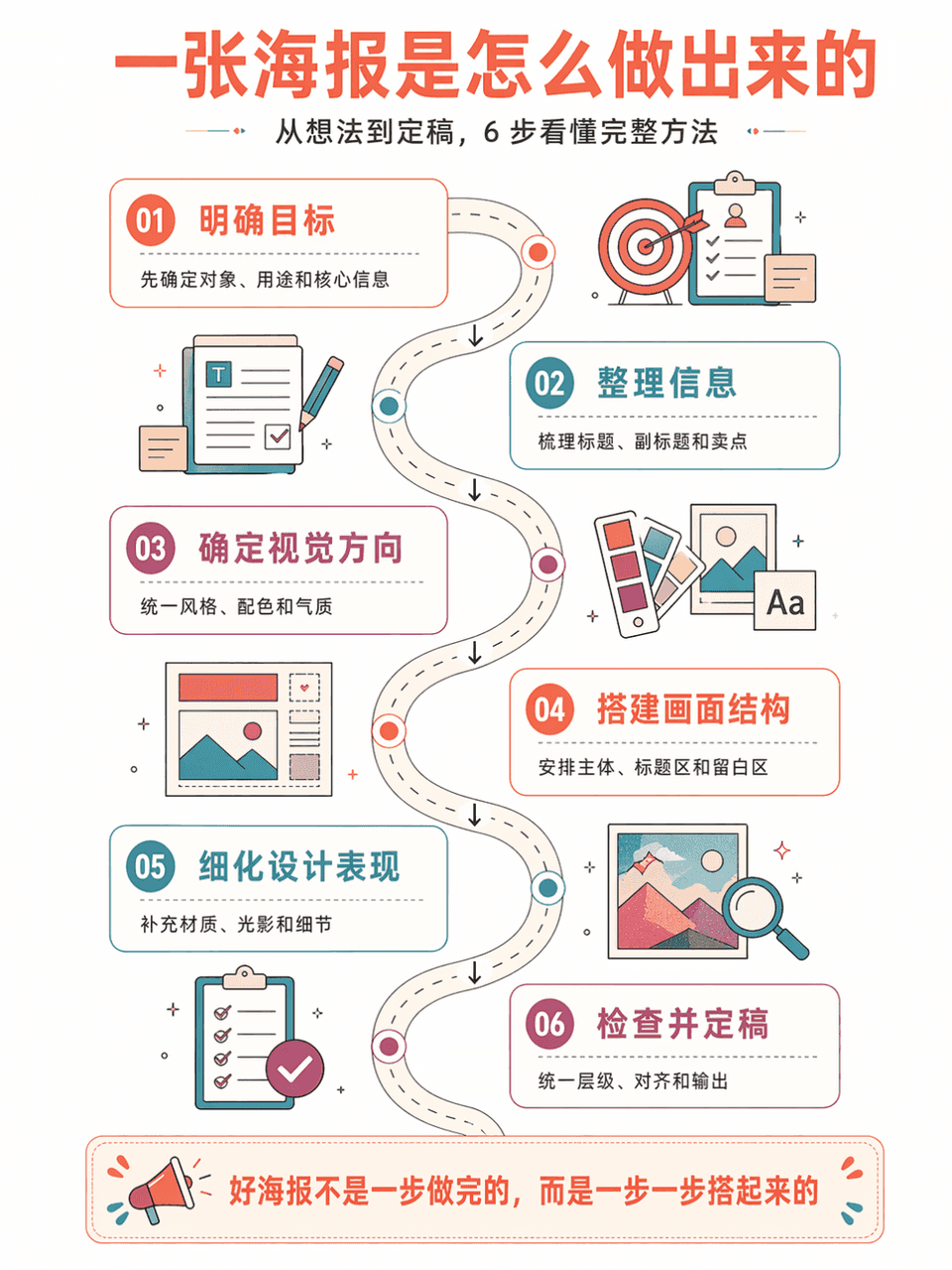
مخطط تدفق الطريقة
أنشئ ملصقاً عمودياً لمخطط تدفق طريقة "مخطط تدفق إنشاء ملصق بالذكاء الاصطناعي"، يلخص 6 خطوات. الأسلوب: خلفية بيضاء بمساحات واسعة، طريق منحنٍ يربط الخطوات، رسوم توضيحية معلوماتية متساوية البعد، أسلوب هندسي مسطح كلاسيكي، ت…
موجه
أنشئ ملصقاً عمودياً لمخطط تدفق طريقة "مخطط تدفق إنشاء ملصق بالذكاء الاصطناعي"، يلخص 6 خطوات. الأسلوب: خلفية بيضاء بمساحات واسعة، طريق منحنٍ يربط الخطوات، رسوم توضيحية معلوماتية متساوية البعد، أسلوب هندسي مسطح كلاسيكي، تنسيق ألوان برتقالي مرجاني + أزرق بحيري + بنفسجي وردي، حدود خطوط رفيعة، منعش ومنظم. تتضمن كل خطوة رقماً وعنواناً ووصفاً مختصراً وسهم اتصال. النص الصيني دقيق، إحساس تعليمي قوي، مناسب كصورة مرافقة لدورة تعليمية.
كيفية استخدام هذه المطالبة
اقرأ المطالبة مخطط تدفق الطريقة الكاملة وحدد متطلبات الموضوع والنمط والكاميرا والإضاءة والتركيب قبل الإنشاء.
استبدل العناصر النائبة بين قوسين أو على شكل وسيطة بمتطلبات المنتج أو الشخصية أو العلامة التجارية أو المشهد أو لوحة الألوان أو نسبة العرض إلى الارتفاع.
افتح https://www.gptimagehub.com/ar/generate?promptId=cmogxlx7400mnxt5gc76yi7k1، وقم بإنشاء الصورة، ثم قم بتحسين المطالبة باستخدام موضوع أو نص أو تخطيط أو قيود سلبية أكثر تحديدًا إذا لزم الأمر.
الأسئلة الشائعة السريعة
ما هو أفضل استخدام للموجه مخطط تدفق الطريقة؟
يتم استخدام هذه المطالبة بشكل أفضل مع صور أخرى حيث تريد بنية قابلة لإعادة الاستخدام، واتجاه مرئي مفصل، وجودة إخراج متسقة.
هل يمكنني تعديل المطالبة قبل الإنشاء؟
نعم. يظهر نص المطالبة الكامل في هذه الصفحة حتى تتمكن من تغيير الموضوعات وأسماء المنتجات والألوان والتركيب ومصطلحات الكاميرا ونسبة العرض إلى الارتفاع وملاحظات النمط قبل الإنشاء.
ما النموذج الذي يجب أن أستخدمه مع هذه المطالبة؟
استخدم النموذج الموضح في بيانات تعريف المطالبة كنقطة بداية افتراضية. إذا كان نموذج صورة آخر يدعم نفس نسبة العرض إلى الارتفاع ونمط التعليمات، فيمكنك تعديل المطالبة ومقارنة النتائج.