
ملصق طويل لملخص البيانات
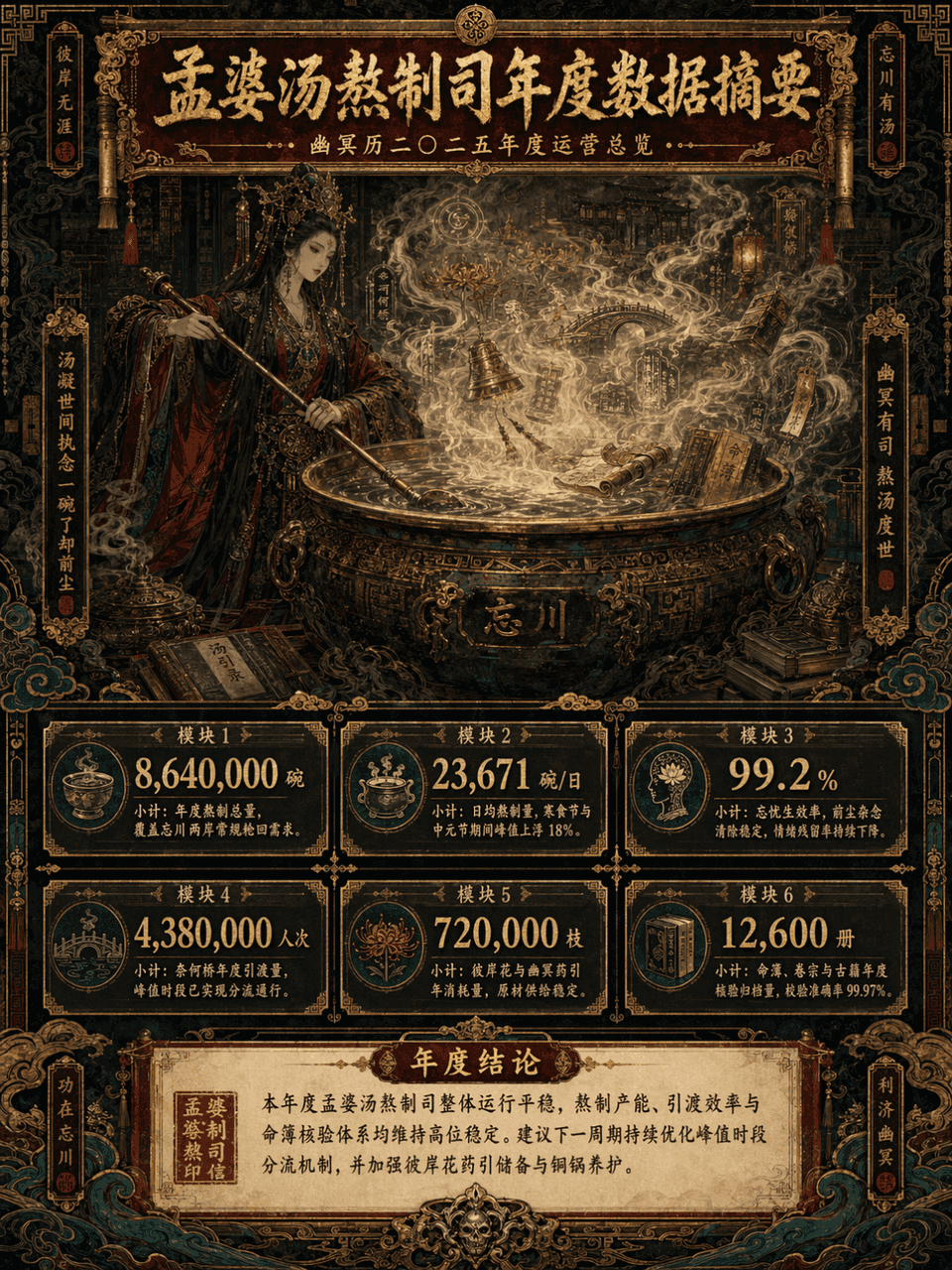
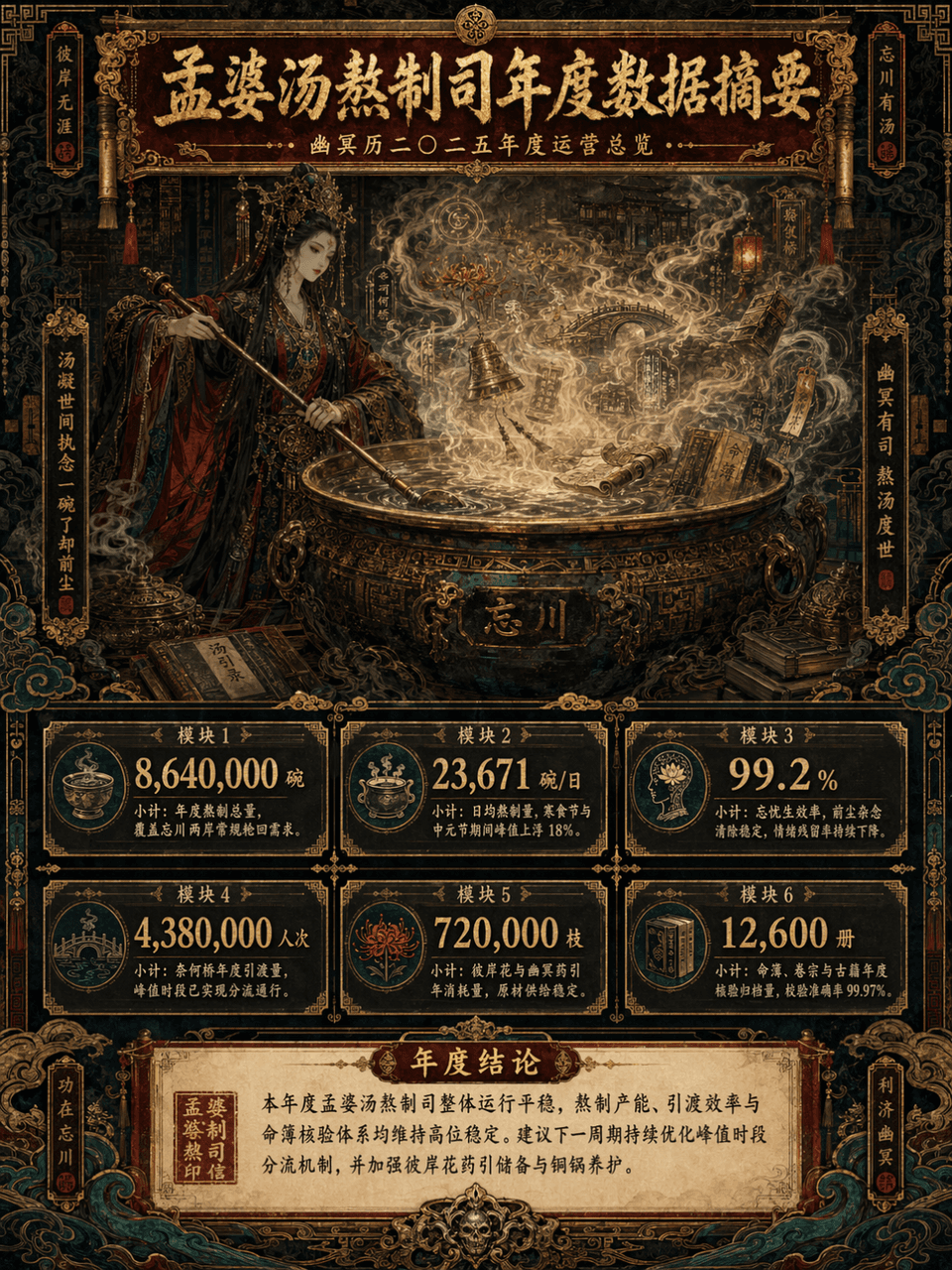
نسبة الإطار 3:4، أنشئ ملصقاً طويلاً عمودياً لملخص البيانات، الموضوع "الملخص السنوي لبيانات قسم تحضير حساء منغ بو"، العنصر الرئيسي: "منغ بو" تطبخ الحساء أمام قِدر نحاسي ضخم، البخار يتصاعد، تظهر في ضباب الحساء بشكل خافت أ…
موجه
نسبة الإطار 3:4، أنشئ ملصقاً طويلاً عمودياً لملخص البيانات، الموضوع "الملخص السنوي لبيانات قسم تحضير حساء منغ بو"، العنصر الرئيسي: "منغ بو" تطبخ الحساء أمام قِدر نحاسي ضخم، البخار يتصاعد، تظهر في ضباب الحساء بشكل خافت أزهار الجانب الآخر، وجسر النسيان، وفوانيس، وأنماط طلسمية، ولفائف، وأجراس نحاسية، وكتب قديمة، وسجل المصائر، والغيوم، والأنماط الجنائزية. يستخدم العمل أسلوب الحد الأقصى من التفاصيل (الماكسيماليزم)، لكن يجب أن يكون التسلسل المعلوماتي واضحاً، كتقرير استشاري مرئي + كتاب أسطوري شرقي + ملصق طويل لمعرض راقٍ. الإطار ملصق معلوماتي عمودي طويل، تنبسط فيه طبقات منطقة العنوان العلوية، ومنطقة المرئيات الرئيسية الوسطى، ووحدات البيانات أسفل، ومنطقة الاستنتاج السفلية. الألوان محصورة في أربعة ألوان أساسية: أحمر داكن، ذهبي مذهّب، أسود حبر، أزرق طاووسي، مع لمسات من أبيض ورق قديم وأخضر صدأ نحاسي، تكون الصورة فاخرة، معقدة، غامضة، مهيبة، لكن دون أن تخرج عن السيطرة، يجب أن تكون راقية، منظمة، وذات جمالية زخرفية قوية.
كيفية استخدام هذه المطالبة
اقرأ المطالبة ملصق طويل لملخص البيانات الكاملة وحدد متطلبات الموضوع والنمط والكاميرا والإضاءة والتركيب قبل الإنشاء.
استبدل العناصر النائبة بين قوسين أو على شكل وسيطة بمتطلبات المنتج أو الشخصية أو العلامة التجارية أو المشهد أو لوحة الألوان أو نسبة العرض إلى الارتفاع.
افتح https://www.gptimagehub.com/ar/generate?promptId=cmogxlus100mlxt5g0glpq2r7، وقم بإنشاء الصورة، ثم قم بتحسين المطالبة باستخدام موضوع أو نص أو تخطيط أو قيود سلبية أكثر تحديدًا إذا لزم الأمر.
الأسئلة الشائعة السريعة
ما هو أفضل استخدام للموجه ملصق طويل لملخص البيانات؟
يتم استخدام هذه المطالبة بشكل أفضل مع صور أخرى حيث تريد بنية قابلة لإعادة الاستخدام، واتجاه مرئي مفصل، وجودة إخراج متسقة.
هل يمكنني تعديل المطالبة قبل الإنشاء؟
نعم. يظهر نص المطالبة الكامل في هذه الصفحة حتى تتمكن من تغيير الموضوعات وأسماء المنتجات والألوان والتركيب ومصطلحات الكاميرا ونسبة العرض إلى الارتفاع وملاحظات النمط قبل الإنشاء.
ما النموذج الذي يجب أن أستخدمه مع هذه المطالبة؟
استخدم النموذج الموضح في بيانات تعريف المطالبة كنقطة بداية افتراضية. إذا كان نموذج صورة آخر يدعم نفس نسبة العرض إلى الارتفاع ونمط التعليمات، فيمكنك تعديل المطالبة ومقارنة النتائج.