
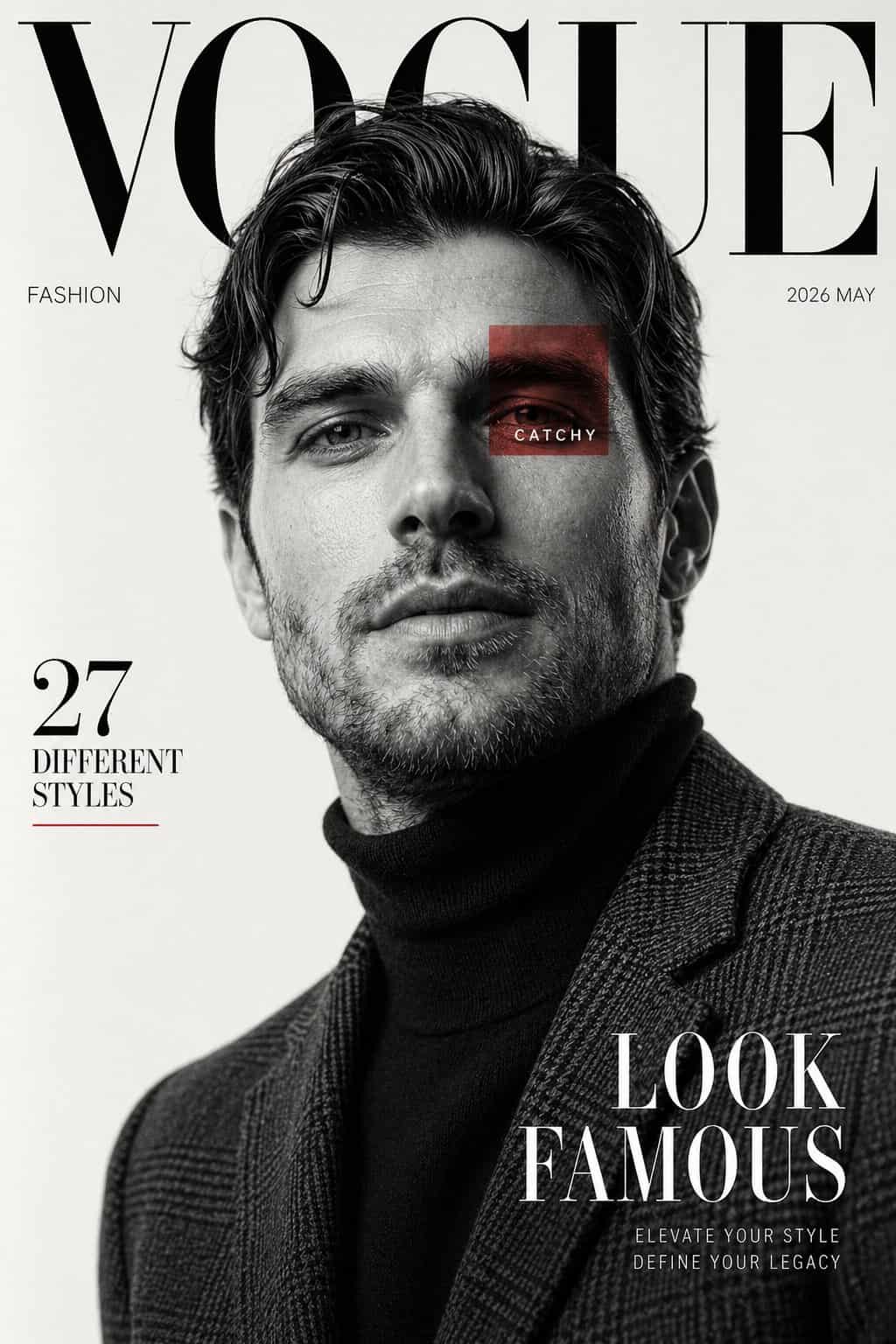
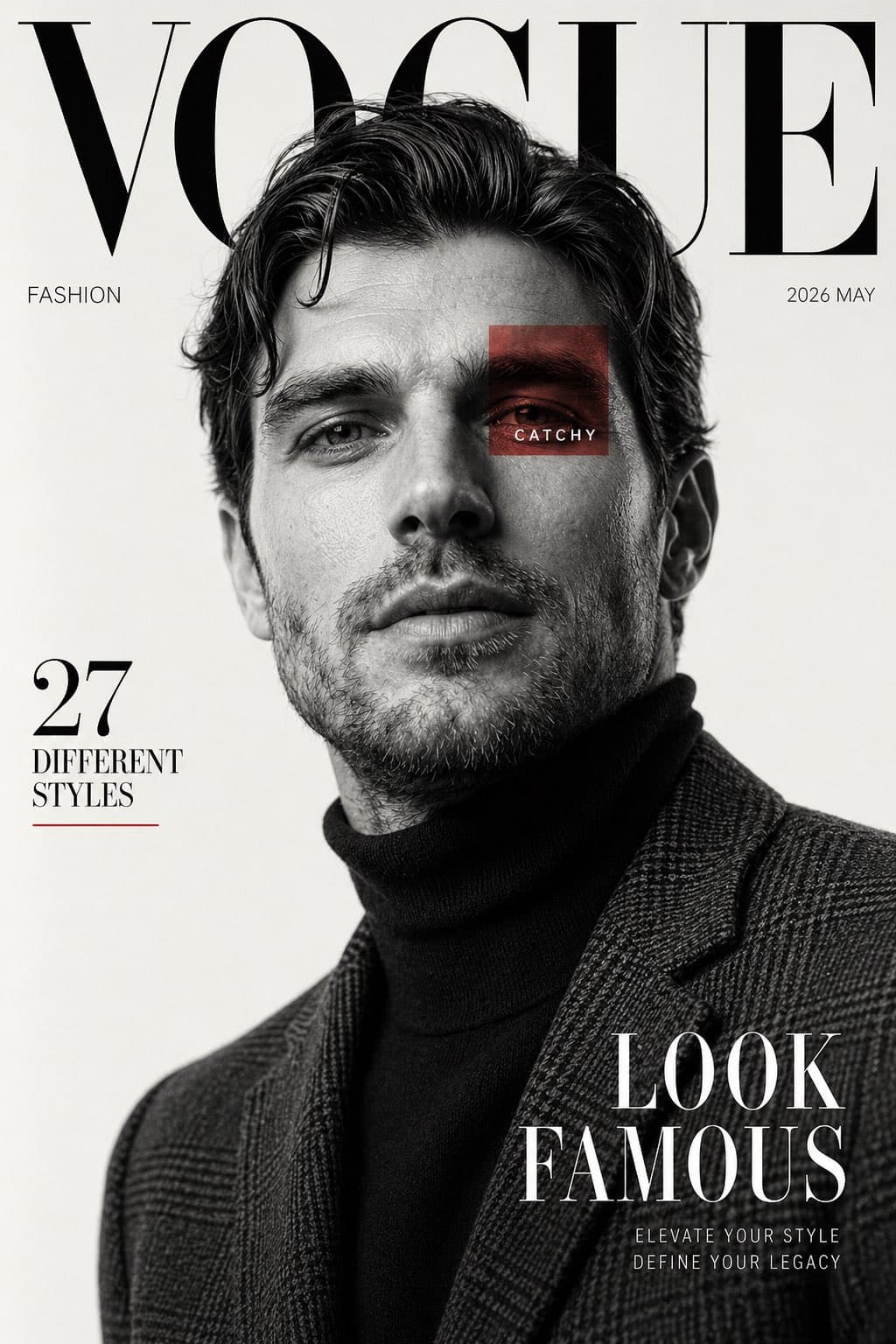
غلاف مجلة أزياء فاخرة بالأبيض والأسود
أنشئ غلاف مجلة تحريرية أزياء راقية مستوحى من المنشورات الفاخرة. استخدم الصورة المرجعية للموضوع الذكر. تصوير بورتريه أبيض وأسود مع خلفية استوديو أبيض حليبي نظيفة. الموضوع موضوع بثقة من زاوية منخفضة، ينظر إلى الأعلى قليلا…
موجه
أنشئ غلاف مجلة تحريرية أزياء راقية مستوحى من المنشورات الفاخرة. استخدم الصورة المرجعية للموضوع الذكر. تصوير بورتريه أبيض وأسود مع خلفية استوديو أبيض حليبي نظيفة. الموضوع موضوع بثقة من زاوية منخفضة، ينظر إلى الأعلى قليلاً، خط فك حاد، شفاه مفتوحة قليلاً ناعمة، شعر متشعث متموج بحجم طبيعي. الملابس تشمل بلوزة برقبة عالية داكنة تحت سترة بليزر ذات نقش متقلم بملمس مفصل. الإضاءة ناعمة لكن دراماتيكية، تخلق ظلال وجه منحوتة وتباين أنيق. تصميم تخطيط مجلة مع نص masthead serif كبير في الأعلى يقرأ "VOGUE"، مخفي جزئياً خلف رأس الموضوع. طباعة فاخرة بسيطة عبر الصفحة. أضف نصاً جانبياً "FASHION"، تاريخ العدد "2026 MAY"، عنوان جانب أيسر "27 DIFFERENT STYLES"، وسطر غلاف عريض في الأسفل الأيمن "LOOK FAMOUS". أضف مربعاً أحمر شفافاً صغيراً متراكب على منطقة عين واحدة مع كلمة "CATCHY". الأسلوب يجب أن يبدو فاخراً، حديثاً، سينمائياً، تكوين نظيف، تركيز حاد، ملمس بشرة فائق الواقعية، جمالية تحريرية فاخرة، مساحة سلبية متوازنة، تصميم غلاف أزياء خالد. نسبة مجلة عمودية، دقة عالية.
كيفية استخدام هذه المطالبة
اقرأ المطالبة غلاف مجلة أزياء فاخرة بالأبيض والأسود الكاملة وحدد متطلبات الموضوع والنمط والكاميرا والإضاءة والتركيب قبل الإنشاء.
استبدل العناصر النائبة بين قوسين أو على شكل وسيطة بمتطلبات المنتج أو الشخصية أو العلامة التجارية أو المشهد أو لوحة الألوان أو نسبة العرض إلى الارتفاع.
افتح https://www.gptimagehub.com/ar/generate?promptId=cmogwv242005bzpdy71sdj05f، وقم بإنشاء الصورة، ثم قم بتحسين المطالبة باستخدام موضوع أو نص أو تخطيط أو قيود سلبية أكثر تحديدًا إذا لزم الأمر.
الأسئلة الشائعة السريعة
ما هو أفضل استخدام للموجه غلاف مجلة أزياء فاخرة بالأبيض والأسود؟
يتم استخدام هذه المطالبة بشكل أفضل مع صور تصميم ui / ux حيث تريد بنية قابلة لإعادة الاستخدام، واتجاه مرئي مفصل، وجودة إخراج متسقة.
هل يمكنني تعديل المطالبة قبل الإنشاء؟
نعم. يظهر نص المطالبة الكامل في هذه الصفحة حتى تتمكن من تغيير الموضوعات وأسماء المنتجات والألوان والتركيب ومصطلحات الكاميرا ونسبة العرض إلى الارتفاع وملاحظات النمط قبل الإنشاء.
ما النموذج الذي يجب أن أستخدمه مع هذه المطالبة؟
استخدم النموذج الموضح في بيانات تعريف المطالبة كنقطة بداية افتراضية. إذا كان نموذج صورة آخر يدعم نفس نسبة العرض إلى الارتفاع ونمط التعليمات، فيمكنك تعديل المطالبة ومقارنة النتائج.