
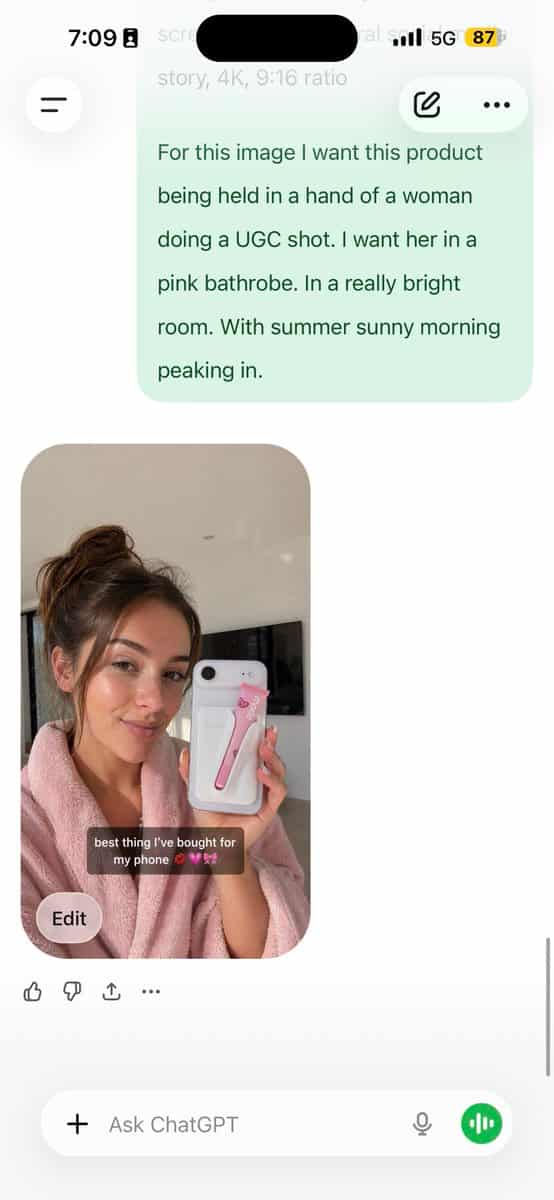
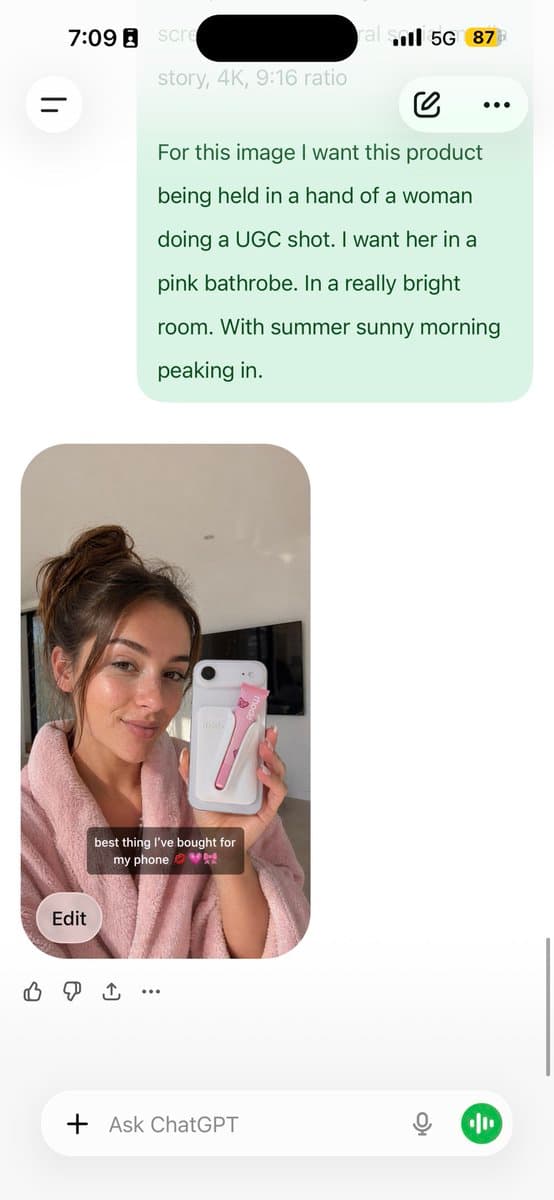
قم بتحليل هذه الصورة وأعطني مطالبة مفصلة بـ JSON لإعادة إنشائها. بري...
قم بتحليل هذه الصورة وأعطني مطالبة مفصلة بـ JSON لإعادة إنشائها. قم بتقسيم درجات الألوان وكل لون محدد في الصورة (استخدم Opus، وليس Sonnet. يتمتع Opus بتحليل بصري أقوى ويكتب JSON أكثر تفصيلاً) الصق JSON في ChatGPT قم بتح…
موجه
قم بتحليل هذه الصورة وأعطني مطالبة مفصلة بـ JSON لإعادة إنشائها. قم بتقسيم درجات الألوان وكل لون محدد في الصورة (استخدم Opus، وليس Sonnet. يتمتع Opus بتحليل بصري أقوى ويكتب JSON أكثر تفصيلاً) الصق JSON في ChatGPT قم بتحميل صورة المنتج الخاص بك والمطالبة بما يلي: باستخدام JSON كمرجع، قم بإنشاء شخص يحمل المنتج الخاص بي احفظ تلك الصورة التي تم إنشاؤها كمرجع لشخصيتك نعلقها على كل جيل قادم لتناسق الوجه لديك الآن نموذج UGC ثابت يعمل عبر أي منتج يتحكم JSON في الإضاءة ودرجات الألوان. تتعامل صورة GPT-2 مع الشخصية. يمكنك التحكم في موضع المنتج. الميزة الأولى في صور الذكاء الاصطناعي هي الألوان المسطحة والمظهر المحبب. هذه الطريقة تزيل كليهما. 5 دقائق للإعداد. اختلافات غير محدودة بعد.
كيفية استخدام هذه المطالبة
اقرأ المطالبة قم بتحليل هذه الصورة وأعطني مطالبة مفصلة بـ JSON لإعادة إنشائها. بري... الكاملة وحدد متطلبات الموضوع والنمط والكاميرا والإضاءة والتركيب قبل الإنشاء.
استبدل العناصر النائبة بين قوسين أو على شكل وسيطة بمتطلبات المنتج أو الشخصية أو العلامة التجارية أو المشهد أو لوحة الألوان أو نسبة العرض إلى الارتفاع.
افتح https://www.gptimagehub.com/ar/generate?promptId=cmogws0lq001jzpdymr6rmtxn، وقم بإنشاء الصورة، ثم قم بتحسين المطالبة باستخدام موضوع أو نص أو تخطيط أو قيود سلبية أكثر تحديدًا إذا لزم الأمر.
الأسئلة الشائعة السريعة
ما هو أفضل استخدام للموجه قم بتحليل هذه الصورة وأعطني مطالبة مفصلة بـ JSON لإعادة إنشائها. بري...؟
يتم استخدام هذه المطالبة بشكل أفضل مع صور البورتريه والتصوير حيث تريد بنية قابلة لإعادة الاستخدام، واتجاه مرئي مفصل، وجودة إخراج متسقة.
هل يمكنني تعديل المطالبة قبل الإنشاء؟
نعم. يظهر نص المطالبة الكامل في هذه الصفحة حتى تتمكن من تغيير الموضوعات وأسماء المنتجات والألوان والتركيب ومصطلحات الكاميرا ونسبة العرض إلى الارتفاع وملاحظات النمط قبل الإنشاء.
ما النموذج الذي يجب أن أستخدمه مع هذه المطالبة؟
استخدم النموذج الموضح في بيانات تعريف المطالبة كنقطة بداية افتراضية. إذا كان نموذج صورة آخر يدعم نفس نسبة العرض إلى الارتفاع ونمط التعليمات، فيمكنك تعديل المطالبة ومقارنة النتائج.