
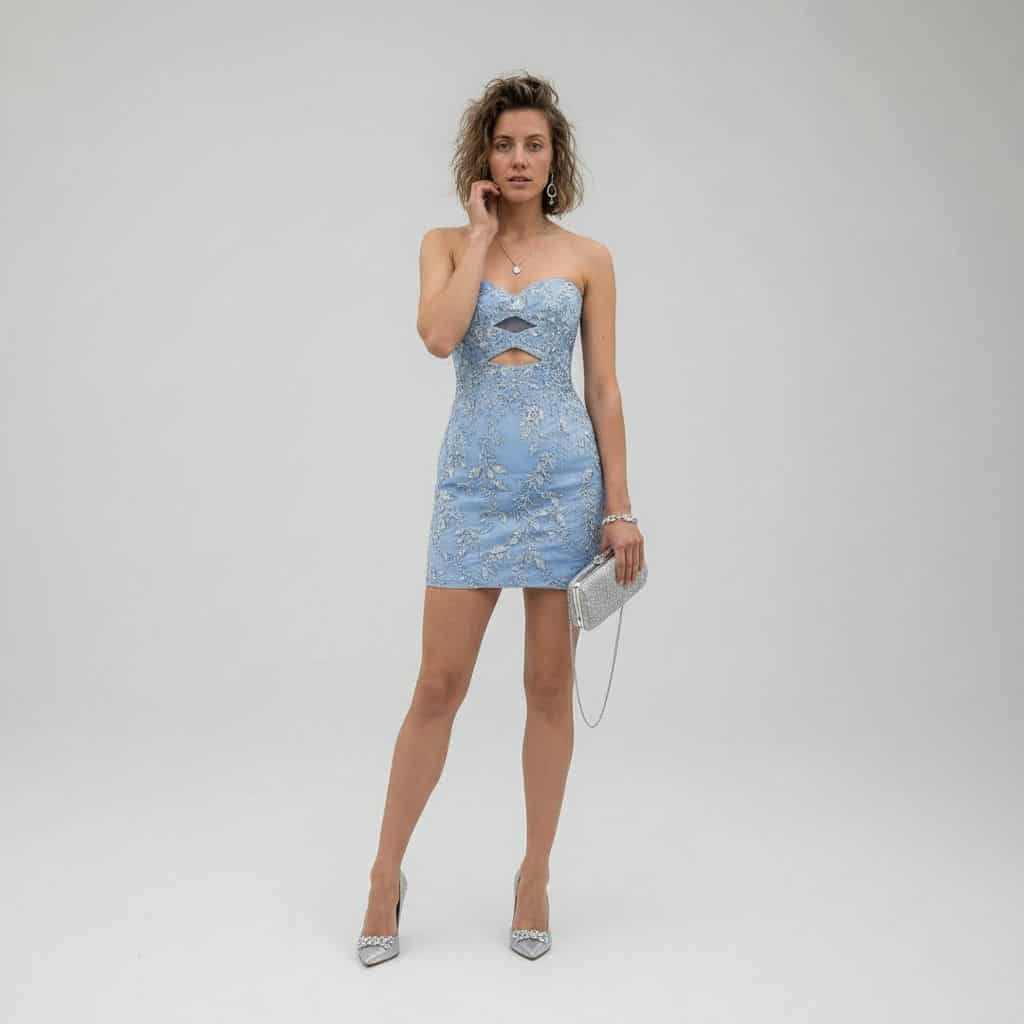
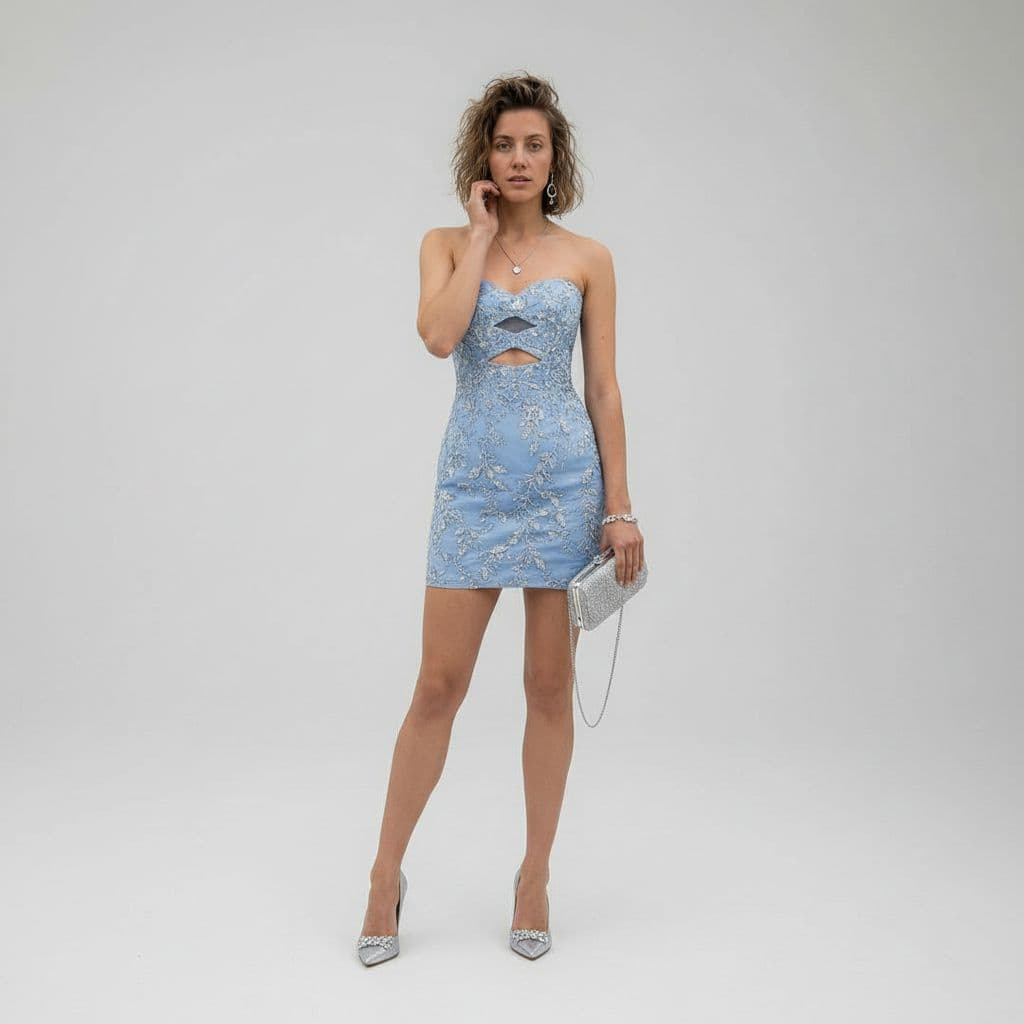
تحويل زيّ في استوديو فاخر
باستخدام REFERENCE_0 كأساس للموضوع، حوّل لقطة الصحراء العفوية إلى بورتريه استوديو أزياء فاخر كامل الجسم. استبدل سترة الجينز والقميص الداخلي والشورت بفستان كوكتيل قصير ضيّق بدون حمّالات بلون {argument name="dress color"…
موجه
باستخدام REFERENCE_0 كأساس للموضوع، حوّل لقطة الصحراء العفوية إلى بورتريه استوديو أزياء فاخر كامل الجسم. استبدل سترة الجينز والقميص الداخلي والشورت بفستان كوكتيل قصير ضيّق بدون حمّالات بلون {argument name="dress color" default="powder blue"} مع تطريز زهري فضّي مزخرف وفتحتَين هندسيّتَين بالضبط عند الصدر وأعلى الخصر. غيّر الإعدادات إلى خلفية استوديو رمادية فاتحة سلسة نظيفة مع تنسيق تحريري راقٍ مصقول. أضِف حقيبة سهرة فضّية واحدة بحزام سلسلة رفيعة في يد الموضوع اليمنى وزوجًا واحدًا من الأحذية الفضّية ذات الكعب العالي المدبّب. حسّن الوضعية إلى وضعية أزياء واقفة أنيقة مع يد واحدة قرب الوجه، حافظ على هوية الشخص والشعر نفسها، وطبّق إضاءة سينمائية فاخرة ناعمة مع تفاصيل تصوير أزياء حادّة بدقّة 8K.
كيفية استخدام هذه المطالبة
اقرأ المطالبة تحويل زيّ في استوديو فاخر الكاملة وحدد متطلبات الموضوع والنمط والكاميرا والإضاءة والتركيب قبل الإنشاء.
استبدل العناصر النائبة بين قوسين أو على شكل وسيطة بمتطلبات المنتج أو الشخصية أو العلامة التجارية أو المشهد أو لوحة الألوان أو نسبة العرض إلى الارتفاع.
افتح https://www.gptimagehub.com/ar/generate?promptId=cmogwymuj00a1zpdyp8242o9t، وقم بإنشاء الصورة، ثم قم بتحسين المطالبة باستخدام موضوع أو نص أو تخطيط أو قيود سلبية أكثر تحديدًا إذا لزم الأمر.
الأسئلة الشائعة السريعة
ما هو أفضل استخدام للموجه تحويل زيّ في استوديو فاخر؟
يتم استخدام هذه المطالبة بشكل أفضل مع صور تصميم ui / ux حيث تريد بنية قابلة لإعادة الاستخدام، واتجاه مرئي مفصل، وجودة إخراج متسقة.
هل يمكنني تعديل المطالبة قبل الإنشاء؟
نعم. يظهر نص المطالبة الكامل في هذه الصفحة حتى تتمكن من تغيير الموضوعات وأسماء المنتجات والألوان والتركيب ومصطلحات الكاميرا ونسبة العرض إلى الارتفاع وملاحظات النمط قبل الإنشاء.
ما النموذج الذي يجب أن أستخدمه مع هذه المطالبة؟
استخدم النموذج الموضح في بيانات تعريف المطالبة كنقطة بداية افتراضية. إذا كان نموذج صورة آخر يدعم نفس نسبة العرض إلى الارتفاع ونمط التعليمات، فيمكنك تعديل المطالبة ومقارنة النتائج.