
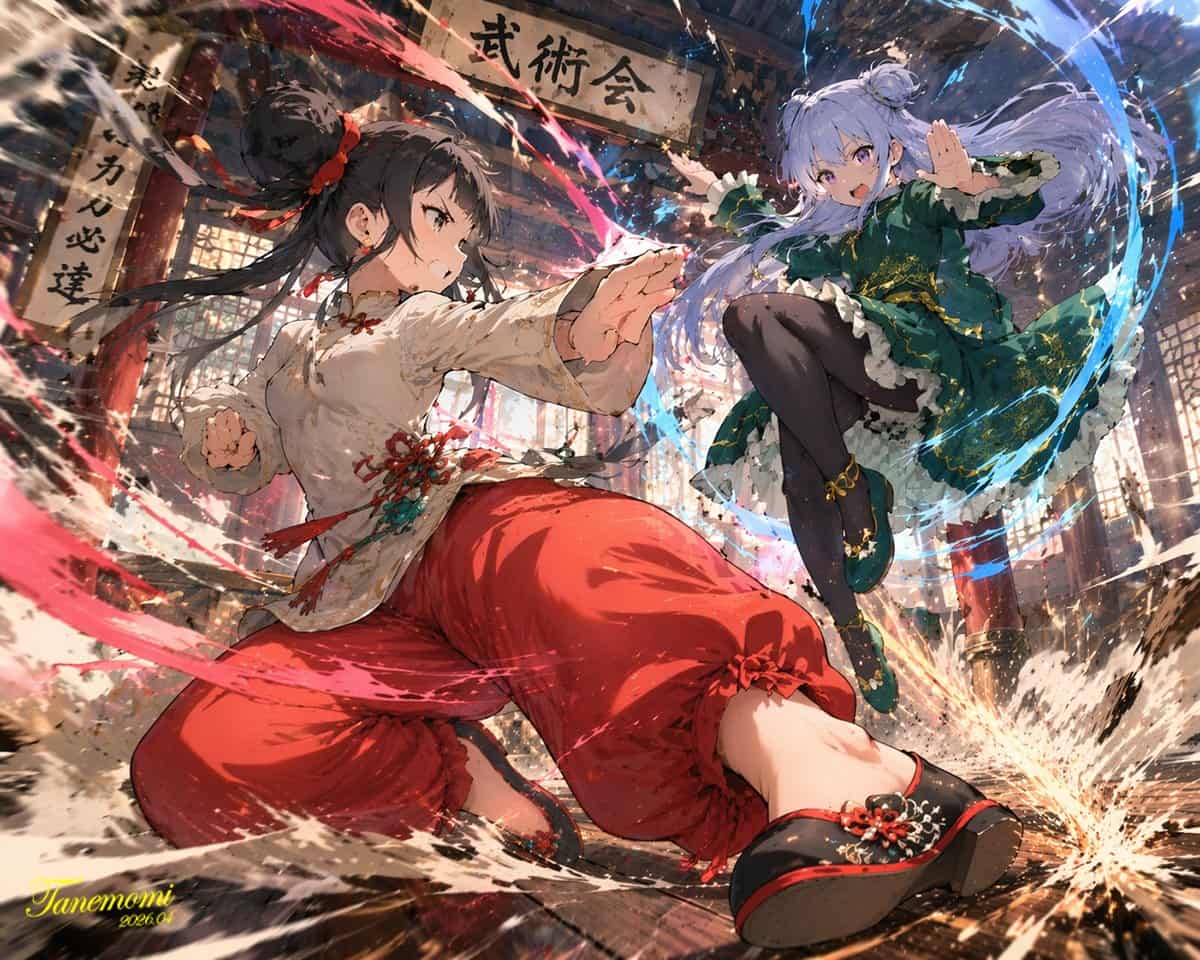
رسم معركة فنون قتالية بأسلوب الأنمي
رسم بأسلوب الأنمي لـ {argument name="action type" default="high-impact martial arts battle"} بين مقاتلتين شابتين في {argument name="setting" default="traditional wooden martial arts dojo"}. في المقدمة، فتاة بشعر أسود مر…
موجه
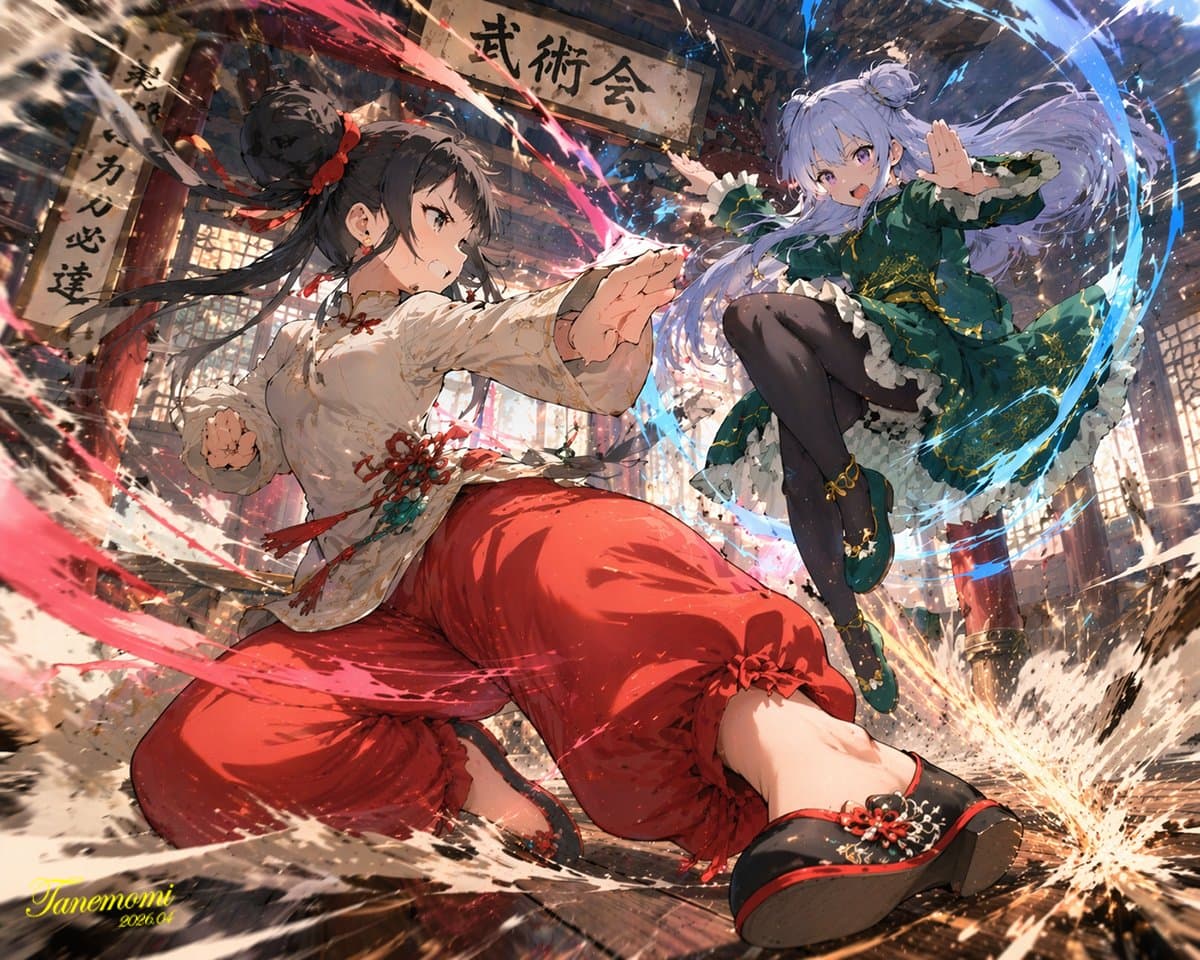
رسم بأسلوب الأنمي لـ {argument name="action type" default="high-impact martial arts battle"} بين مقاتلتين شابتين في {argument name="setting" default="traditional wooden martial arts dojo"}. في المقدمة، فتاة بشعر أسود مربوط في كعكة عالية ترتدي زي فنون قتالية صيني الطراز بألوان {argument name="character 1 color theme" default="red and white"} مع سراويل فضفاضة. هي في وضعية ديناميكية منخفضة منحنية للأمام، محاطة بطاقة حمراء دوامية ورذاذ ماء. في الخلفية على اليمين، فتاة بشعر بنفسجي فاتح مربوط في كعكتين توأم ترتدي فستاناً صينياً بألوان {argument name="character 2 color theme" default="green and purple"} مع تطريز ذهبي وجوارب سوداء طويلة. هي تقفز في الهواء في وضعية ركلة طائرة، محاطة بطاقة زرقاء دوامية. ألواح الأرضية الخشبية تتشظى من قوة التأثير الشديد، مع طيران الحطام والغبار في الهواء. فوقهما تتدلى لافتة خشبية بالية بنص "{argument name="sign text" default="武術会"}". يتميز المشهد بإضاءة درامية، منظور ديناميكي بزاوية منخفضة، وتأثيرات حركة مكثفة.
كيفية استخدام هذه المطالبة
اقرأ المطالبة رسم معركة فنون قتالية بأسلوب الأنمي الكاملة وحدد متطلبات الموضوع والنمط والكاميرا والإضاءة والتركيب قبل الإنشاء.
استبدل العناصر النائبة بين قوسين أو على شكل وسيطة بمتطلبات المنتج أو الشخصية أو العلامة التجارية أو المشهد أو لوحة الألوان أو نسبة العرض إلى الارتفاع.
افتح https://www.gptimagehub.com/ar/generate?promptId=cmogwy0pn009jzpdymbkmynpv، وقم بإنشاء الصورة، ثم قم بتحسين المطالبة باستخدام موضوع أو نص أو تخطيط أو قيود سلبية أكثر تحديدًا إذا لزم الأمر.
الأسئلة الشائعة السريعة
ما هو أفضل استخدام للموجه رسم معركة فنون قتالية بأسلوب الأنمي؟
يتم استخدام هذه المطالبة بشكل أفضل مع صور الملصقات والرسوم التوضيحية حيث تريد بنية قابلة لإعادة الاستخدام، واتجاه مرئي مفصل، وجودة إخراج متسقة.
هل يمكنني تعديل المطالبة قبل الإنشاء؟
نعم. يظهر نص المطالبة الكامل في هذه الصفحة حتى تتمكن من تغيير الموضوعات وأسماء المنتجات والألوان والتركيب ومصطلحات الكاميرا ونسبة العرض إلى الارتفاع وملاحظات النمط قبل الإنشاء.
ما النموذج الذي يجب أن أستخدمه مع هذه المطالبة؟
استخدم النموذج الموضح في بيانات تعريف المطالبة كنقطة بداية افتراضية. إذا كان نموذج صورة آخر يدعم نفس نسبة العرض إلى الارتفاع ونمط التعليمات، فيمكنك تعديل المطالبة ومقارنة النتائج.