
ورقة عرض التصميم الصناعي
الموضوع الأساسي: [{argument name="reference" default="use the uploaded image"}، احتفظ بالتفاصيل والطباعة والبنية مقفلة 100%] التخطيط والتكوين: {argument name="presentation type" default="professional industrial design p…
موجه
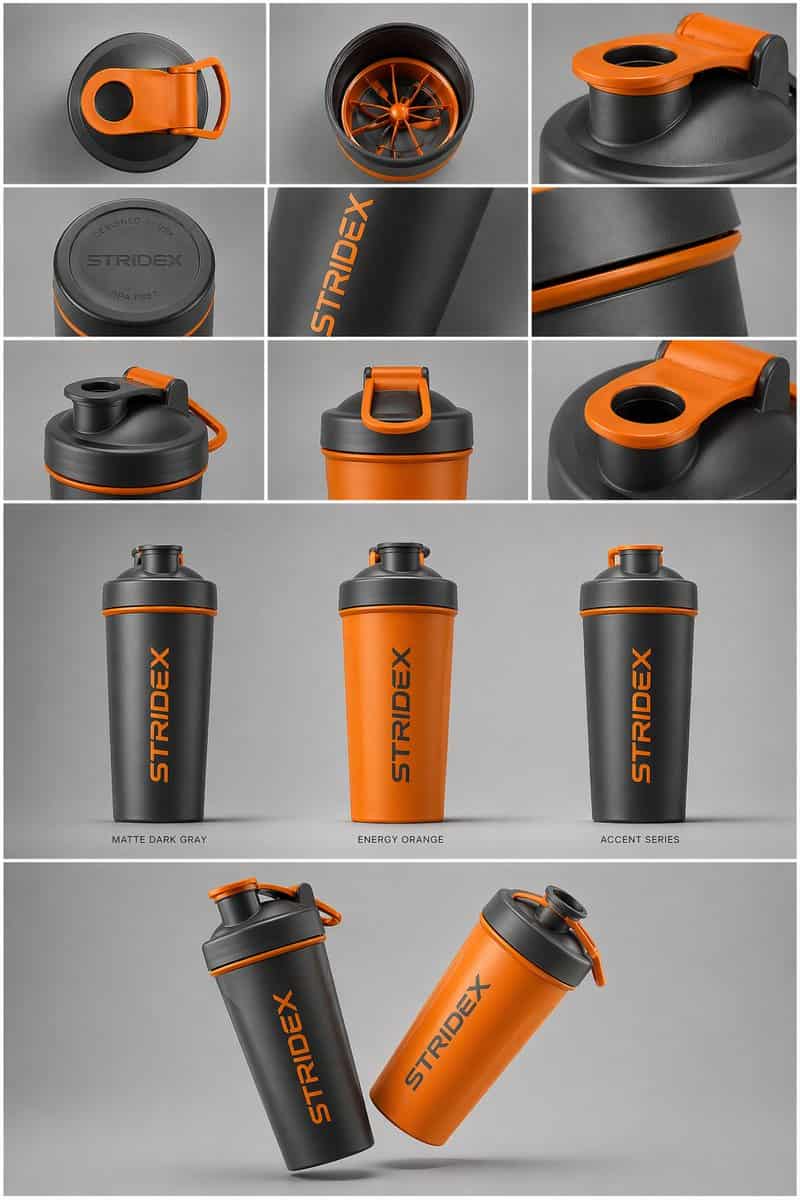
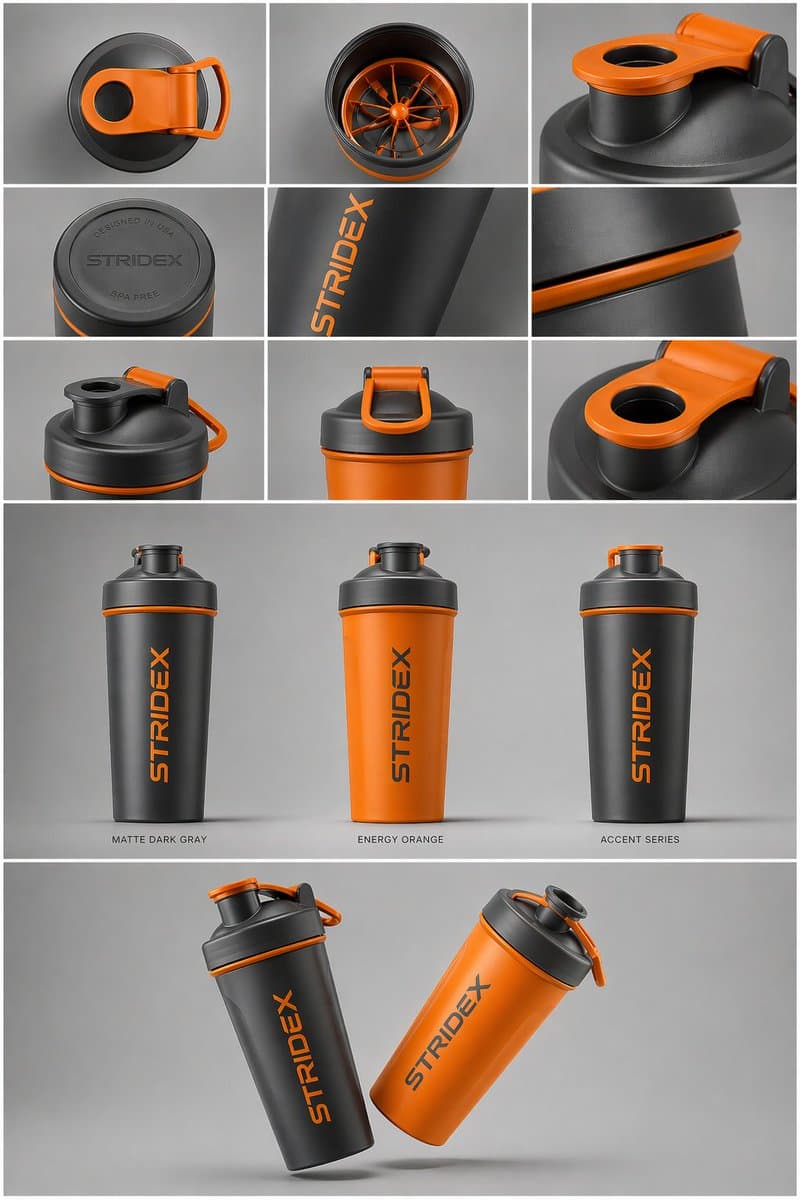
الموضوع الأساسي: [{argument name="reference" default="use the uploaded image"}، احتفظ بالتفاصيل والطباعة والبنية مقفلة 100%] التخطيط والتكوين: {argument name="presentation type" default="professional industrial design presentation sheet"}. يجب تنظيم الصورة في نظام شبكي نظيف. الصف العلوي: تخطيط 3×3 يعرض مناظر مسطحة من الأعلى وتفاصيل ماكرو قريبة للمواد. القسم الأوسط: ثلاث لقطات بطولية للمنتج واقفاً بشكل عمودي بألوان مختلفة (أسود مطفي، أبيض قطبي، ومتغيرات بألوان مميزة). يجب أن تكون المنتجات مائلة قليلاً لإظهار العمق والشكل. القسم السفلي: تكوين "عائم" ديناميكي يضم منتجين متداخلين بزوايا متعاكسة لعرض الملفات الأمامية والجانبية في نفس الوقت. البيئة والإضاءة: على خلفية استوديو رمادية محايدة بسيطة. إضاءة ناعمة من الأعلى مع ظلال تلامس واقعية. جمالية تصوير منتجات راقية. النمط واللمسة النهائية: قوام مطفي، صور ظلية نظيفة، وحواف حادة. اترك مناطق فارغة محددة على أسطح المنتج لـ "العلامة التجارية النائبة" و"النماذج الرسومية". دقة 4K، نمط عرض Unreal Engine 5، فائق الواقعية، جمالية نظيفة.
كيفية استخدام هذه المطالبة
اقرأ المطالبة ورقة عرض التصميم الصناعي الكاملة وحدد متطلبات الموضوع والنمط والكاميرا والإضاءة والتركيب قبل الإنشاء.
استبدل العناصر النائبة بين قوسين أو على شكل وسيطة بمتطلبات المنتج أو الشخصية أو العلامة التجارية أو المشهد أو لوحة الألوان أو نسبة العرض إلى الارتفاع.
افتح https://www.gptimagehub.com/ar/generate?promptId=cmogx6d9r00fzzpdyd2l77n5e، وقم بإنشاء الصورة، ثم قم بتحسين المطالبة باستخدام موضوع أو نص أو تخطيط أو قيود سلبية أكثر تحديدًا إذا لزم الأمر.
الأسئلة الشائعة السريعة
ما هو أفضل استخدام للموجه ورقة عرض التصميم الصناعي؟
يتم استخدام هذه المطالبة بشكل أفضل مع صور المنتجات والتجارة الإلكترونية حيث تريد بنية قابلة لإعادة الاستخدام، واتجاه مرئي مفصل، وجودة إخراج متسقة.
هل يمكنني تعديل المطالبة قبل الإنشاء؟
نعم. يظهر نص المطالبة الكامل في هذه الصفحة حتى تتمكن من تغيير الموضوعات وأسماء المنتجات والألوان والتركيب ومصطلحات الكاميرا ونسبة العرض إلى الارتفاع وملاحظات النمط قبل الإنشاء.
ما النموذج الذي يجب أن أستخدمه مع هذه المطالبة؟
استخدم النموذج الموضح في بيانات تعريف المطالبة كنقطة بداية افتراضية. إذا كان نموذج صورة آخر يدعم نفس نسبة العرض إلى الارتفاع ونمط التعليمات، فيمكنك تعديل المطالبة ومقارنة النتائج.