
ประวัติความเป็นมาของอารยธรรมอิโมจิในพิพิธภัณฑ์
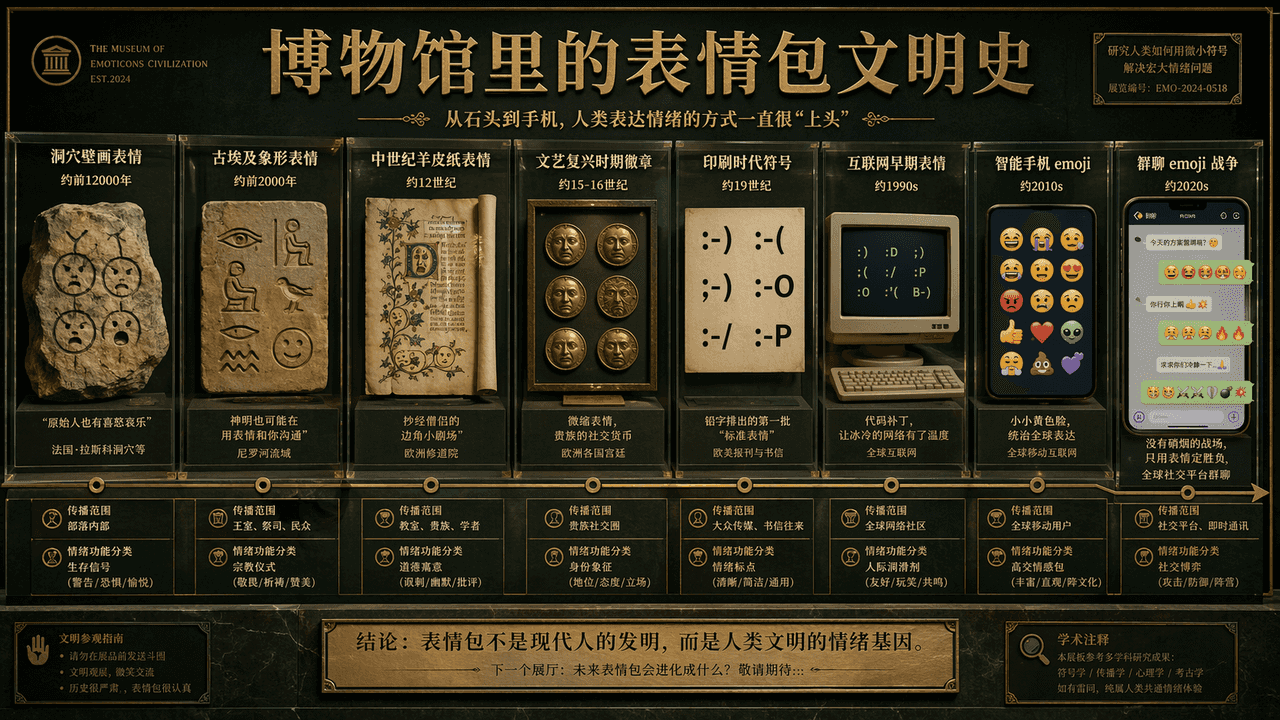
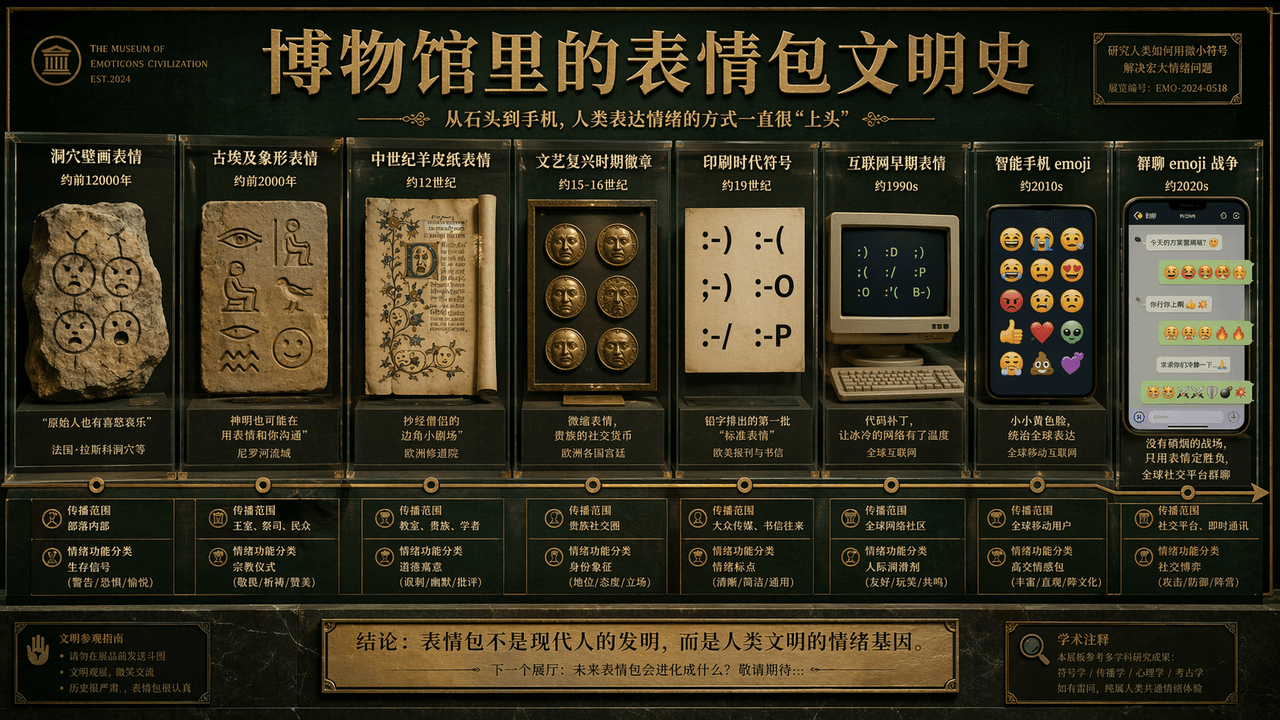
"ประวัติศาสตร์อารยธรรมอิโมจิในพิพิธภัณฑ์" เป็นการผสมผสานระหว่างกระดานแสดงผลทางวิชาการและวัฒนธรรมย่อยทางอินเทอร์เน็ตอย่างตลกขบขัน หน้าจอหลักเปรียบเสมือนผนังห้องนิทรรศการของพิพิธภัณฑ์ประวัติศาสตร์ธรรมชาติ ไทม์ไลน์ขยายจาก…
พรอมต์
"ประวัติศาสตร์อารยธรรมอิโมจิในพิพิธภัณฑ์" เป็นการผสมผสานระหว่างกระดานแสดงผลทางวิชาการและวัฒนธรรมย่อยทางอินเทอร์เน็ตอย่างตลกขบขัน หน้าจอหลักเปรียบเสมือนผนังห้องนิทรรศการของพิพิธภัณฑ์ประวัติศาสตร์ธรรมชาติ ไทม์ไลน์ขยายจาก "อีโมติคอนภาพวาดในถ้ำ" ไปจนถึง "อิโมจิแชทกลุ่ม" สงคราม" อีโมติคอนตัวแทนของแต่ละยุคสมัยจะแสดงในรูปแบบของตู้โชว์ แผ่นกระดาน แผ่นหนัง หน้าจอคอมพิวเตอร์ ฟองสบู่โทรศัพท์มือถือ โดยมีบันทึกทางวิชาการสั้นๆ อายุ ขอบเขตการเผยแพร่ และ "การแบ่งประเภทของหน้าที่ทางอารมณ์" ชื่อเรื่องมีความจริงจังและคำบรรยายมีอารมณ์ขันเล็กน้อย โทนสีใช้สีเขียวเข้มของพิพิธภัณฑ์ สีขาวนวล และสีทองแดง ภาพมีทั้งเคร่งขรึมและไร้สาระ ในอัตราส่วน 16:9
วิธีการใช้งานพร้อมท์นี้
อ่านข้อความแจ้ง ประวัติความเป็นมาของอารยธรรมอิโมจิในพิพิธภัณฑ์ ฉบับสมบูรณ์ และระบุวัตถุ สไตล์ กล้อง แสง และข้อกำหนดองค์ประกอบก่อนสร้าง
แทนที่ตัวยึดตำแหน่งแบบวงเล็บเหลี่ยมหรือแบบอาร์กิวเมนต์ด้วยข้อกำหนดเกี่ยวกับผลิตภัณฑ์ ตัวละคร แบรนด์ ฉาก ชุดสี หรืออัตราส่วนภาพ
เปิด https://www.gptimagehub.com/th/generate?promptId=cmogxije000gtxt5gytr4no13 สร้างรูปภาพ จากนั้นปรับแต่งข้อความแจ้งด้วยหัวข้อ ข้อความ เค้าโครง หรือข้อจำกัดเชิงลบที่เฉพาะเจาะจงมากขึ้น หากจำเป็น
คำถามที่พบบ่อยพร้อมท์
พรอมต์ ประวัติความเป็นมาของอารยธรรมอิโมจิในพิพิธภัณฑ์ ใช้ทำอะไรได้ดีที่สุด
ข้อความแจ้งนี้เหมาะที่สุดสำหรับอิมเมจ อื่น ๆ ที่คุณต้องการโครงสร้างที่นำมาใช้ซ้ำได้ ทิศทางของภาพโดยละเอียด และคุณภาพเอาต์พุตที่สม่ำเสมอ
ฉันสามารถแก้ไขพรอมต์ก่อนสร้างได้หรือไม่
ใช่ ข้อความแจ้งแบบเต็มจะปรากฏบนหน้านี้ เพื่อให้คุณสามารถเปลี่ยนชื่อเรื่อง ชื่อผลิตภัณฑ์ สี องค์ประกอบ ข้อกำหนดของกล้อง อัตราส่วนภาพ และหมายเหตุสไตล์ก่อนการสร้าง
ฉันควรใช้รุ่นใดกับข้อความแจ้งนี้
ใช้โมเดลที่แสดงในข้อมูลเมตาของพรอมต์เป็นจุดเริ่มต้นเริ่มต้น หากรูปภาพรุ่นอื่นรองรับอัตราส่วนภาพและรูปแบบคำสั่งเดียวกัน คุณสามารถปรับข้อความแจ้งและเปรียบเทียบผลลัพธ์ได้