
Отчет о выживаемости университетских библиотек за последнюю неделю
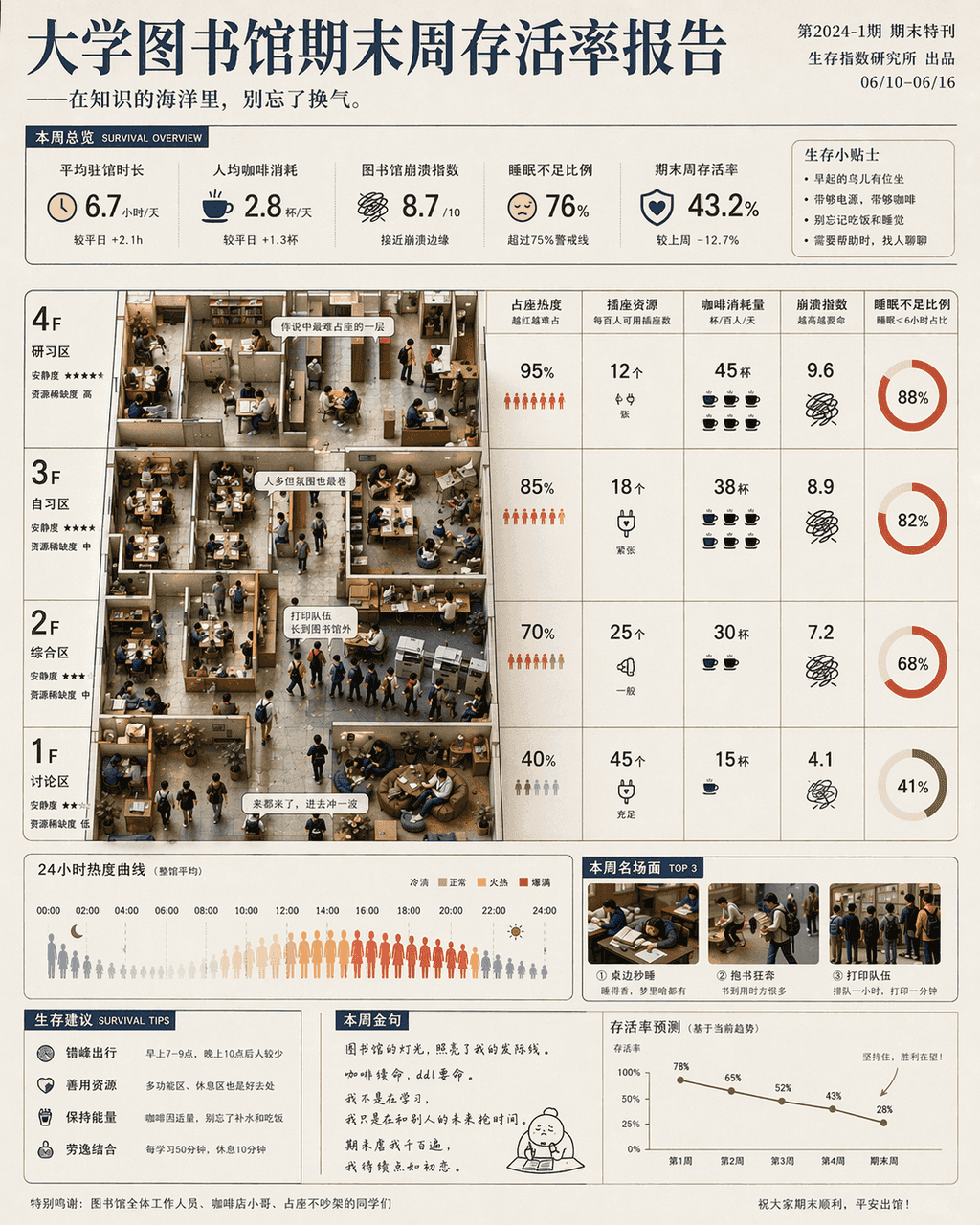
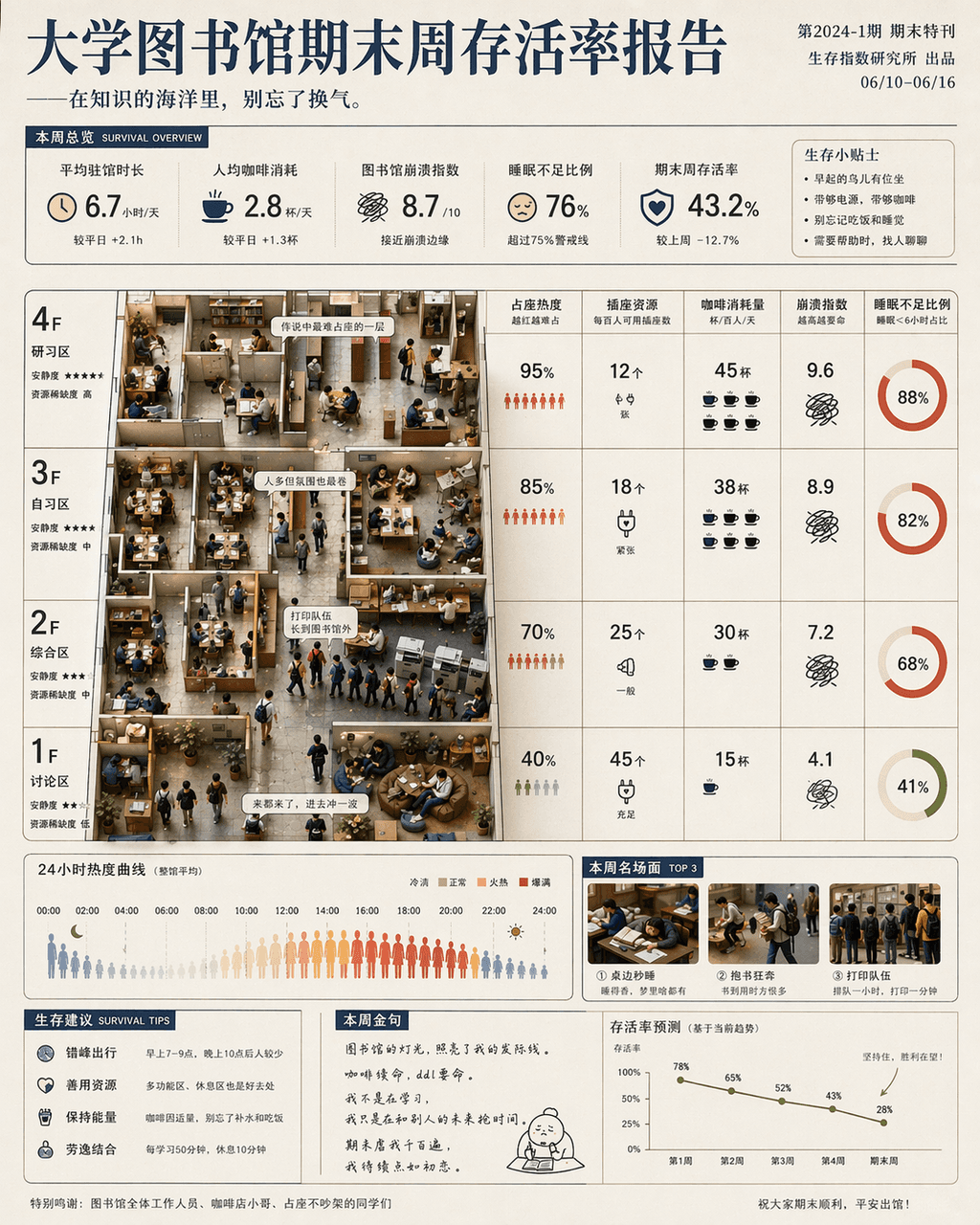
«Отчет о выживаемости университетской библиотеки за последнюю неделю» представляет собой сочетание юмористических информационных плакатов и фотографий из жизни кампуса. Главный экран основан на плане этажа библиотеки: н…
Подскажите
«Отчет о выживаемости университетской библиотеки за последнюю неделю» представляет собой сочетание юмористических информационных плакатов и фотографий из жизни кампуса. Главный экран основан на плане этажа библиотеки: нагрев сидений, ресурсы розеток, потребление кофе, индекс сбоев и коэффициент лишения сна отмечены по этажу и времени. Частично встроены миниатюрные сцены студентов: бегают с книгами, засыпают за столом, слишком длинная очередь на печать. Название серьезное, а подзаголовок слегка дразнящий, соотношение сторон 4:5.
Как использовать эту подсказку
Прочтите полную подсказку Отчет о выживаемости университетских библиотек за последнюю неделю и определите требования к объекту, стилю, камере, освещению и композиции перед созданием.
Замените заполнители в квадратных скобках или в виде аргументов требованиями к вашему продукту, персонажу, бренду, сцене, цветовой палитре или соотношению сторон.
Откройте https://www.gptimagehub.com/ru/generate?promptId=cmogxkhym00i1xt5gzv3pj669, сгенерируйте изображение, затем при необходимости уточните подсказку, указав более конкретную тему, текст, макет или отрицательные ограничения.
Подскажите FAQ
Для чего лучше всего использовать приглашение Отчет о выживаемости университетских библиотек за последнюю неделю?
Эту подсказку лучше всего использовать для изображений другое, где вам нужна многоразовая структура, детальное визуальное направление и стабильное качество вывода.
Могу ли я отредактировать приглашение перед созданием?
Да. Полный текст подсказки отображается на этой странице, поэтому вы можете изменить темы, названия продуктов, цвета, композицию, термины камеры, соотношение сторон и примечания к стилю перед созданием.
Какую модель мне следует использовать с этой подсказкой?
Используйте модель, показанную в метаданных подсказки, в качестве отправной точки по умолчанию. Если другая модель изображения поддерживает такое же соотношение сторон и стиль инструкций, вы можете адаптировать подсказку и сравнить результаты.