
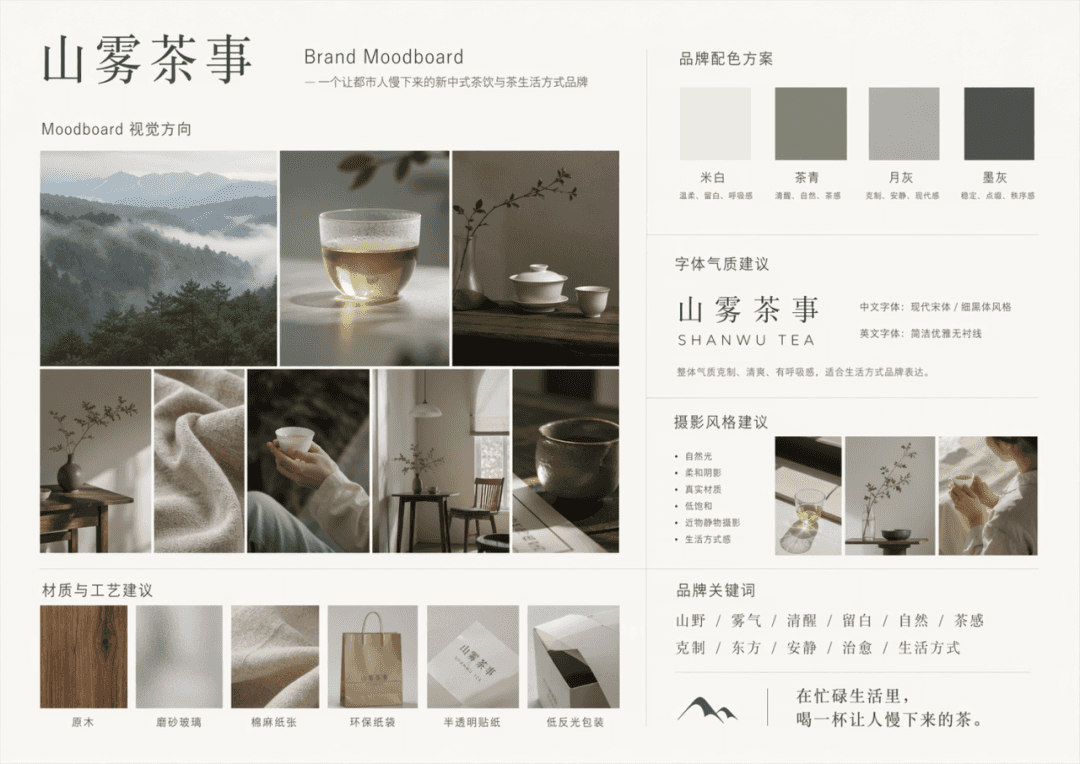
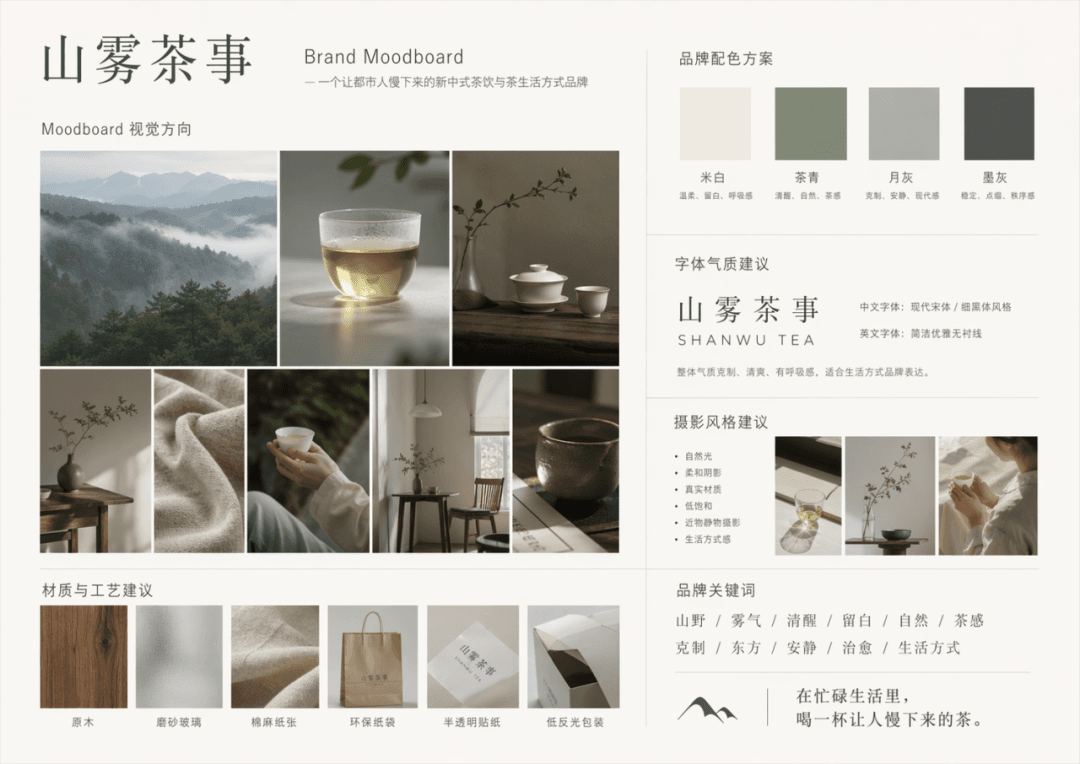
tablica kierunkowa marki
Wygeneruj kompletny moodboard marki w oparciu o poniższy opis marki. Nazwa marki: Shanwu Tea Shi, opis marki: nowa chińska marka napojów herbacianych i herbacianego stylu życia dla młodych ludzi z miast, słowa kluczowe:…
Podpowiedź
Wygeneruj kompletny moodboard marki w oparciu o poniższy opis marki. Nazwa marki: Shanwu Tea Shi, opis marki: nowa chińska marka napojów herbacianych i herbacianego stylu życia dla młodych ludzi z miast, słowa kluczowe: góry, mgła, trzeźwość, biała przestrzeń, natura, uczucie herbaty, powściągliwość, orientalny, cichy, uzdrawiający, styl życia, główne kolory: złamana biel, herbaciana zieleń, księżycowa szarość, można ozdobić niewielką ilością atramentowej szarości. Treść wyjściowa obejmuje: 1. Kierunek wizualny Moodboardu 2. Schemat kolorów marki 3. Sugestie dotyczące temperamentu czcionki 4. Sugestie dotyczące stylu fotografii 5. Sugestie dotyczące materiałów i procesów 6. Obszar układu słów kluczowych marki
Jak korzystać z tego monitu
Przed wygenerowaniem przeczytaj cały monit tablica kierunkowa marki i określ temat, styl, wymagania dotyczące aparatu, oświetlenia i kompozycji.
Zastąp symbole zastępcze w nawiasach lub w stylu argumentów swoim produktem, postacią, marką, sceną, paletą kolorów lub wymaganiami dotyczącymi proporcji.
Otwórz https://www.gptimagehub.com/pl/generate?promptId=cmogxm98l00mzxt5ghvh1pp4e, wygeneruj obraz, a następnie w razie potrzeby doprecyzuj monit, podając bardziej szczegółowy temat, tekst, układ lub ograniczenia negatywne.
Szybkie często zadawane pytania
Do czego najlepiej używać podpowiedzi tablica kierunkowa marki?
Tego monitu najlepiej używać w przypadku obrazów logo i branding, w przypadku których wymagana jest struktura wielokrotnego użytku, szczegółowy kierunek wizualny i stała jakość wyjściowa.
Czy mogę edytować monit przed wygenerowaniem?
Tak. Pełny tekst podpowiedzi jest widoczny na tej stronie, dzięki czemu możesz zmieniać tematy, nazwy produktów, kolory, kompozycję, warunki dotyczące aparatu, proporcje i uwagi dotyczące stylu przed wygenerowaniem.
Którego modelu powinienem użyć w przypadku tego monitu?
Użyj modelu pokazanego w metadanych zachęty jako domyślnego punktu początkowego. Jeśli inny model obrazu obsługuje ten sam współczynnik proporcji i styl instrukcji, możesz dostosować monit i porównać wyniki.