
„Zwölf Stunden Vorbereitungsliste vor dem Inseltaifun“
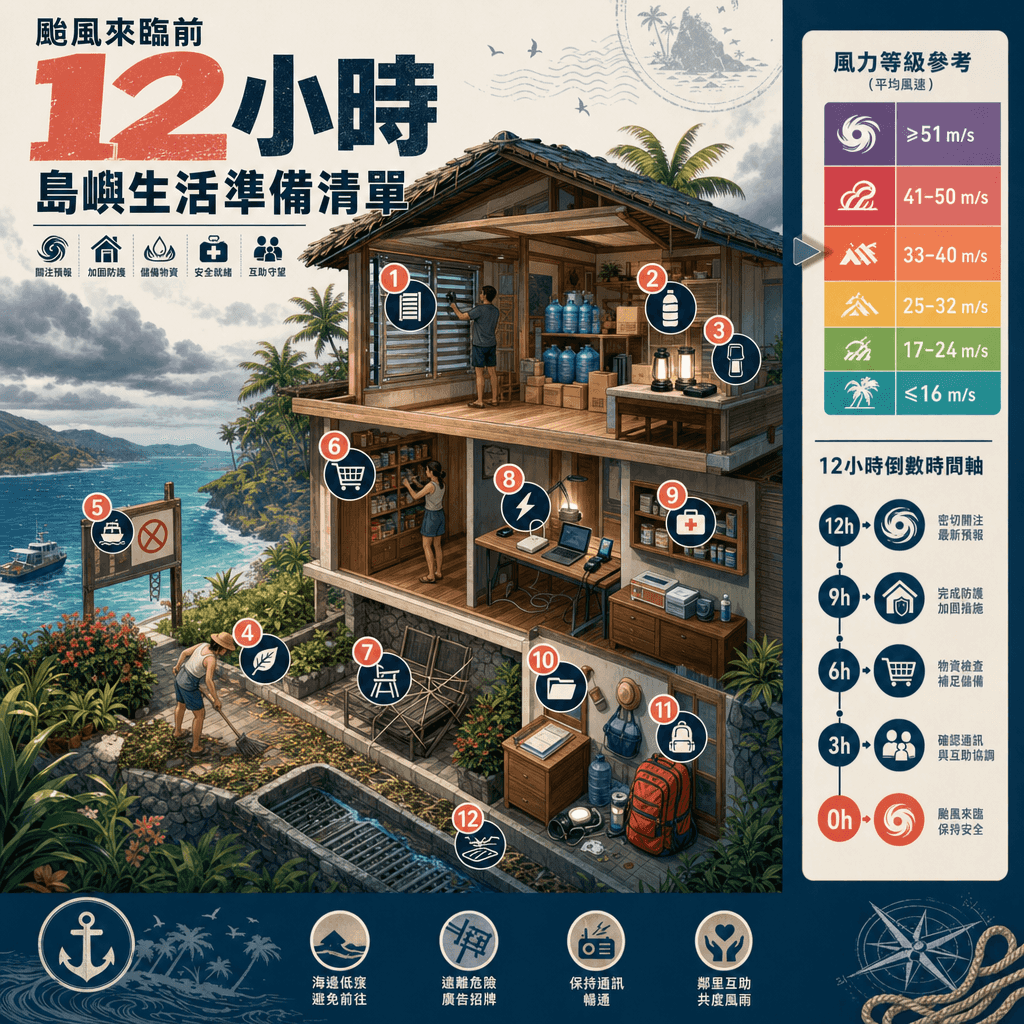
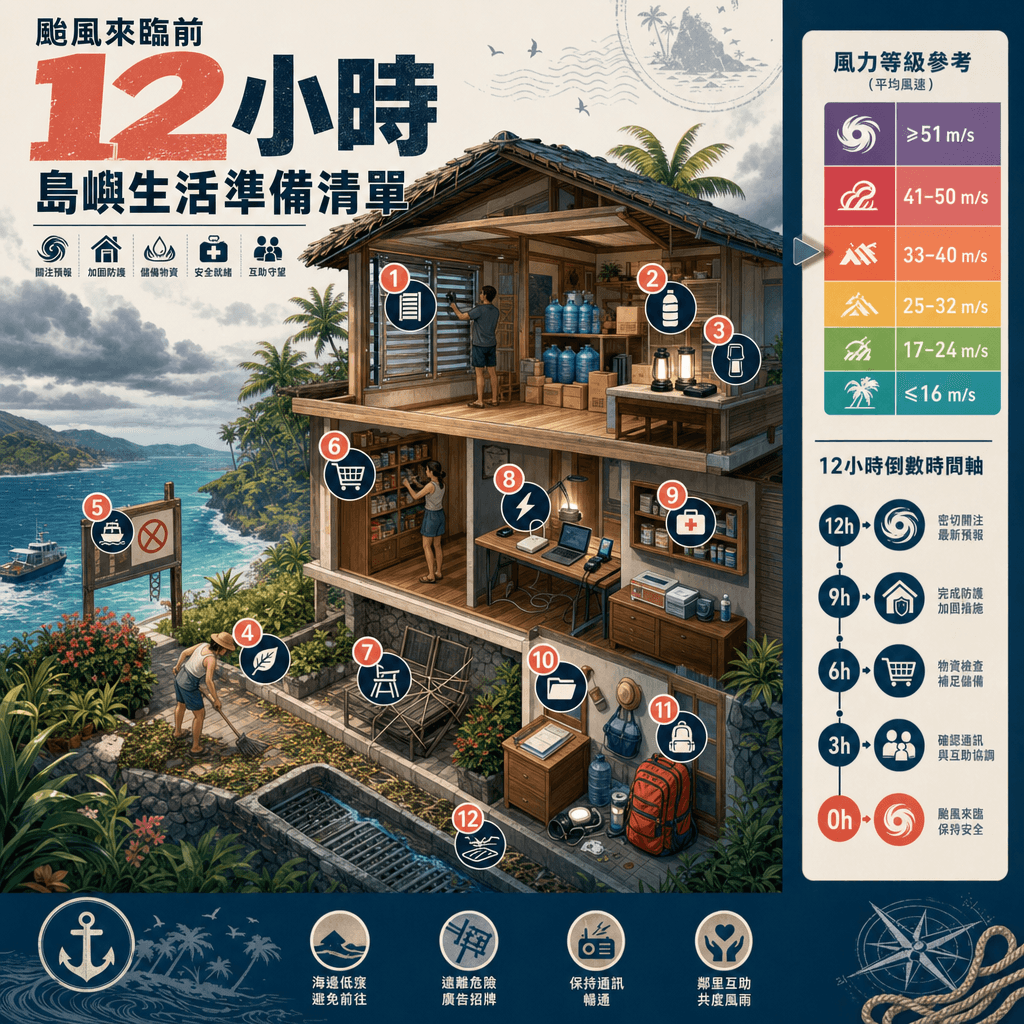
„Checkliste zur Vorbereitung auf den Inseltaifun 12 Stunden vorher“ ist ein Notfallplakat, das in ein Reise-Lifestyle-Magazin integriert ist. In der Mitte des Bildes ist eine Querschnittsansicht eines Insel-B&Bs zu sehe…
Prompt
„Checkliste zur Vorbereitung auf den Inseltaifun 12 Stunden vorher“ ist ein Notfallplakat, das in ein Reise-Lifestyle-Magazin integriert ist. In der Mitte des Bildes ist eine Querschnittsansicht eines Insel-B&Bs zu sehen. Schritte wie Fensterverstärkung, Wasserspeicherung, Beleuchtungsvorbereitung, Gartenaufräumen, Aufhängungsanzeige und Lebensmittelaufbewahrung in der Küche sind mit numerischen Etiketten gekennzeichnet. Die Seitenleiste verfügt über ein Band zur Windgeschwindigkeitsbewertung und eine Zeitleiste. Der Titel ist minimalistisch und auffällig. Das Gesamtdesign ist praktisch und optisch ansprechend, mit einem Verhältnis von 4:5.
So verwenden Sie diese Eingabeaufforderung
Lesen Sie die vollständige „Zwölf Stunden Vorbereitungsliste vor dem Inseltaifun“-Eingabeaufforderung und ermitteln Sie die Anforderungen an Thema, Stil, Kamera, Beleuchtung und Komposition, bevor Sie sie erstellen.
Ersetzen Sie Platzhalter in Klammern oder im Argumentstil durch Ihre Anforderungen an Produkt, Charakter, Marke, Szene, Farbpalette oder Seitenverhältnis.
Öffnen Sie https://www.gptimagehub.com/de/generate?promptId=cmogxkpjv00ijxt5g7srggblv, generieren Sie das Bild und verfeinern Sie die Eingabeaufforderung bei Bedarf mit spezifischeren Betreff-, Text-, Layout- oder negativen Einschränkungen.
Schnelle FAQ
Wofür eignet sich die Eingabeaufforderung „Zwölf Stunden Vorbereitungsliste vor dem Inseltaifun“ am besten?
Diese Eingabeaufforderung eignet sich am besten für sonstiges-Bilder, bei denen Sie eine wiederverwendbare Struktur, eine detaillierte visuelle Ausrichtung und eine konsistente Ausgabequalität wünschen.
Kann ich die Eingabeaufforderung vor dem Generieren bearbeiten?
Ja. Der vollständige Aufforderungstext ist auf dieser Seite sichtbar, sodass Sie Betreff, Produktnamen, Farben, Komposition, Kamerabegriffe, Seitenverhältnis und Stilhinweise vor der Generierung ändern können.
Welches Modell soll ich mit dieser Aufforderung verwenden?
Verwenden Sie das in den Metadaten der Eingabeaufforderung angezeigte Modell als Standardstartpunkt. Wenn ein anderes Bildmodell dasselbe Seitenverhältnis und denselben Anweisungsstil unterstützt, können Sie die Eingabeaufforderung anpassen und die Ergebnisse vergleichen.