
สร้างคู่มือภาพแบรนด์ในหนึ่งประโยค
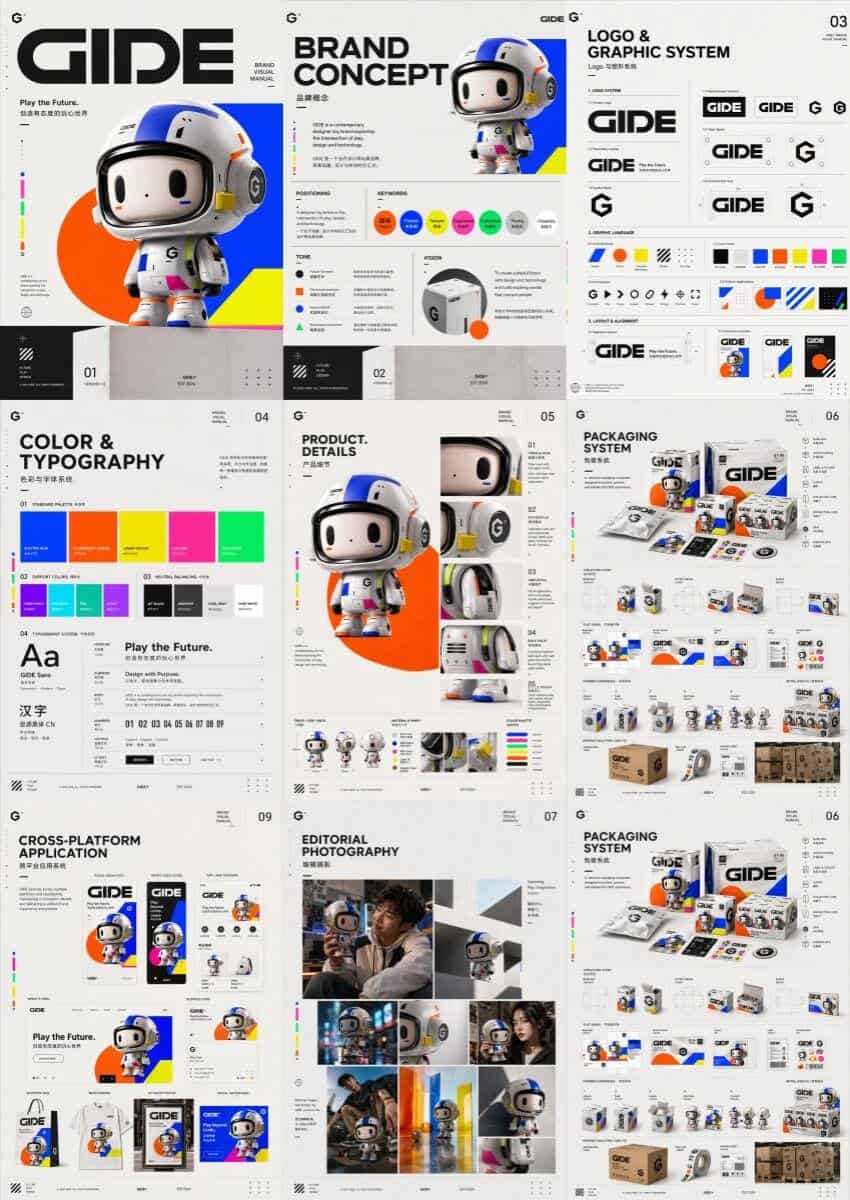
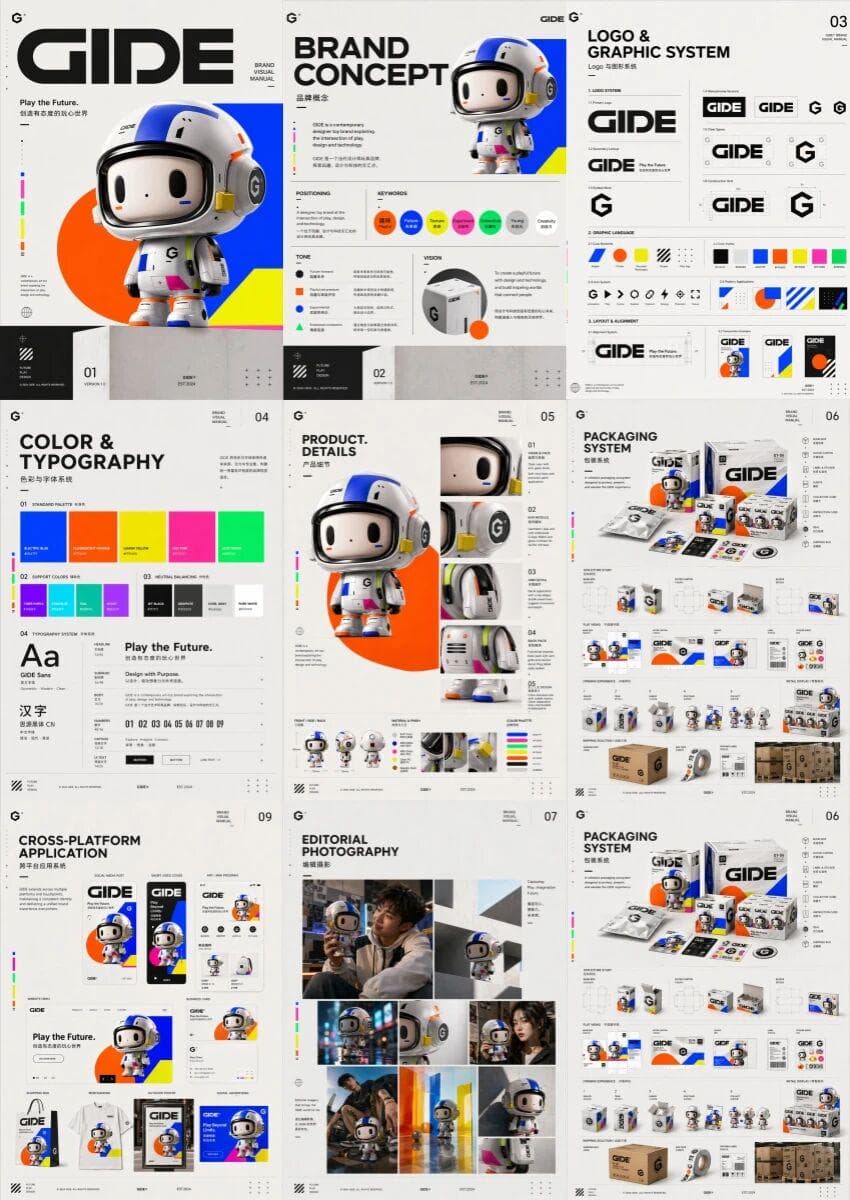
ออกแบบคู่มือภาพแบรนด์ระดับไฮเอนด์ หลายหน้าแบบรวมสำหรับแบรนด์ของเล่นยอดนิยม GIDE โดยแสดงภาพหลายภาพเคียงข้างกันในคู่มือภาพแบรนด์ฉบับสมบูรณ์ เนื้อหาประกอบด้วยหน้าปก แนวคิดของแบรนด์ โลโก้และระบบกราฟิก สีและแบบอักษร รายละเอี…
พรอมต์
ออกแบบคู่มือภาพแบรนด์ระดับไฮเอนด์ หลายหน้าแบบรวมสำหรับแบรนด์ของเล่นยอดนิยม GIDE โดยแสดงภาพหลายภาพเคียงข้างกันในคู่มือภาพแบรนด์ฉบับสมบูรณ์ เนื้อหาประกอบด้วยหน้าปก แนวคิดของแบรนด์ โลโก้และระบบกราฟิก สีและแบบอักษร รายละเอียดสินค้า การออกแบบบรรจุภัณฑ์ ภาพถ่ายบรรณาธิการ ประสบการณ์การค้าปลีกที่ดื่มด่ำ แอปพลิเคชันข้ามแพลตฟอร์ม และหน้าสรุป สไตล์โดยรวมคือความสนุกสนาน ล้ำอนาคต ความตึงเครียดของสี และการออกแบบระดับไฮเอนด์ โดดเด่นด้วยความสมดุลระหว่างความมีชีวิตชีวาของการเล่นที่ทันสมัย และความซับซ้อนของแบรนด์เทคโนโลยีที่สร้างสรรค์ ภาษาภาพประกอบด้วยสีสดใสที่มีความอิ่มตัวสูง รูปทรงเรขาคณิตที่เรียบง่าย แบบอักษรสมัยใหม่ จังหวะไดนามิก และการแสดงออกที่เหนือจริงเล็กน้อยเพื่อสร้างโลกทัศน์ของแบรนด์ที่เป็นหนึ่งเดียว มั่นใจ ร่วมสมัย และสมบูรณ์ เช่นเดียวกับคู่มือแบรนด์ในระดับสตูดิโอสร้างสรรค์ระดับไฮเอนด์
วิธีการใช้งานพร้อมท์นี้
อ่านข้อความแจ้ง สร้างคู่มือภาพแบรนด์ในหนึ่งประโยค ฉบับสมบูรณ์ และระบุวัตถุ สไตล์ กล้อง แสง และข้อกำหนดองค์ประกอบก่อนสร้าง
แทนที่ตัวยึดตำแหน่งแบบวงเล็บเหลี่ยมหรือแบบอาร์กิวเมนต์ด้วยข้อกำหนดเกี่ยวกับผลิตภัณฑ์ ตัวละคร แบรนด์ ฉาก ชุดสี หรืออัตราส่วนภาพ
เปิด https://www.gptimagehub.com/th/generate?promptId=cmogxn49500njxt5gzy2sswil สร้างรูปภาพ จากนั้นปรับแต่งข้อความแจ้งด้วยหัวข้อ ข้อความ เค้าโครง หรือข้อจำกัดเชิงลบที่เฉพาะเจาะจงมากขึ้น หากจำเป็น
คำถามที่พบบ่อยพร้อมท์
พรอมต์ สร้างคู่มือภาพแบรนด์ในหนึ่งประโยค ใช้ทำอะไรได้ดีที่สุด
ข้อความแจ้งนี้เหมาะที่สุดสำหรับอิมเมจ โลโก้และแบรนด์ดิ้ง ที่คุณต้องการโครงสร้างที่นำมาใช้ซ้ำได้ ทิศทางของภาพโดยละเอียด และคุณภาพเอาต์พุตที่สม่ำเสมอ
ฉันสามารถแก้ไขพรอมต์ก่อนสร้างได้หรือไม่
ใช่ ข้อความแจ้งแบบเต็มจะปรากฏบนหน้านี้ เพื่อให้คุณสามารถเปลี่ยนชื่อเรื่อง ชื่อผลิตภัณฑ์ สี องค์ประกอบ ข้อกำหนดของกล้อง อัตราส่วนภาพ และหมายเหตุสไตล์ก่อนการสร้าง
ฉันควรใช้รุ่นใดกับข้อความแจ้งนี้
ใช้โมเดลที่แสดงในข้อมูลเมตาของพรอมต์เป็นจุดเริ่มต้นเริ่มต้น หากรูปภาพรุ่นอื่นรองรับอัตราส่วนภาพและรูปแบบคำสั่งเดียวกัน คุณสามารถปรับข้อความแจ้งและเปรียบเทียบผลลัพธ์ได้