
“ทำให้ปี 2026 กลายเป็นหน้าปกหนังสือรุ่นแบบเห็นภาพ”
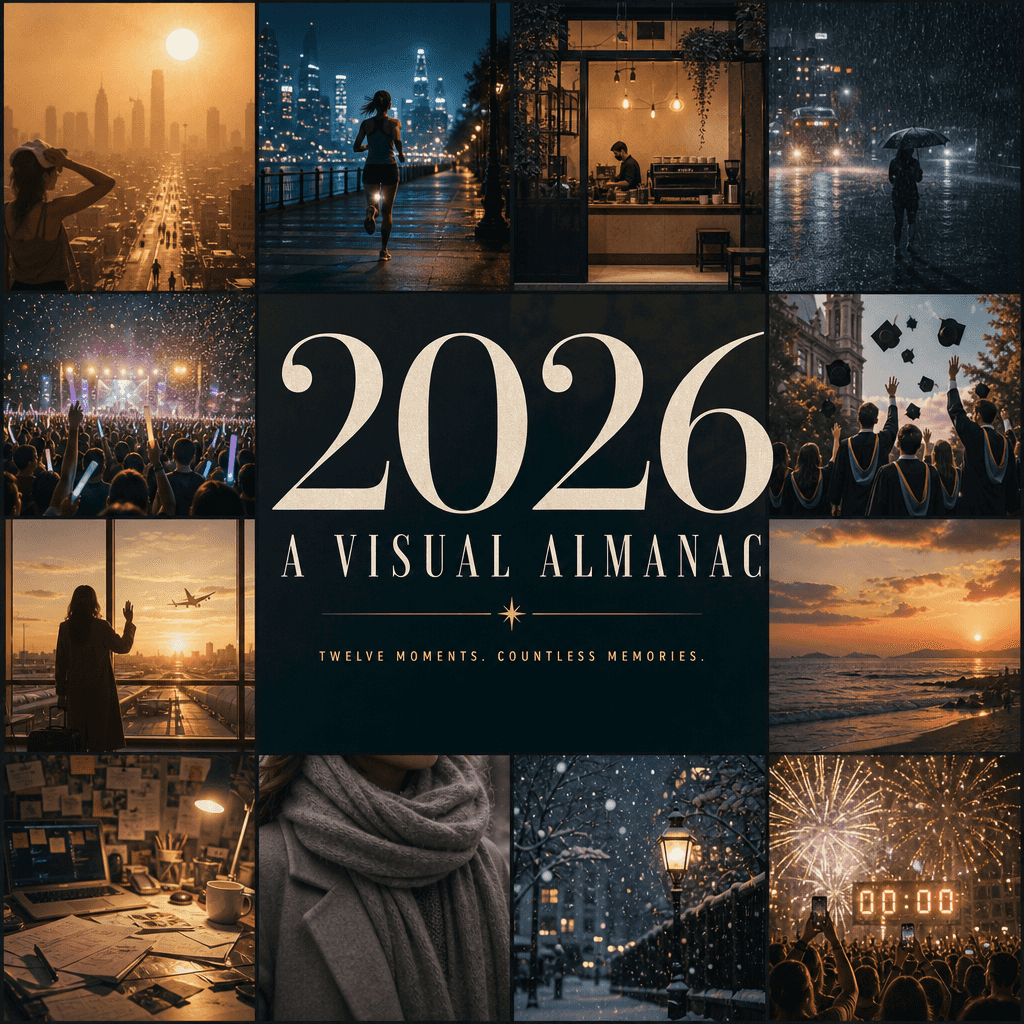
"ทำให้ปี 2026 กลายเป็นปกหนังสือรุ่นแบบเห็นภาพที่เปลี่ยนหน้าได้" โปสเตอร์สรุปประจำปีผสมผสานกับการออกแบบกองบรรณาธิการ รูปภาพประกอบด้วยหน้าต่างเล็ก ๆ สิบสองบานซึ่งแสดงถึงความทรงจำที่สดใสที่สุดแห่งปี: คลื่นความร้อนในเมือง,…
พรอมต์
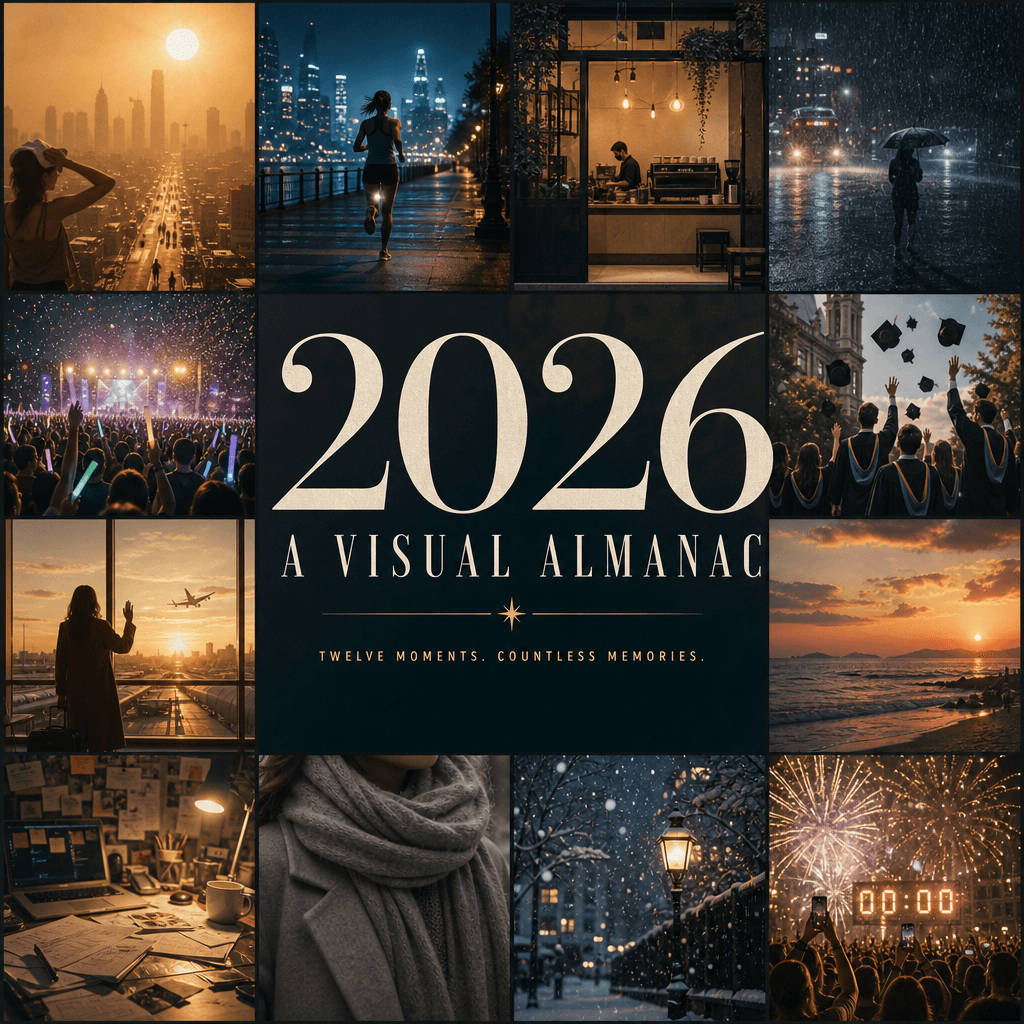
"ทำให้ปี 2026 กลายเป็นปกหนังสือรุ่นแบบเห็นภาพที่เปลี่ยนหน้าได้" โปสเตอร์สรุปประจำปีผสมผสานกับการออกแบบกองบรรณาธิการ รูปภาพประกอบด้วยหน้าต่างเล็ก ๆ สิบสองบานซึ่งแสดงถึงความทรงจำที่สดใสที่สุดแห่งปี: คลื่นความร้อนในเมือง, การวิ่งตอนกลางคืน, การเปิดร้านกาแฟ, ฝนตกหนัก, แท่งเรืองแสงคอนเสิร์ต, ภาพถ่ายการสำเร็จการศึกษา, การอำลาสนามบิน, พระอาทิตย์ตกริมทะเล, โต๊ะยุ่งเหยิง, ผ้าพันคอฤดูหนาว, หิมะแรก, นับถอยหลังวันส่งท้ายปีเก่า, ชื่อกลาง "2026 / A VISUAL "ALMANAC" ครองทั้งหน้าจอพร้อมคำบรรยายที่เรียบง่าย ทุกสิ่งเป็นเหมือนปกวัฒนธรรมระดับไฮเอนด์ หนังสือรุ่นที่มีข้อมูลครบถ้วนและอารมณ์ความรู้สึก ในอัตราส่วน 4:5
วิธีการใช้งานพร้อมท์นี้
อ่านข้อความแจ้ง “ทำให้ปี 2026 กลายเป็นหน้าปกหนังสือรุ่นแบบเห็นภาพ” ฉบับสมบูรณ์ และระบุวัตถุ สไตล์ กล้อง แสง และข้อกำหนดองค์ประกอบก่อนสร้าง
แทนที่ตัวยึดตำแหน่งแบบวงเล็บเหลี่ยมหรือแบบอาร์กิวเมนต์ด้วยข้อกำหนดเกี่ยวกับผลิตภัณฑ์ ตัวละคร แบรนด์ ฉาก ชุดสี หรืออัตราส่วนภาพ
เปิด https://www.gptimagehub.com/th/generate?promptId=cmogxl04z00ltxt5gnm2qrr76 สร้างรูปภาพ จากนั้นปรับแต่งข้อความแจ้งด้วยหัวข้อ ข้อความ เค้าโครง หรือข้อจำกัดเชิงลบที่เฉพาะเจาะจงมากขึ้น หากจำเป็น
คำถามที่พบบ่อยพร้อมท์
พรอมต์ “ทำให้ปี 2026 กลายเป็นหน้าปกหนังสือรุ่นแบบเห็นภาพ” ใช้ทำอะไรได้ดีที่สุด
ข้อความแจ้งนี้เหมาะที่สุดสำหรับอิมเมจ โปสเตอร์และภาพประกอบ ที่คุณต้องการโครงสร้างที่นำมาใช้ซ้ำได้ ทิศทางของภาพโดยละเอียด และคุณภาพเอาต์พุตที่สม่ำเสมอ
ฉันสามารถแก้ไขพรอมต์ก่อนสร้างได้หรือไม่
ใช่ ข้อความแจ้งแบบเต็มจะปรากฏบนหน้านี้ เพื่อให้คุณสามารถเปลี่ยนชื่อเรื่อง ชื่อผลิตภัณฑ์ สี องค์ประกอบ ข้อกำหนดของกล้อง อัตราส่วนภาพ และหมายเหตุสไตล์ก่อนการสร้าง
ฉันควรใช้รุ่นใดกับข้อความแจ้งนี้
ใช้โมเดลที่แสดงในข้อมูลเมตาของพรอมต์เป็นจุดเริ่มต้นเริ่มต้น หากรูปภาพรุ่นอื่นรองรับอัตราส่วนภาพและรูปแบบคำสั่งเดียวกัน คุณสามารถปรับข้อความแจ้งและเปรียบเทียบผลลัพธ์ได้