
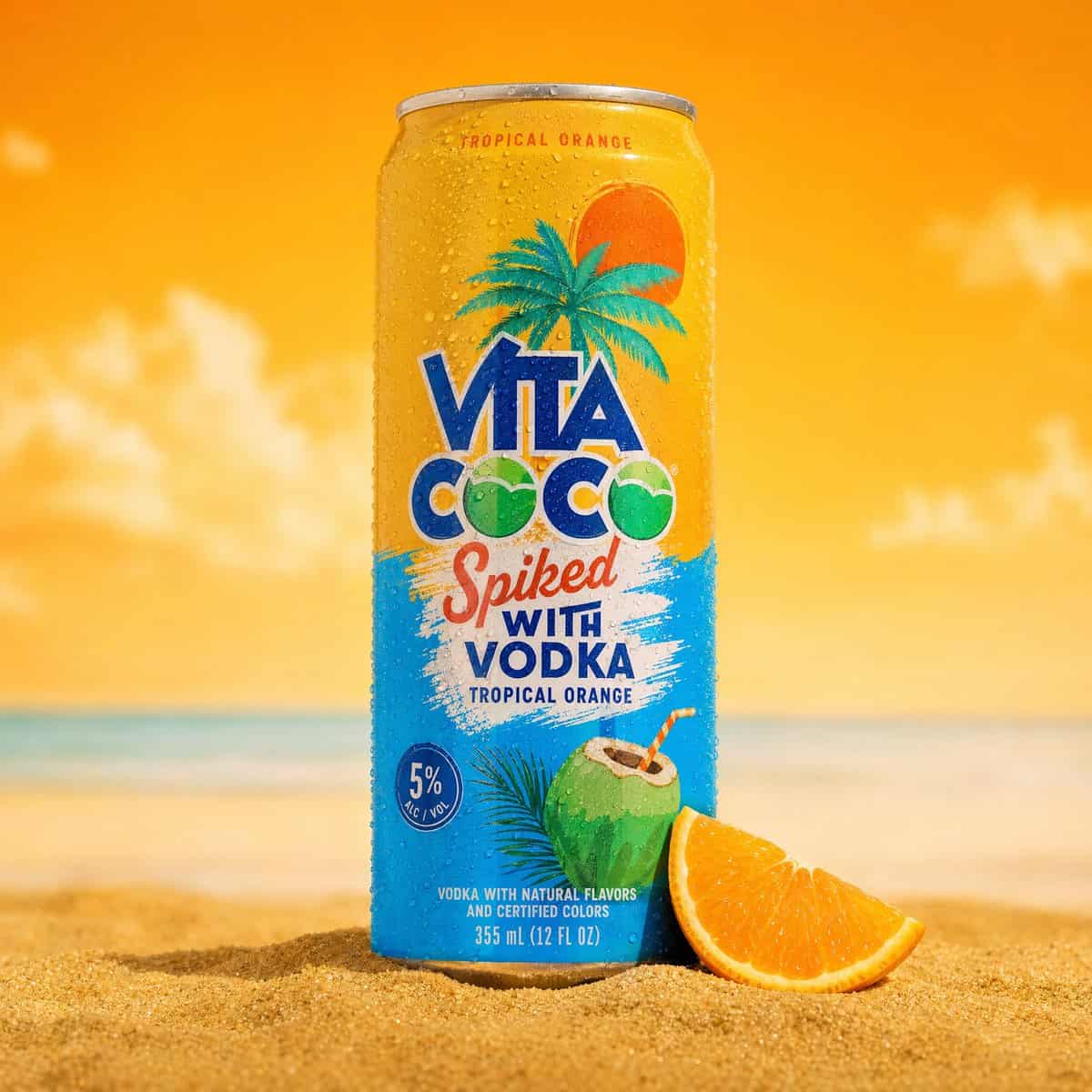
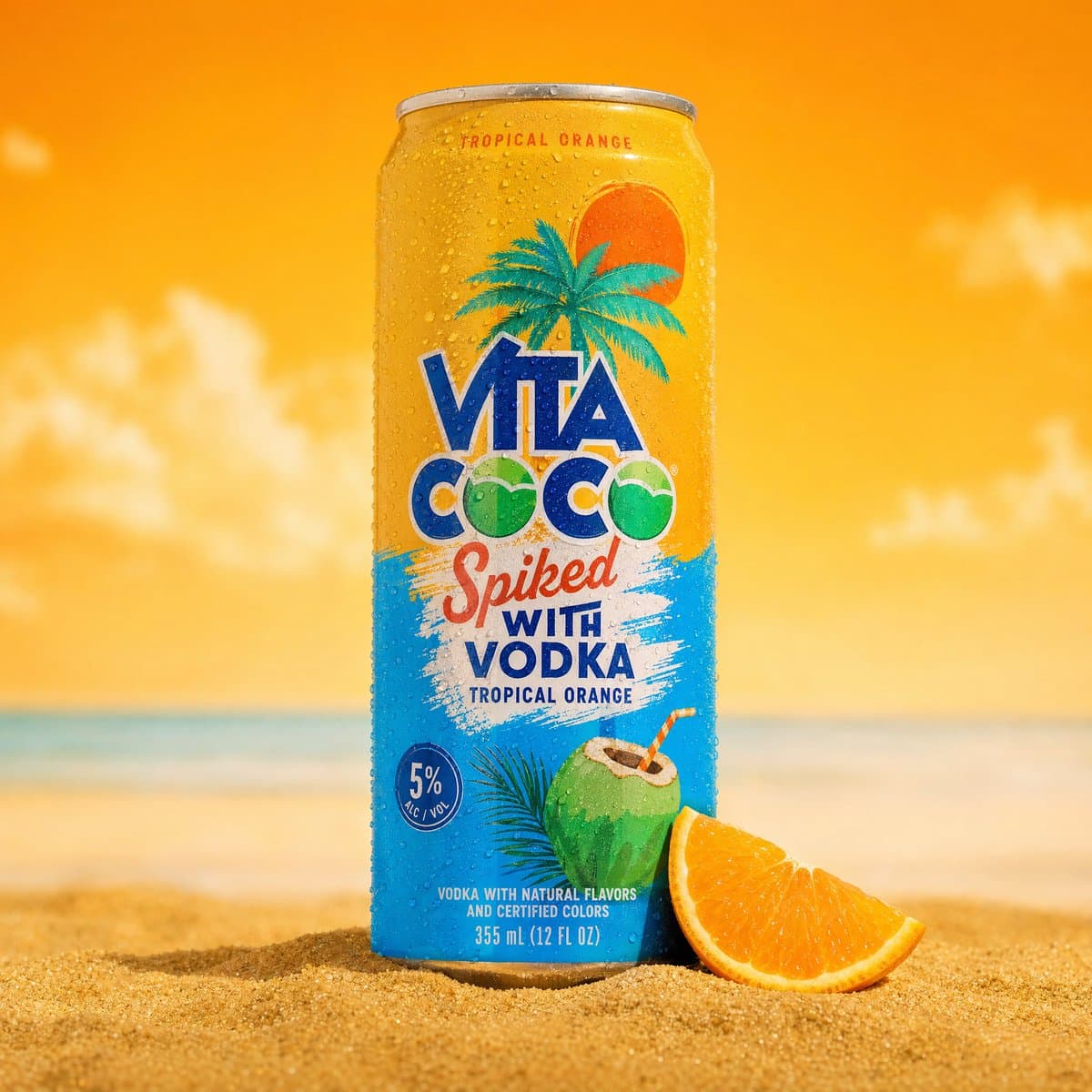
ภาพถ่ายผลิตภัณฑ์น้ำอัดลมเย็นๆ แบบมืออาชีพ
ภาพถ่ายผลิตภัณฑ์น้ำอัดลมเย็นๆ แบบมืออาชีพ สามารถวางตั้งตรงบนหาดทรายสีทองได้ กระป๋องเป็นสีเงินและนกเป็ดน้ำ ปกคลุมไปด้วยหยดน้ำที่เหมือนจริงและมีสับปะรด ภาพประกอบและการสร้างแบรนด์เขตร้อน กระป๋องเอียงเล็กน้อย ปลูกไว้บนกองทร…
พรอมต์
ภาพถ่ายผลิตภัณฑ์น้ำอัดลมเย็นๆ แบบมืออาชีพ สามารถวางตั้งตรงบนหาดทรายสีทองได้ กระป๋องเป็นสีเงินและนกเป็ดน้ำ ปกคลุมไปด้วยหยดน้ำที่เหมือนจริงและมีสับปะรด ภาพประกอบและการสร้างแบรนด์เขตร้อน กระป๋องเอียงเล็กน้อย ปลูกไว้บนกองทรายสีทองเล็กๆ พร้อมด้วยกรวดสีขาวเล็กๆ และใบหญ้าเขตร้อนสีเขียวเล็กๆ กระจายอยู่ทั่วฐาน พื้นหลังมีองค์ประกอบแยกที่ชัดเจน - สีฟ้าสดใสบน ด้านซ้ายและสีเหลืองสดใสทางด้านขวาพร้อมเบลอขนาดใหญ่จริง สับปะรดวางอยู่ด้านหลังกระป๋องทางด้านขวา เขตร้อนที่เบลอ ใบตาลเข้ามาจากมุมซ้ายบนเพิ่มความลึกและ การวางกรอบ หยดน้ำที่ควบแน่นในระดับมาโครมองเห็นได้บน สามารถพื้นผิวได้ การจัดแสงเป็นไฟสตูดิโอเชิงพาณิชย์ที่สว่างสดใสมีชีวิตชีวา มีเงาสะอาดตา ระยะชัดตื้น - สามารถโฟกัสได้อย่างคมชัด พื้นหลังเบลออย่างนุ่มนวล อารมณ์: ฤดูร้อน เขตร้อน สดชื่น สดชื่น ถ่ายภาพสินค้าเชิงพาณิชย์ ละเอียดมาก 8K.
วิธีการใช้งานพร้อมท์นี้
อ่านข้อความแจ้ง ภาพถ่ายผลิตภัณฑ์น้ำอัดลมเย็นๆ แบบมืออาชีพ ฉบับสมบูรณ์ และระบุวัตถุ สไตล์ กล้อง แสง และข้อกำหนดองค์ประกอบก่อนสร้าง
แทนที่ตัวยึดตำแหน่งแบบวงเล็บเหลี่ยมหรือแบบอาร์กิวเมนต์ด้วยข้อกำหนดเกี่ยวกับผลิตภัณฑ์ ตัวละคร แบรนด์ ฉาก ชุดสี หรืออัตราส่วนภาพ
เปิด https://www.gptimagehub.com/th/generate?promptId=cmogwukqz004bzpdyh35d9gmz สร้างรูปภาพ จากนั้นปรับแต่งข้อความแจ้งด้วยหัวข้อ ข้อความ เค้าโครง หรือข้อจำกัดเชิงลบที่เฉพาะเจาะจงมากขึ้น หากจำเป็น
คำถามที่พบบ่อยพร้อมท์
พรอมต์ ภาพถ่ายผลิตภัณฑ์น้ำอัดลมเย็นๆ แบบมืออาชีพ ใช้ทำอะไรได้ดีที่สุด
ข้อความแจ้งนี้เหมาะที่สุดสำหรับอิมเมจ สินค้าและอีคอมเมิร์ซ ที่คุณต้องการโครงสร้างที่นำมาใช้ซ้ำได้ ทิศทางของภาพโดยละเอียด และคุณภาพเอาต์พุตที่สม่ำเสมอ
ฉันสามารถแก้ไขพรอมต์ก่อนสร้างได้หรือไม่
ใช่ ข้อความแจ้งแบบเต็มจะปรากฏบนหน้านี้ เพื่อให้คุณสามารถเปลี่ยนชื่อเรื่อง ชื่อผลิตภัณฑ์ สี องค์ประกอบ ข้อกำหนดของกล้อง อัตราส่วนภาพ และหมายเหตุสไตล์ก่อนการสร้าง
ฉันควรใช้รุ่นใดกับข้อความแจ้งนี้
ใช้โมเดลที่แสดงในข้อมูลเมตาของพรอมต์เป็นจุดเริ่มต้นเริ่มต้น หากรูปภาพรุ่นอื่นรองรับอัตราส่วนภาพและรูปแบบคำสั่งเดียวกัน คุณสามารถปรับข้อความแจ้งและเปรียบเทียบผลลัพธ์ได้