
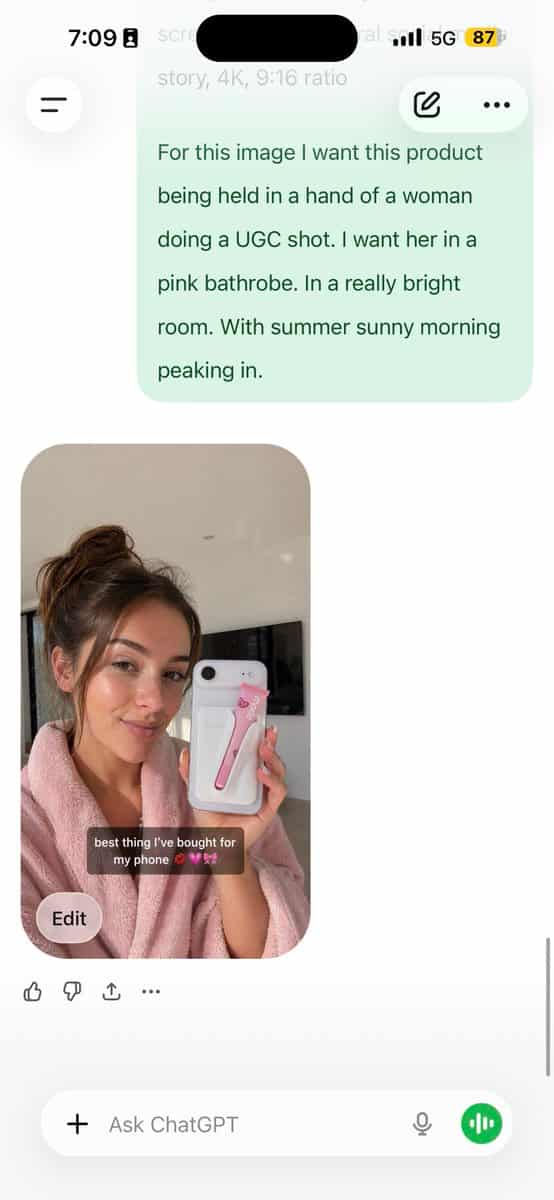
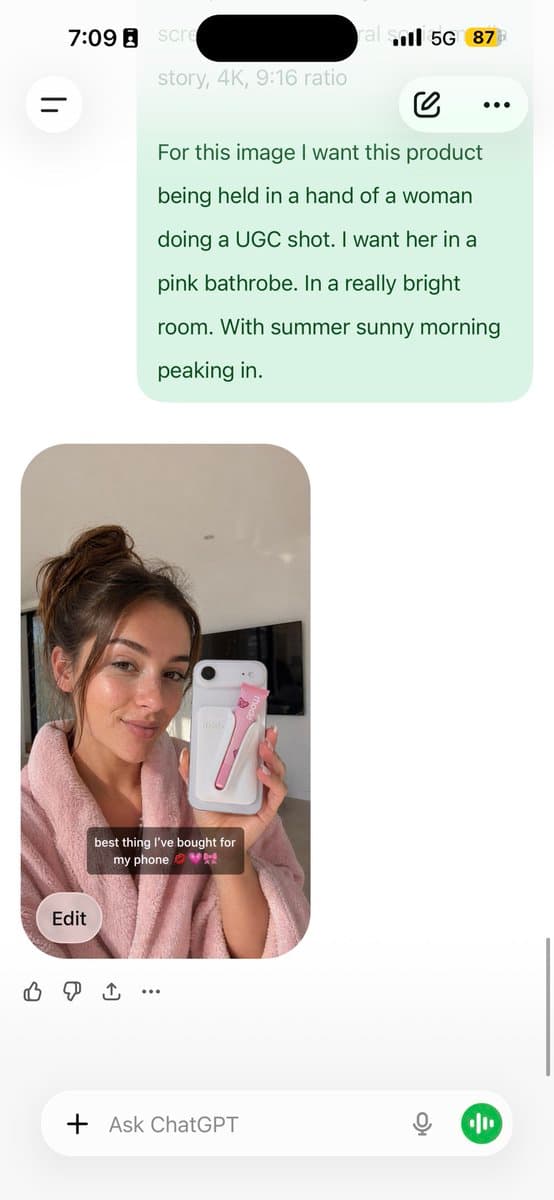
วิเคราะห์รูปภาพนี้และแจ้งรายละเอียด JSON ให้ฉันสร้างมันขึ้นมาใหม่ บรี...
วิเคราะห์รูปภาพนี้และแจ้งรายละเอียด JSON ให้ฉันสร้างมันขึ้นมาใหม่ แจกแจงระดับสีและทุกสีในรูปภาพ (ใช้ Opus ไม่ใช่ Sonnet Opus มีการวิเคราะห์ด้วยภาพที่ดีกว่าและเขียน JSON ที่มีรายละเอียดมากขึ้น) วาง JSON นั้นลงใน ChatGPT…
พรอมต์
วิเคราะห์รูปภาพนี้และแจ้งรายละเอียด JSON ให้ฉันสร้างมันขึ้นมาใหม่ แจกแจงระดับสีและทุกสีในรูปภาพ (ใช้ Opus ไม่ใช่ Sonnet Opus มีการวิเคราะห์ด้วยภาพที่ดีกว่าและเขียน JSON ที่มีรายละเอียดมากขึ้น) วาง JSON นั้นลงใน ChatGPT อัปโหลดภาพผลิตภัณฑ์ของคุณและแจ้ง: ใช้ JSON นี้เป็นข้อมูลอ้างอิง สร้างบุคคลที่ถือผลิตภัณฑ์ของฉัน บันทึกรูปภาพที่สร้างขึ้นเพื่อใช้อ้างอิงตัวละครของคุณ ติดไว้กับรุ่นอนาคตทุกรุ่นเพื่อความสม่ำเสมอของผิวหน้า ตอนนี้คุณมีโมเดล UGC ที่สอดคล้องกันซึ่งใช้ได้กับทุกผลิตภัณฑ์ JSON ควบคุมแสงและการจัดระดับสี GPT image-2 จัดการตัวละคร คุณควบคุมการจัดวางผลิตภัณฑ์ สิ่งที่บอกได้อันดับ 1 ในภาพถ่าย AI คือสีเรียบๆ และมีลักษณะเป็นเม็ดหยาบ วิธีนี้จะลบทั้งสองอย่าง 5 นาทีในการตั้งค่า เปลี่ยนแปลงได้ไม่จำกัดหลังจากนั้น
วิธีการใช้งานพร้อมท์นี้
อ่านข้อความแจ้ง วิเคราะห์รูปภาพนี้และแจ้งรายละเอียด JSON ให้ฉันสร้างมันขึ้นมาใหม่ บรี... ฉบับสมบูรณ์ และระบุวัตถุ สไตล์ กล้อง แสง และข้อกำหนดองค์ประกอบก่อนสร้าง
แทนที่ตัวยึดตำแหน่งแบบวงเล็บเหลี่ยมหรือแบบอาร์กิวเมนต์ด้วยข้อกำหนดเกี่ยวกับผลิตภัณฑ์ ตัวละคร แบรนด์ ฉาก ชุดสี หรืออัตราส่วนภาพ
เปิด https://www.gptimagehub.com/th/generate?promptId=cmogws0lq001jzpdymr6rmtxn สร้างรูปภาพ จากนั้นปรับแต่งข้อความแจ้งด้วยหัวข้อ ข้อความ เค้าโครง หรือข้อจำกัดเชิงลบที่เฉพาะเจาะจงมากขึ้น หากจำเป็น
คำถามที่พบบ่อยพร้อมท์
พรอมต์ วิเคราะห์รูปภาพนี้และแจ้งรายละเอียด JSON ให้ฉันสร้างมันขึ้นมาใหม่ บรี... ใช้ทำอะไรได้ดีที่สุด
ข้อความแจ้งนี้เหมาะที่สุดสำหรับอิมเมจ ภาพบุคคลและการถ่ายภาพ ที่คุณต้องการโครงสร้างที่นำมาใช้ซ้ำได้ ทิศทางของภาพโดยละเอียด และคุณภาพเอาต์พุตที่สม่ำเสมอ
ฉันสามารถแก้ไขพรอมต์ก่อนสร้างได้หรือไม่
ใช่ ข้อความแจ้งแบบเต็มจะปรากฏบนหน้านี้ เพื่อให้คุณสามารถเปลี่ยนชื่อเรื่อง ชื่อผลิตภัณฑ์ สี องค์ประกอบ ข้อกำหนดของกล้อง อัตราส่วนภาพ และหมายเหตุสไตล์ก่อนการสร้าง
ฉันควรใช้รุ่นใดกับข้อความแจ้งนี้
ใช้โมเดลที่แสดงในข้อมูลเมตาของพรอมต์เป็นจุดเริ่มต้นเริ่มต้น หากรูปภาพรุ่นอื่นรองรับอัตราส่วนภาพและรูปแบบคำสั่งเดียวกัน คุณสามารถปรับข้อความแจ้งและเปรียบเทียบผลลัพธ์ได้